Participant
Sept. 13, 2012 7:40 AM UTC
Beantwortet

How to wrap a text/image around a bottle/cylinder/object in specific Photoshop CS6?

Hi everyone!

I'm the lucky owner of Photoshop CS6 - love all the new features and design - but I've never worked with 3D effect before (not even in the earlier versions), until now when I finally need it. I've therefore searched the Internet and the Adobe Forums in order to get to know how to wrap a text/image around a glass bottle in Photoshop CS6. I've found several answers and tutorials, but none of them regards CS6 or they are simply too primitive, whereby the effect is too fake. But when I try follow the instructions in the explanations/tutorials I've found so far for earlier versions of Photoshop (especially regarding 3D effects), I can't find the right buttons, commands, etc. - I can't make it work.

Therefore, someone who will help me explain how to do wrap a text/image around a bottle/cylinder/object in Photoshop CS6?

Best, Marie W.

(www.mariewengler.com) 

visual photographic artist

editor of Toxique Magazine

Dieses Thema wurde für Antworten geschlossen.
SG...
SG...Antwort
Adobe Employee
Okt. 9, 2013 6:50 AM UTC

Hi,

What version of Photoshop are you using? Did you not want to display the 3D can as Noel has done above, and just want to warp text so that it distorts around the surface?

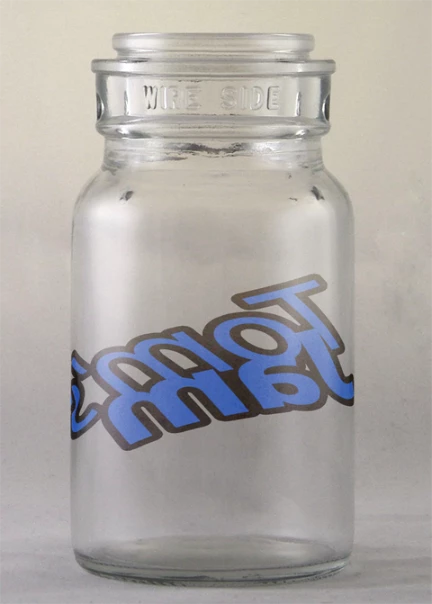
Something along these lines but without the transparency of the glass?

regards,

steve

17 Antworten

Noel Carboni
Legend
Sept. 13, 2012 4:19 PM UTC

It's pretty easy, and Pierre is right - those tutorials are fun.

I think putting things on soft drink cans is fun...

-Noel

Übersetzen
Participating Frequently
Okt. 9, 2013 12:46 AM UTC

how do I wrap text aroung an "object"? I have a picture of can, and I want to make it look like the text is on the can. How do I do that?

Übersetzen
SG...
Adobe Employee
SG...Antwort
Adobe Employee
Okt. 9, 2013 6:50 AM UTC

Hi,

What version of Photoshop are you using? Did you not want to display the 3D can as Noel has done above, and just want to warp text so that it distorts around the surface?

Something along these lines but without the transparency of the glass?

regards,

steve

Übersetzen
PECourtejoie
Community Expert
Community Expert
Sept. 13, 2012 8:03 AM UTC

Hi! I suggest to follow Daniel Presedo's videos: http://www.youtube.com/user/dramenon?feature=watch

He is one of the Photoshop engineers, and plays a lot with the features he helps shape up.

This one might answer your question: http://www.youtube.com/watch?v=LhZQyXNza9E&list=UUZUppPJ_aMM6cna7PGnNQrw&index=37&feature=plcp

Übersetzen