


I can't figure out why Photoshop won't let me make a clipping mask?
So I'm not quite sure how I'm getting making a clipping mask incorrectly. I have tried:
1. Making a new layer for the clipping mask, putting it above the layer I want to clip it to, and then pressing the alt button while hovering my mouse over the layer line. Nothing happens. (It think this is called a keyboard shortcut?) This is the method the tutorial I'm trying to follow uses, I'll attach a photo incase I'm interpreting it wrong and you want to see it.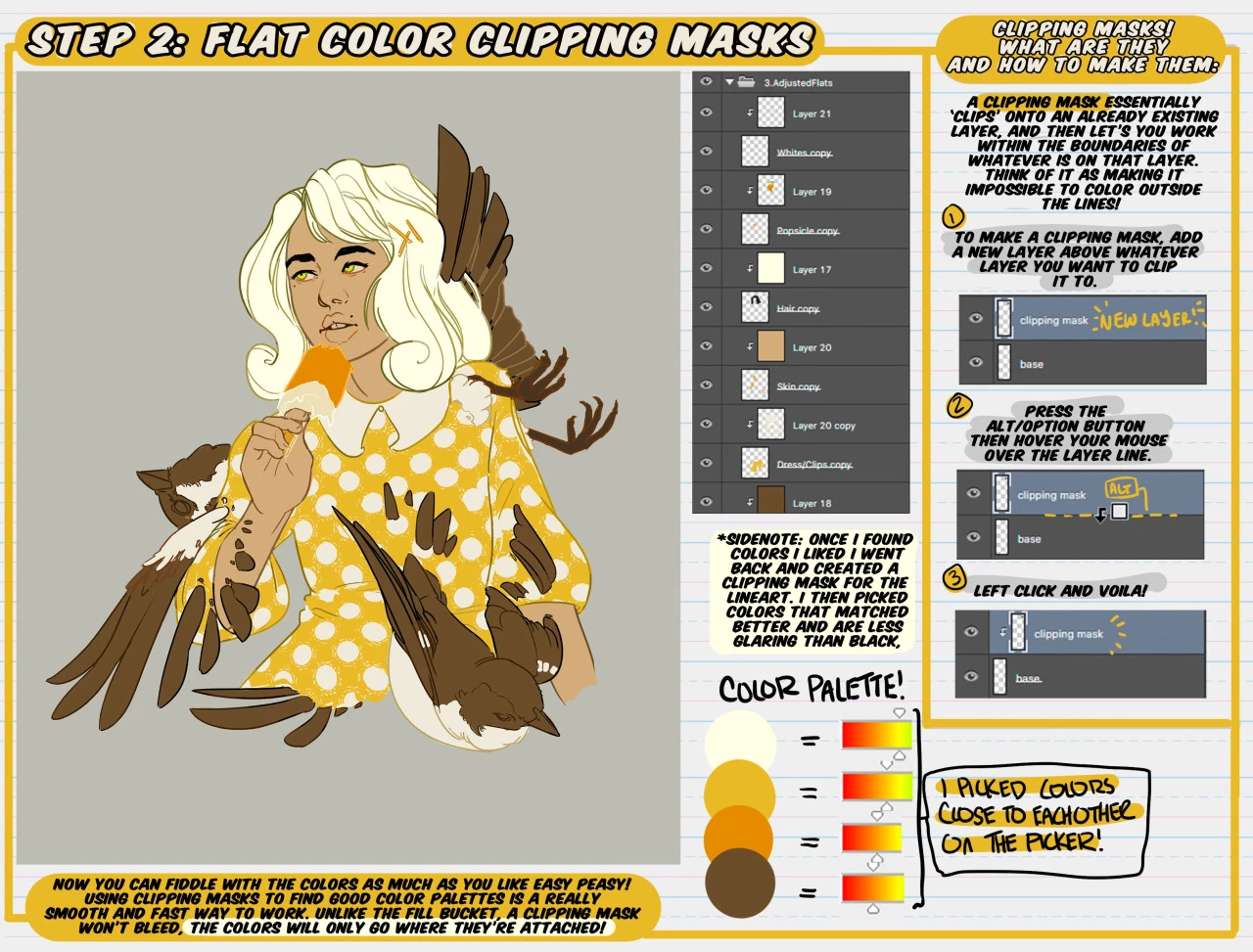
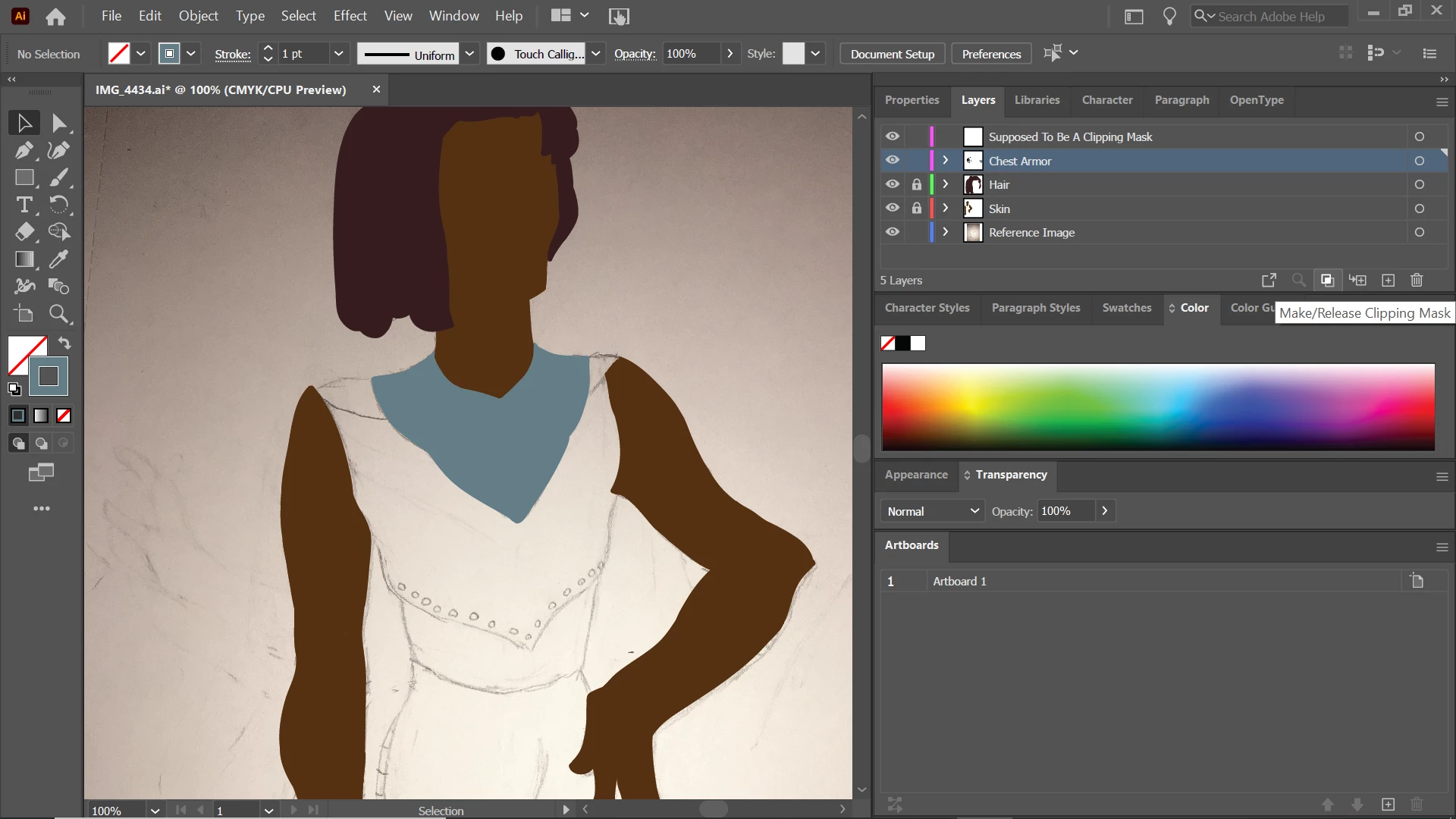
2. Trying to find the 'Create Clipping Mask' button I've seen in tutorials which is a circle inside of a square. I don't seem to have one (I have attached a picture). Instead I have two overlapping squares that say 'Make/Release Clipping Mask'. I figured this would do the same thing, but when I click on the layer I want to be the clipping mask and then go to click the button it's greyed out. It's only available when I click on layers that have things on them, and of course I don't want to make it into a clipping mask.
3. Clicking Windows > Layers to see if there was a second way to control layers than the side panel.
4. Ctrl + 7
Image of my screen for reference:
 AdChoices