
martinc61124577
Participant
November 29, 2019
Question

I have a problem with commands in photoshop

  • November 29, 2019
  • 1 reply
  • 725 views

Hey everyone !

So i've been using Photoshop and most adobe softwares for a while now (probably 4-5 years)

and there's always that one problem the software has for no reason, but i usually manage to find a fix

The problem that's been occuring on photoshop for me as of recently doesn't seem documented anywhere so i came here to ask for help.

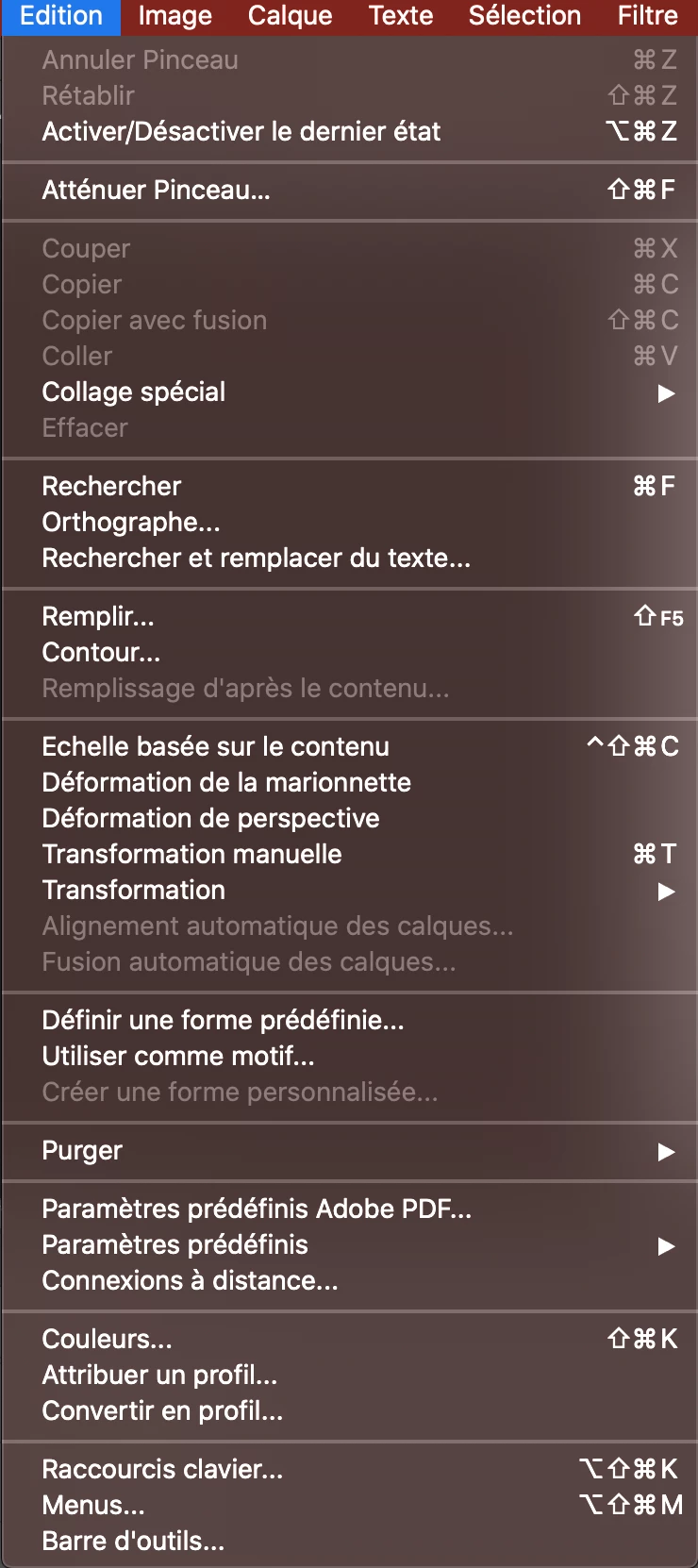
Basically, whenever i work on a file (i need to add that i'm on PS 2020, and that it's been happening with files that have montages in them), after some time, Photoshop blocks me from doing any command (i can't Cmd + Z, can't press space, i just get error sounds).

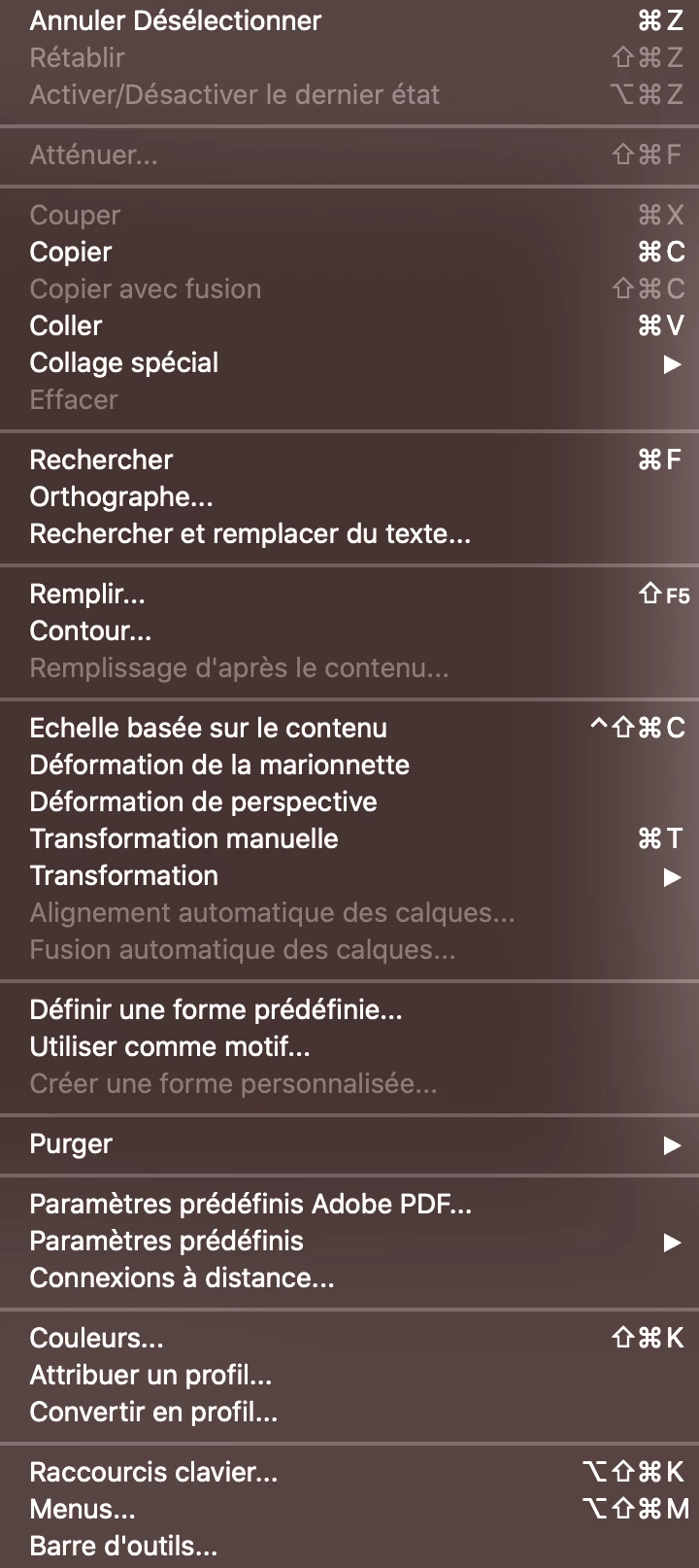
But after i either close the file and reopen it, or quickly create another one then go back to the file, the bug stops.

I don't know why this is happening, im on a mac and have no extra software/addons on photoshop that could be the cause (and since it's only seems to be happening with files that have montages it might be the cause, but i havent worked with a non montage file on 2020 PS yet so i can't confirm that).
Thanks in advance to everyone who's gonna help 🙂


PS : I attached 2 photos with the command section during the bug, and then after i create a new file (im french so sry that it's in french, just know that "Annuler" is Undo)
 

This topic has been closed for replies.

1 reply

JJMack
Community Expert
Community Expert
November 29, 2019

Adobe changed some shortcuts in I believe cc 2018 or cc 2019 dealing with undo and redo they also added in Edit keyboard check boxes to use old legacy shortcuts.  You can also edit the shortcuts and set the ones you want to use for undo redo and stepping backwards and forward through the commands you used.


Adobe does not seem to want to keep preferences is a single place.  You have Preferences, keyboard shortcut editor, PSUserconfig.txt, Fly-out menu items in the adjustment panel and I believe I have seen some Windows registry keys that can be used for Photoshop preferences.


JJMack
martinc61124577
Participant
November 30, 2019

Thnk your the response

But like i showed in the pictures, the problem isn't that the shortcut doesnt work, but photoshop blocks me entirely from using the undo command, and i don't know why that is

JJMack
Community Expert
Community Expert
November 30, 2019

From what you posted I can not tell if you have a document open and that it hs some history states. With no open documents this is what I see.

With an open document with history states and I have stepped back some this is what  I see.  When a command is not currently unable Photoshop grays menu items out.


JJMack