


I'm having an issue with connecting my device on my new Wacom Cintiq 16 tablet
First off, my name is Dustin Schaefbauer and I'm a newbie on here when it comes to using Adode products for the first time; just wanted to make that clear to anyone without any miscommunication involved.
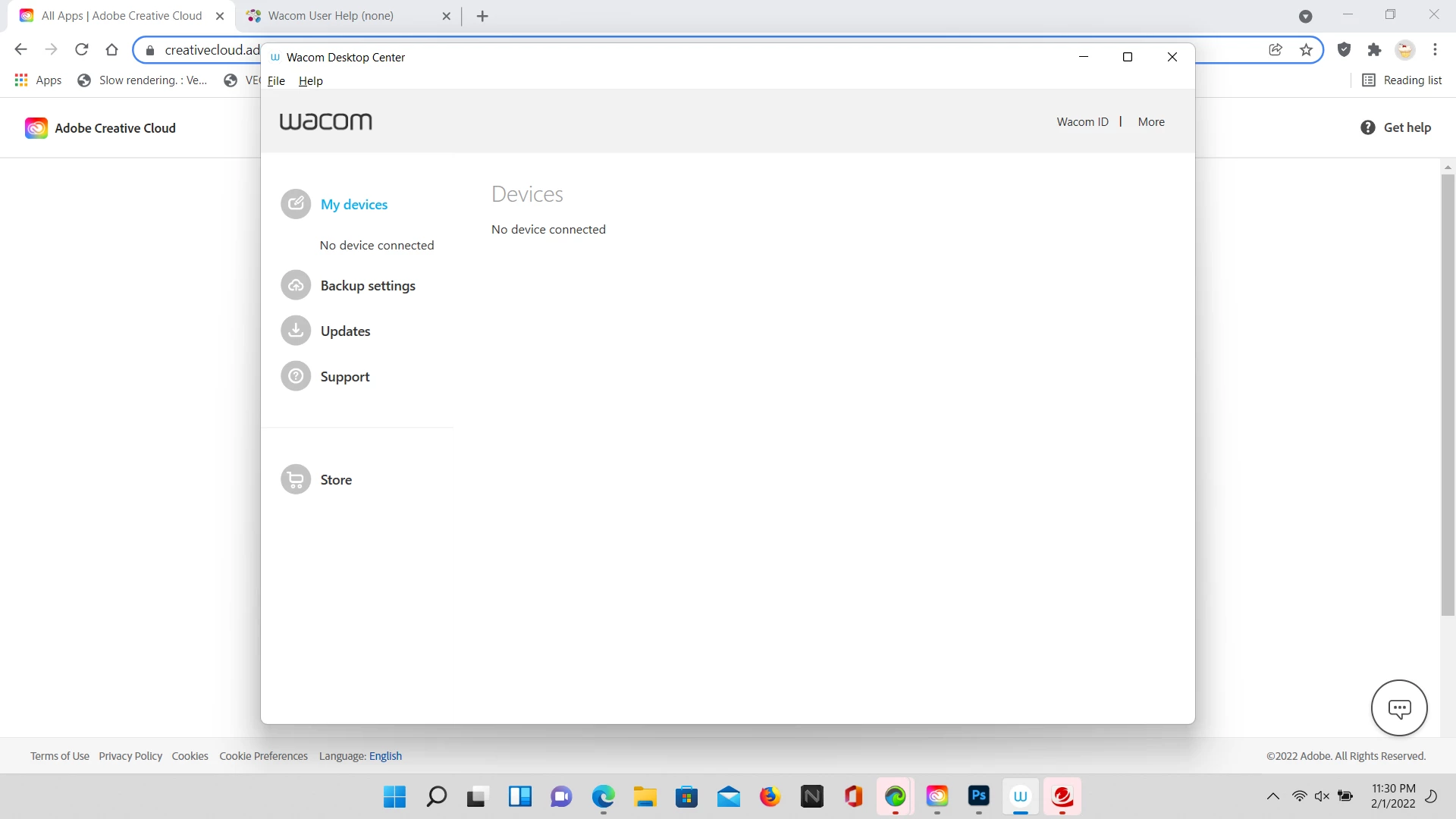
Anyways, ever since I got myself a brand new Wacom Cintiq 16 tablet for my belated birthday weeks ago and starting to do some research online about learning how to use it including YouTube tutorials on it as well. However, once I followed the instructions from my manual and set up my whole tablet like a week ago and then having to order the latest Adobe Photoshop software onto my laptop (Windows 10) so that I would start learning how to draw digital artworks on there for my DeviantArt account and other such projects, I've noticed that my device hasn't been connected yet despite installing my Wacom according to my Wacom Desktop Center.
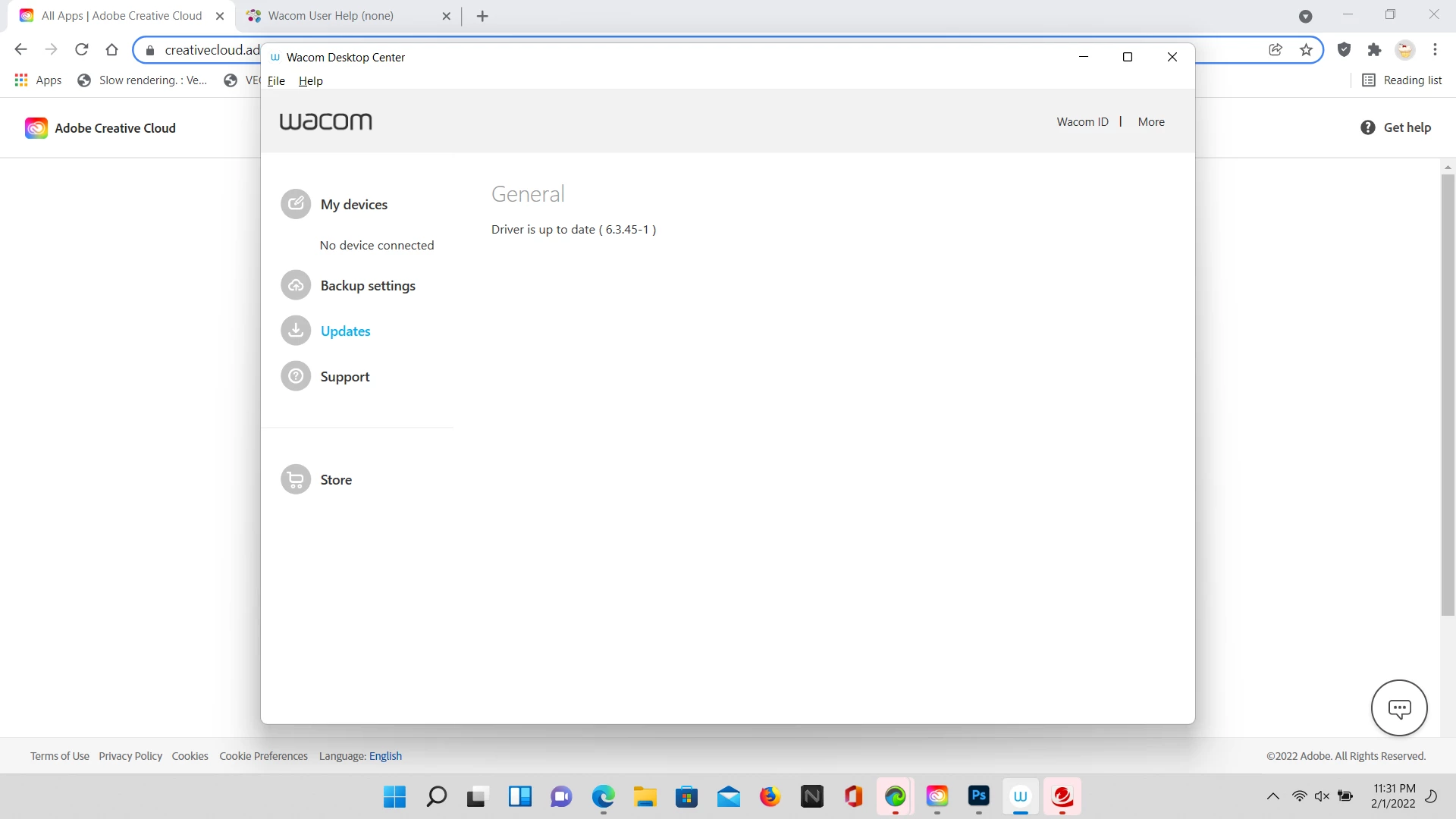
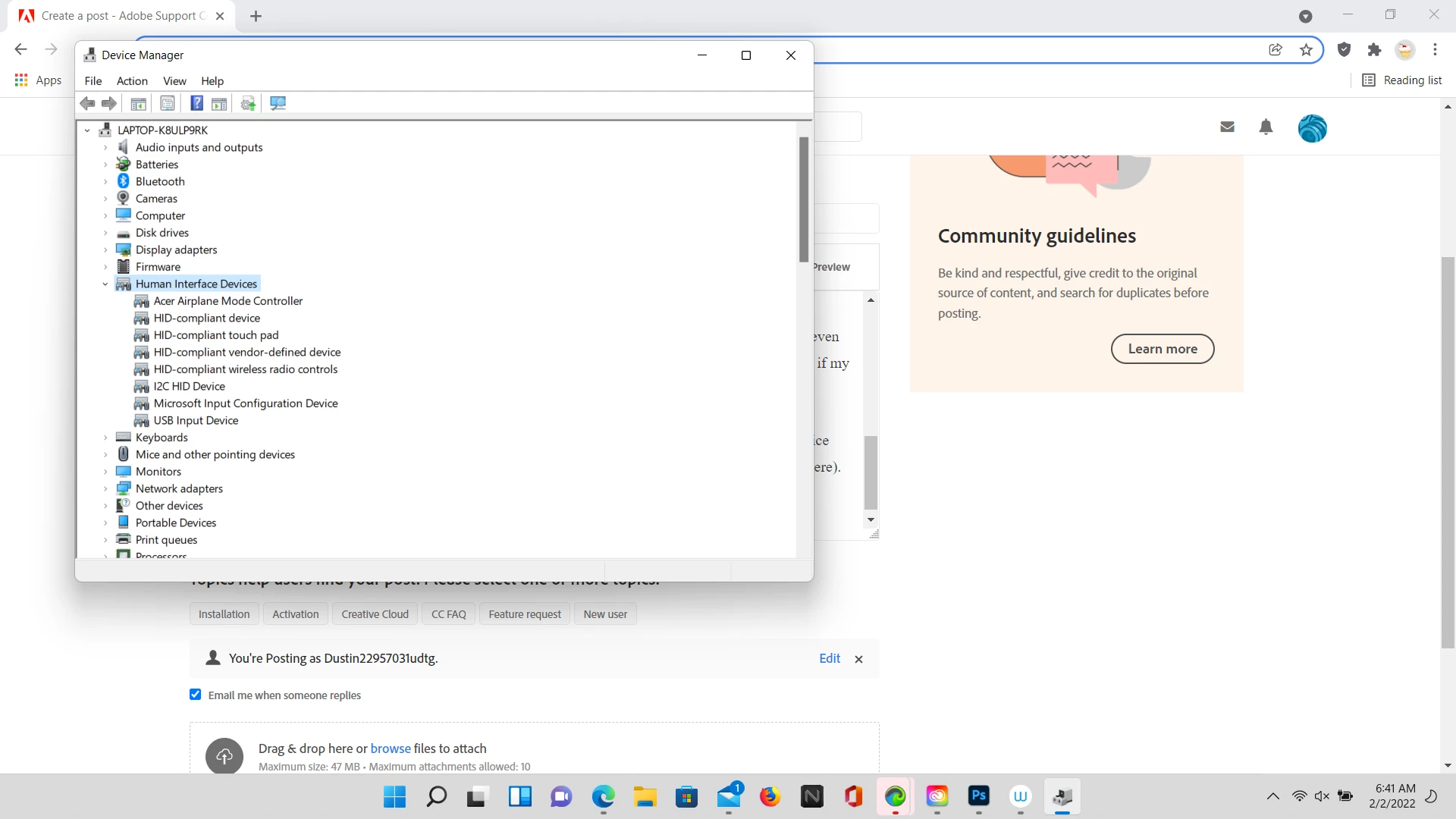
In fact, I even decided to see if there had been any forum posts online about this issue as well as watching a few YouTube tutorials about fixing my device connection as they had giving me the same answers but unfortuanetly the only one detail that isn't available for me would be having the 'Wacom Tablet' under the Human Interface Devices section from my Device Manager and so I don't know what else to do in this case? (please keep in mind that my driver is up to date to avoid any confusion for anyone here if it's relevant - I'm not too sure to be honest)
Not only that but, as an additional issue related to Wacom, my own Wacom Intuos Pro pen wouldn't even work for me when I decided to test it out on my tablet and see how it works out and I'm also not sure if my device not connecting might've had anything to do with it if that was the issue or not?
By the way, here are my screenshots of both my current issue on my Wacom Desktop Center (including my Driver being updated as prove) and my Device Manager settings in order to understand the context of my situation (if they'll be helpful for anyone here). If anyone can solve my issue here, that'll be greatly appreciated.
P.S.
Since I'm new to this product as well as joining this community forum, I'm not exactly sure this post of mine would be appropiate or relevant to ask here on this website as I'm not quite too familiar with how this forum works or even had the time to find out what the rules or policies are on here and so I just want to avoid any kind of conflicts or inconvenience with anyone if I were using this forum incorrectly.
 AdChoices