
Participating Frequently
October 19, 2022
Question

I need help fixing a ps file

  • October 19, 2022
  • 3 replies
  • 337 views

I am willing to pay good money to any photoshop pro who can help me fix my export/file problem. I have a design that I want to export and it looks perfect on the back of a shirt in Photoshop but i cannot export the design as a png because it is in lighten mode. When i put it into normal mode the black background is there and I cannot remove it with precision. Please help ASAP.
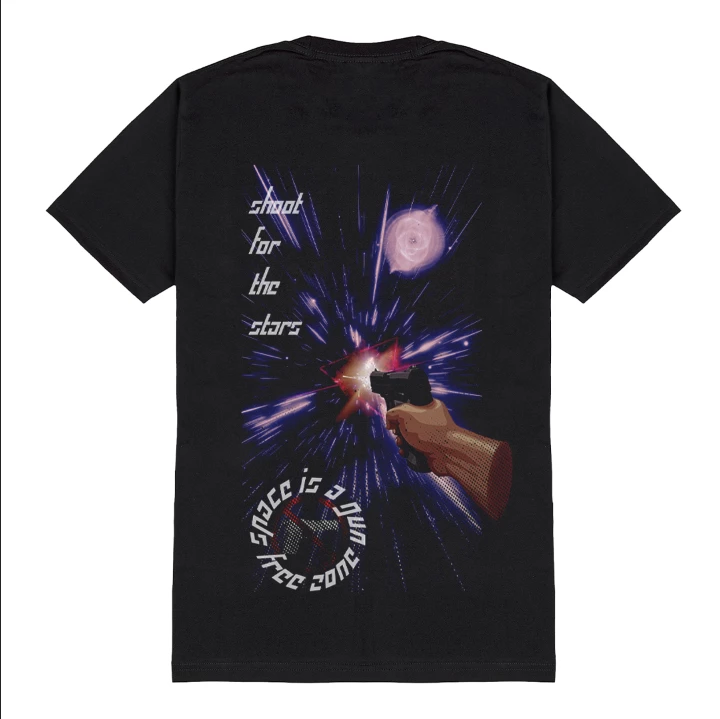
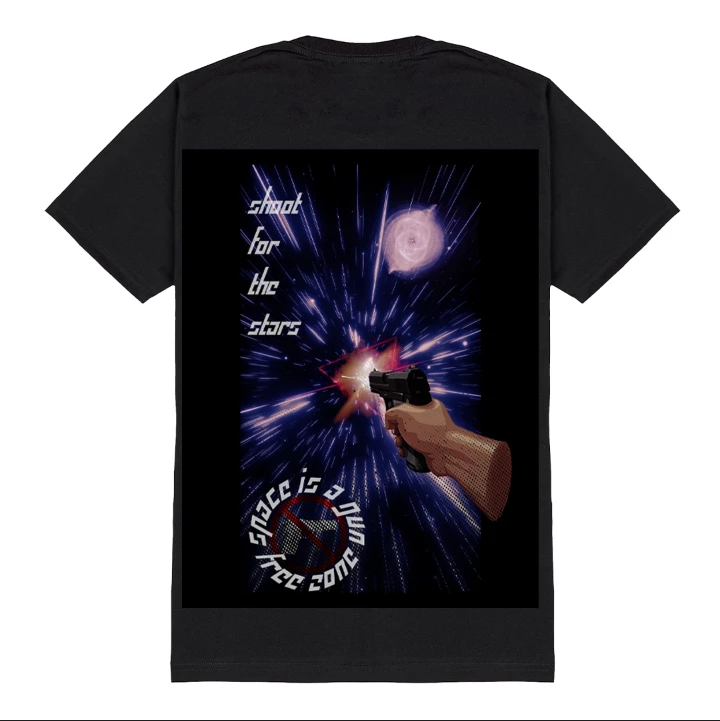


This topic has been closed for replies.

3 replies

jane-e
Community Expert
Community Expert
October 19, 2022

@fluencii 


This post is the same as the one posted a day earlier by @vertxem that has several answers.

https://community.adobe.com/t5/photoshop-ecosystem-discussions/exporting-in-different-layer-modes/m-p/13277380


Are you and @vertxem the same person? Forum rules are to post the same issue once.


Jane


fluenciiAuthor
Participating Frequently
October 20, 2022

yes we are part of the same company sorry about that.


davescm
Community Expert
Community Expert
October 19, 2022

This is not the forum to recruit paid help. Behance will give you options for that as will other such sites.


However, if you have the design file in separate layers, then use it and turn off the background black layer. That will give you a better result than trying to remove the background from a flattened file.


If not then you may be able to use Blend If and turn the black in Blend if this layer up. Alt drag to split the triangle and soften the transition. Or for more control :


Click on RGB in the channels panel and then load channel as selection. Add a layer mask using Layer > Layer Mask 'reveal selection' option. Then click on the mask and use a curves adjustment to turn the areas you want to keep white on the mask and those you don't black.

After that, you may also need a curve adjustment on the layer itself and you will need some touch up on the mask as this will remove black areas of the image. Just paint the mask white in those areas to restore them


Dave

fluenciiAuthor
Participating Frequently
October 20, 2022

hello, thank you dave is there anyway i can send you the ps file so you can try to fix it?

davescm
Community Expert
Community Expert
October 20, 2022

No. This forum is about showing how to resolve issues using Adobe's products, not recruiting people to do commercial work.

Try Behance or similar.


Dave

fluenciiAuthor
Participating Frequently
October 19, 2022

I relealize there may be a way to go into the design file and fix it there but I am not skilled enough myself to do that so if someone is please let me know and we can work something out.