


Participating Frequently
April 26, 2022
Answered

I want to copy one shape from a shape layer and it copies the whole shape layer.

  • April 26, 2022
  • 4 replies
  • 3123 views

So in pretty much every verison of photoshop. I keep running into this issue. I have a shape layer with multiple shapes within. I want to copy just one of the shapes to a new layer. I do CTRL + C and create a new shape layer. Then I paste with CTRL + V. It then places all the shapes from the copied  layer when I just wanted one shape from that layer. I have no idea how to change it to just copy the one shape. Ive asked friends and none of them have this issue.
This topic has been closed for replies.
Correct answer jane-e

@ArkReactor 

Instead of using the Rectangle Shape tool, can you try it with:

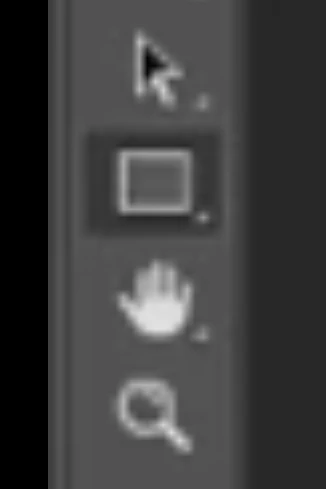
  • The Path Selection tool "A" (black arrow)
  • The Direct Selection tool "A" (white arrow)

The two tools share space. Right-click in the tools panel to switch.


Jane

4 replies

c.pfaffenbichler
Community Expert
Community Expert
April 27, 2022

I have a shape layer with multiple shapes within. I want to copy just one of the shapes to a new layer. I do CTRL + C and create a new shape layer. Then I paste with CTRL + V. It then places all the shapes from the copied  layer when I just wanted one shape from that layer. 

How exactly did you select the Shape you want to copy? 

Could you please post screenshots with the pertinent Panels (Toolbar, Layers, Paths, Properties, Options Bar, …) visible? 

Participating Frequently
April 27, 2022

Heres a 2 minute video. I hope this helps a little

jane-e
Community Expert
jane-eCommunity ExpertCorrect answer
Community Expert
April 27, 2022

@ArkReactor 

Instead of using the Rectangle Shape tool, can you try it with:

  • The Path Selection tool "A" (black arrow)
  • The Direct Selection tool "A" (white arrow)

The two tools share space. Right-click in the tools panel to switch.


Jane

Jeff Arola
Community Expert
Community Expert
April 27, 2022

Here's what i was trying describe as in this video starting at the 6:53 mark


https://www.youtube.com/watch?v=wWkgrMbZc9w


Jeff Arola
Community Expert
Community Expert
April 26, 2022

If you use the Path Selection Tool to select your shape and then Ctrl+J, does that work?


Participating Frequently
April 26, 2022

Yes. I can duplicate the shape to a new layer. That does work.

It isolates it so I can cut it and then add to an existing shape layer more easily. Just still a three step process instead of the two.

jane-e
Community Expert
Community Expert
April 27, 2022

@ArkReactor wrote:

. Just still a three step process instead of the two.


I'm confused:

Your first post: Ctrl+C; Ctrl+V

Jeff's post: Ctrl+J


How are you counting the steps?


Jane


Jumpenjax
Community Expert
Community Expert
April 26, 2022

Duplicate the layer and delete what you do not need.

Lee- Graphic Designer, Print Specialist, Photographer
Participating Frequently
April 26, 2022

That is one work around I can do. The other work-a-round I discovered is to Cut what I need. Paste it. Then move to the layer I want it on and Paste it again. This isnt how photoshop should work. I havent had this issue in the ten years Ive been using it. I was just wondering how I fix it.