
Fr3aky
Participant
August 31, 2021
Answered

Image changes on export, when flattening all layers or merging all layers.

  • August 31, 2021
  • 2 replies
  • 563 views

I want to export this image in Photoshop 22.5:
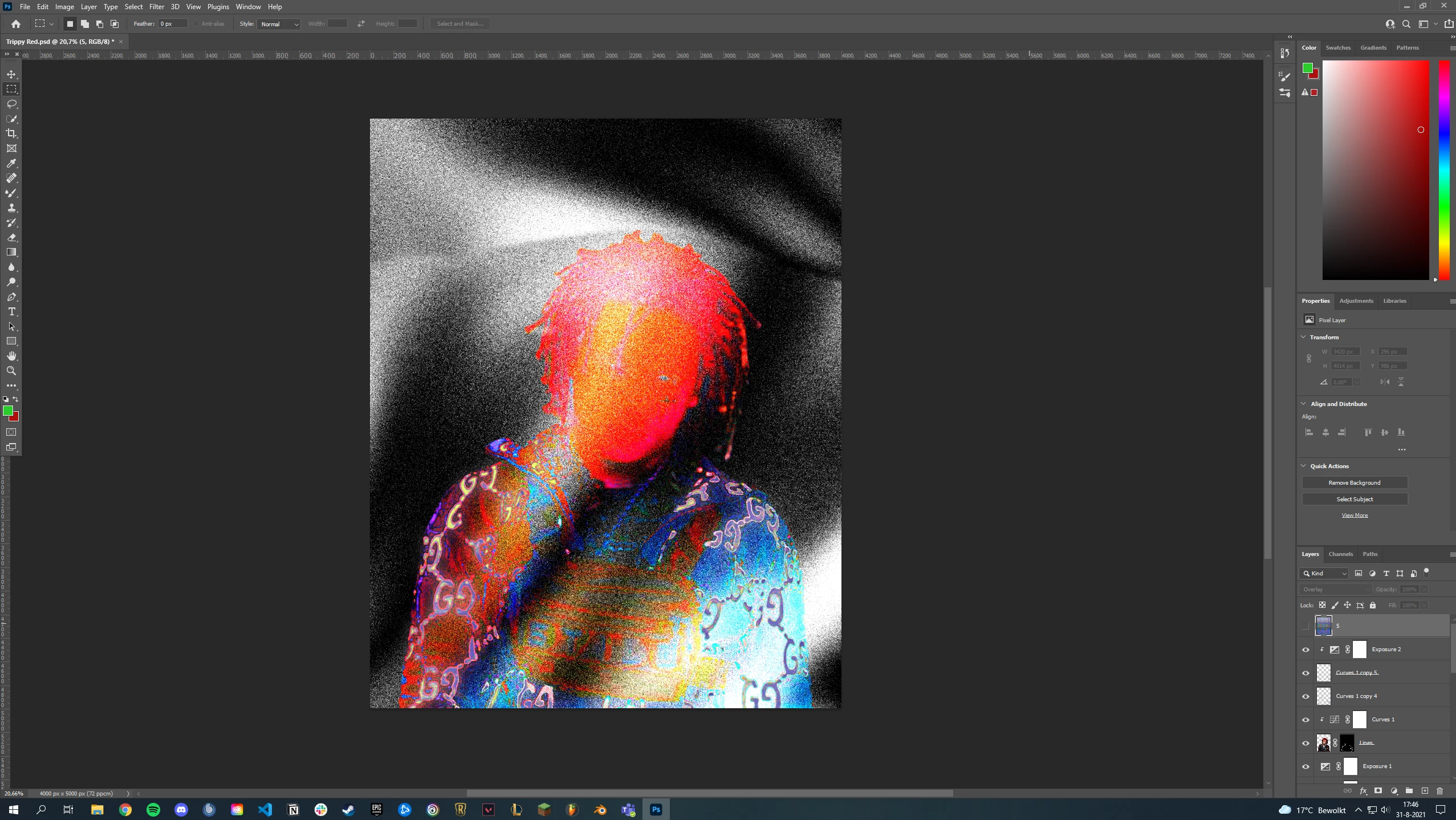
When exporting everything seems to change. I tried playing with the export settings, but this wouldn't change anything. Merging all the layers or flattening the image results in the same as the export preview. 
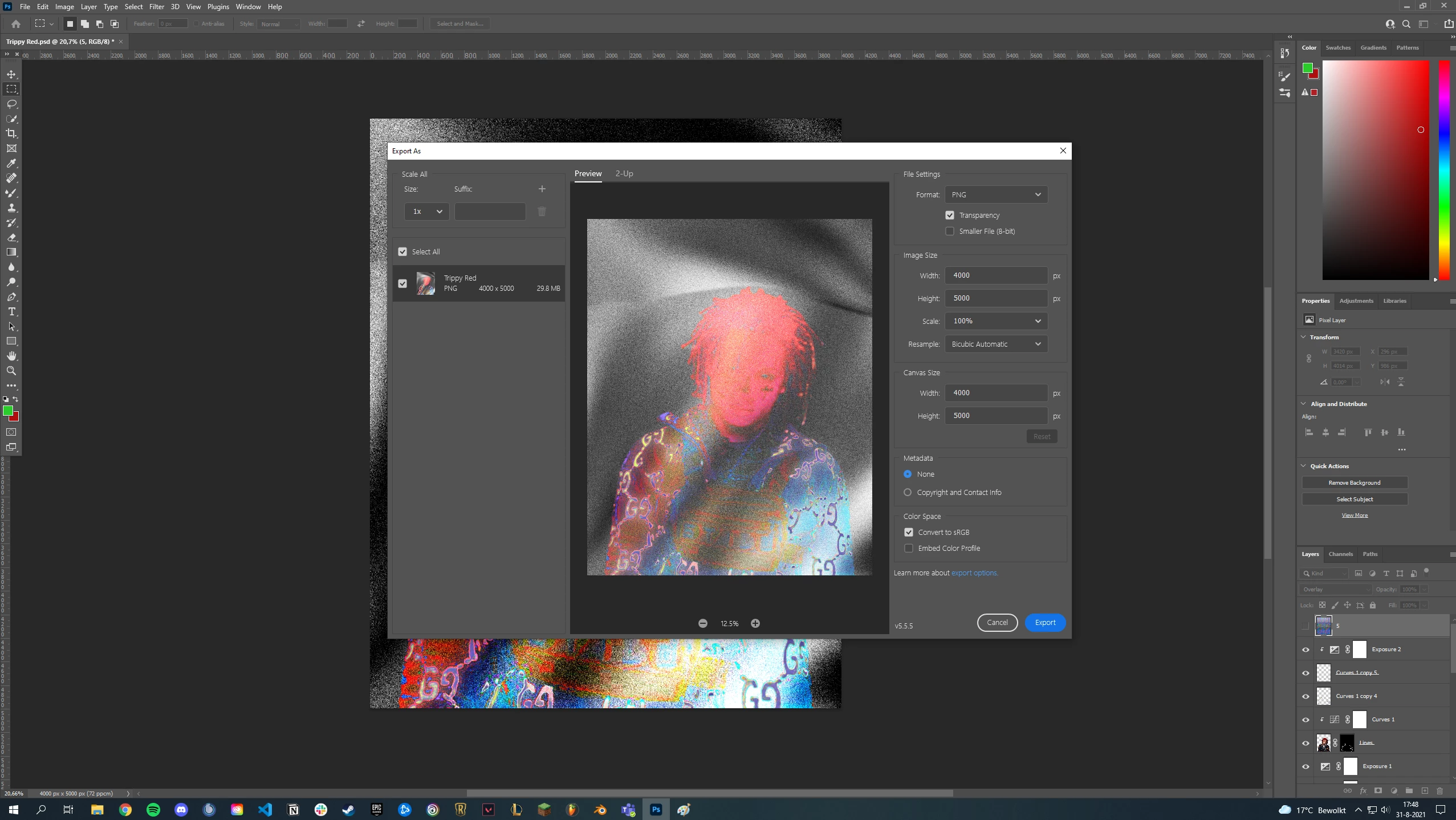
I think it's because two of my layers are using the luminosity blending mode. When I remove the two layers my viewport and the export will have the same result again.


Has anyone any idea what the problem is or how to fix it?

Already, thanks in advance!

This topic has been closed for replies.
Correct answer c.pfaffenbichler

At current one cannot set the Cache Level to 1 and have it stick, if Cache Level 2 provides a better preview that’s certainly welcome, but ultimately you should, for the time being, ideally assess sensitive Adjustments at View > 100%. 

That is reliable. 

2 replies

c.pfaffenbichler
Community Expert
Community Expert
August 31, 2021

Could you please post screenshots taken at View > 100% with the pertinent Panels (Toolbar, Layers, Channels, Options Bar, …) visible? 

Fr3aky
Fr3akyAuthor
Participant
August 31, 2021

Hey, I took some screenshots with my view on 100% showing the layers and channels panels on the right:

It's like this in the preview at 100% and now I'm guessing it is actually the same:


I saw you used the curves adjustment layer to change the color on view at 100% and it turned black and white. I can still change the colors with the curves adjustment layer without getting a black and white image.

I also saw you tried to fix this by changing your cache level from 2 to 1. Mine was normally at 4, I switched it to 1 and saved the file. When I came back it went up to 2 again. But with 2 it seems to look the same as the render preview.

Should I just try and recreate the image I want with the cache level set on two or is there a better workaround?

Already thanks for the help!

c.pfaffenbichler
Community Expert
c.pfaffenbichlerCommunity ExpertCorrect answer
Community Expert
September 1, 2021

At current one cannot set the Cache Level to 1 and have it stick, if Cache Level 2 provides a better preview that’s certainly welcome, but ultimately you should, for the time being, ideally assess sensitive Adjustments at View > 100%. 

That is reliable.