Laboo
Participant
December 3, 2021
해결됨

Images don't open to full screen like they used to....

  • December 3, 2021
  • 1 답변
  • 1189 조회

Just downloaded the latest version of PS.

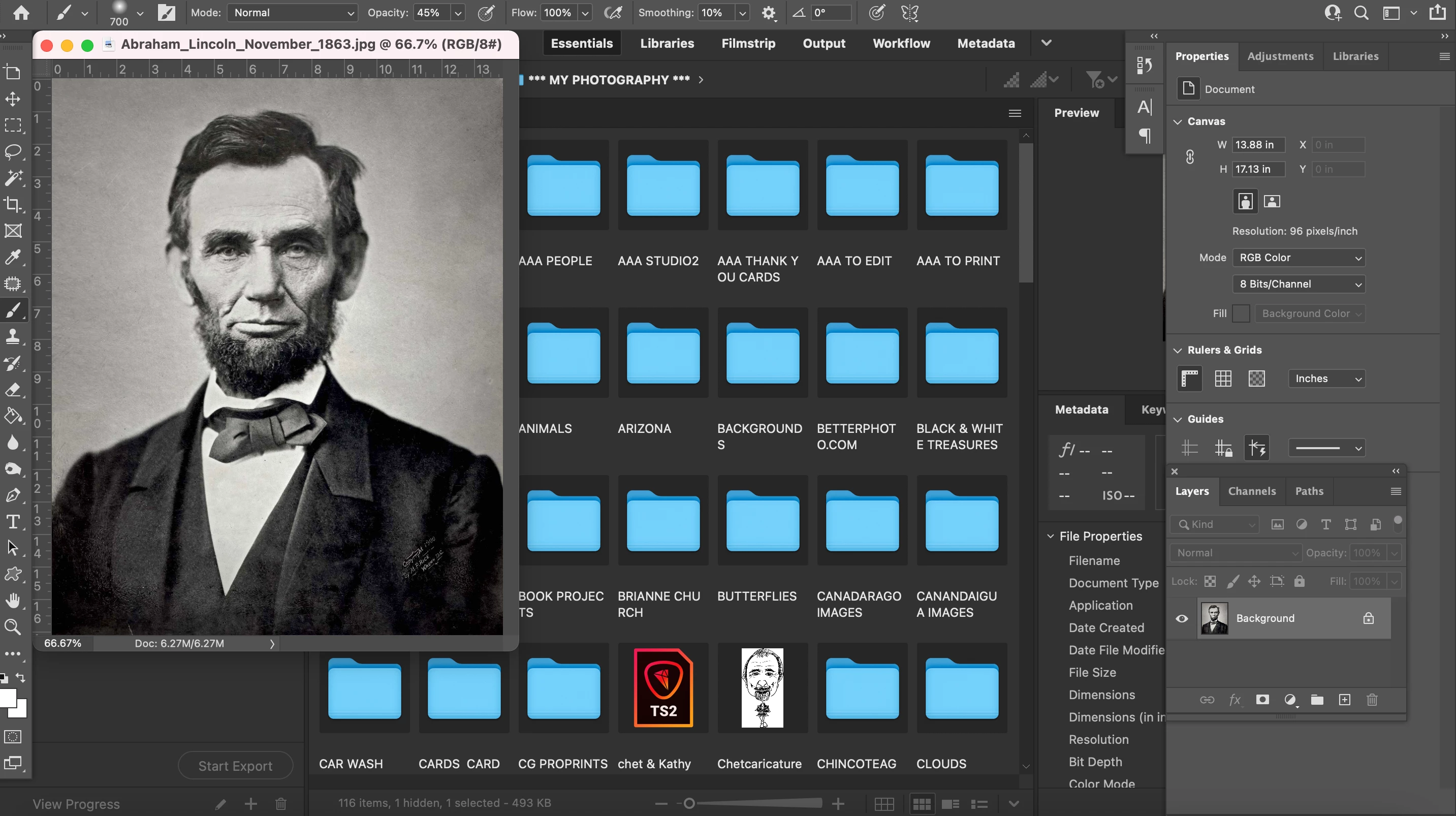
When I double click on an image in Bridge it opens in PS ...but it's a tiny image in the top left corner of the screen.  On the right side the layers panel is just fine, but the images no longer open to full screen.   Any help will be appreciated.

You can see it here...this image of Lincoln opens on the left side of the screen.   I'd like images to open to the full screen....like they used to.   Any ideas?


이 주제는 답변이 닫혔습니다.
최고의 답변: jane-e

Thanks for the info. Have you tried resetting the preferences of Photoshop with the steps shared above? Did that work?


Regards,

Tarun


Hi @Laboo 


You don't need to reset preferences. Just go to the Window menu and turn on the Application Frame.


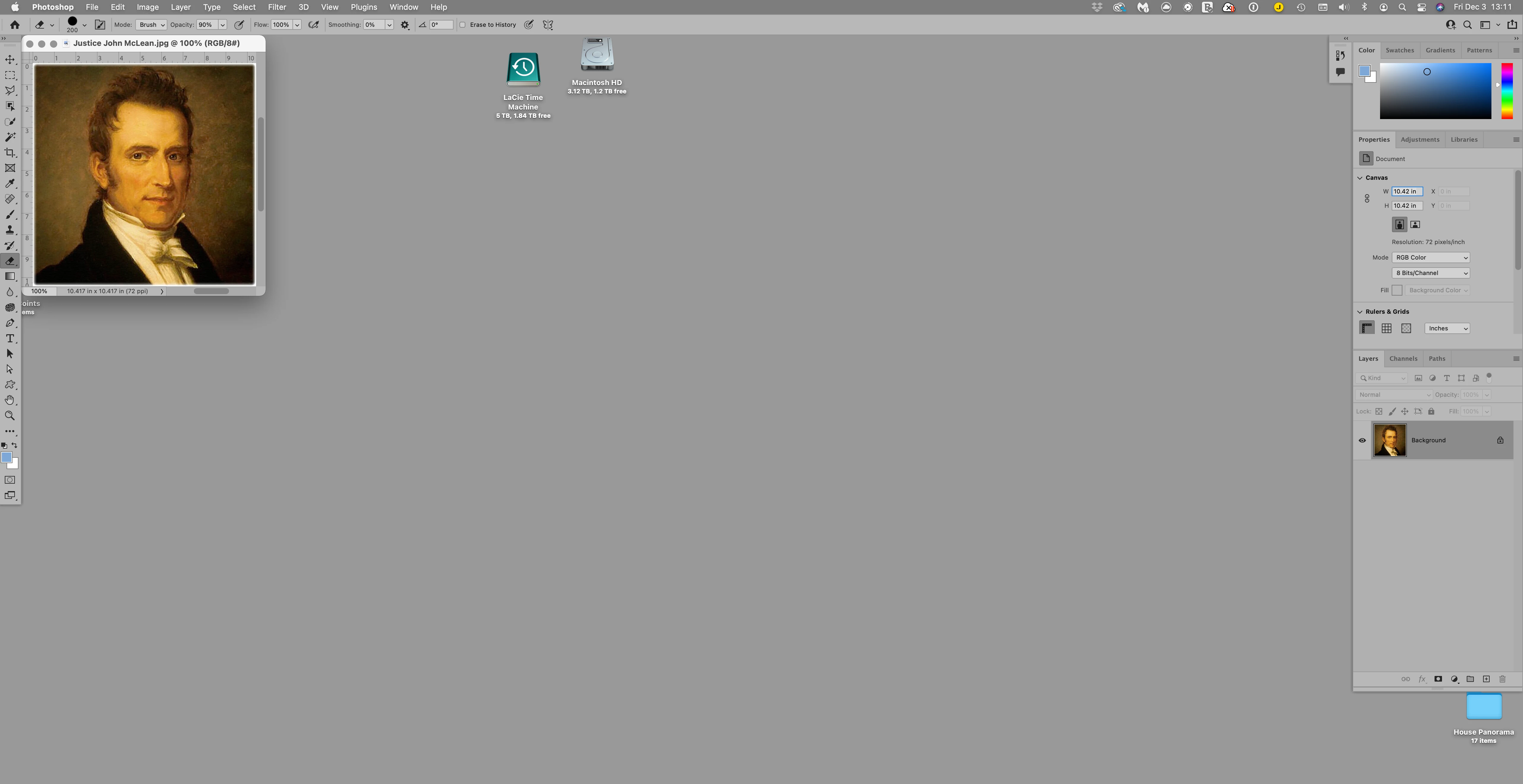
Application Frame off:


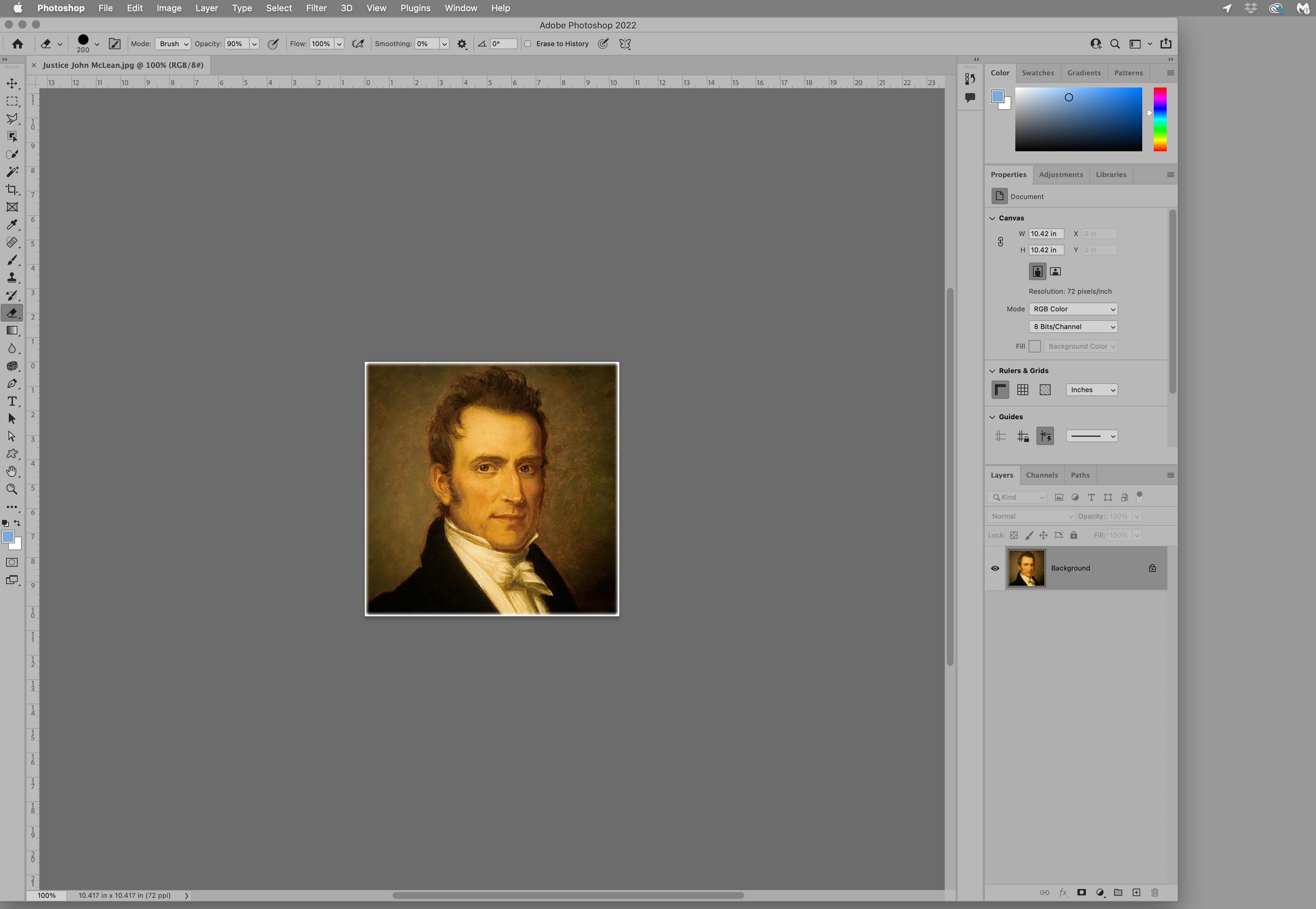
Application Frame on:


Jane

1 답변

Tarun Saini
Community Manager
Community Manager
December 3, 2021

Hi there,


We're sorry about the trouble. Would you mind sharing the version of Photoshop and the operating system you are using?

Since when have you been seeing this issue? Did you try to maximize the screen on which you have the image?


Try resetting the preferences of Photoshop by: https://helpx.adobe.com/photoshop/using/preferences.html

Backup your preferences before resetting by: https://helpx.adobe.com/photoshop/using/preferences.html#BackupPhotoshoppreferences


Let us know if that helps.


Regards,

Tarun

Laboo
Laboo작성자
Participant
December 3, 2021

thanks for responding so quickly.    macOS Big Sur V11.6  and PS V 23.0.2

Tarun Saini
Community Manager
Community Manager
December 3, 2021

Thanks for the info. Have you tried resetting the preferences of Photoshop with the steps shared above? Did that work?


Regards,

Tarun