When I change the profile to sRGB nothing happens. |
Just to make sure »Assign«, not »Convert«?
I don't know what you are referring to when you say set the Status bar to Document Profile. |
The field in the lower left corner of the image window.
c.pfaffenbichler wrote When I change the profile to sRGB nothing happens.
Just to make sure »Assign«, not »Convert«? |
Er...this is a ProPhoto file, with ProPhoto numbers - so obviously joanp needs to convert and not assign.
There is nothing wrong with the color settings (and I didn't think there would be). The problem is that it's a ProPhoto file, viewed in an application without color management. If the OP wants to use non color managed software, there is only one thing to do: use sRGB.
So Joan:
- Go into Lightroom Preferences > External Editing, and change the color space rolldown there from ProPhoto to sRGB.
- The working space in Photoshop doesn't matter. The embedded document profile coming from Lightroom or anywhere else will always override it. If it's sRGB from Lightroom, that's how it will be saved from Photoshop.
- For existing files, Edit > Convert to Profile > sRGB IEC61966-2.1. This will take care of the immediate problem.
- Stay away from ProPhoto and Adobe RGB until you understand the implications.
- While there is no immediate harm in having ProPhoto as working RGB, it serves no sensible purpose either. Change that too, into sRGB.

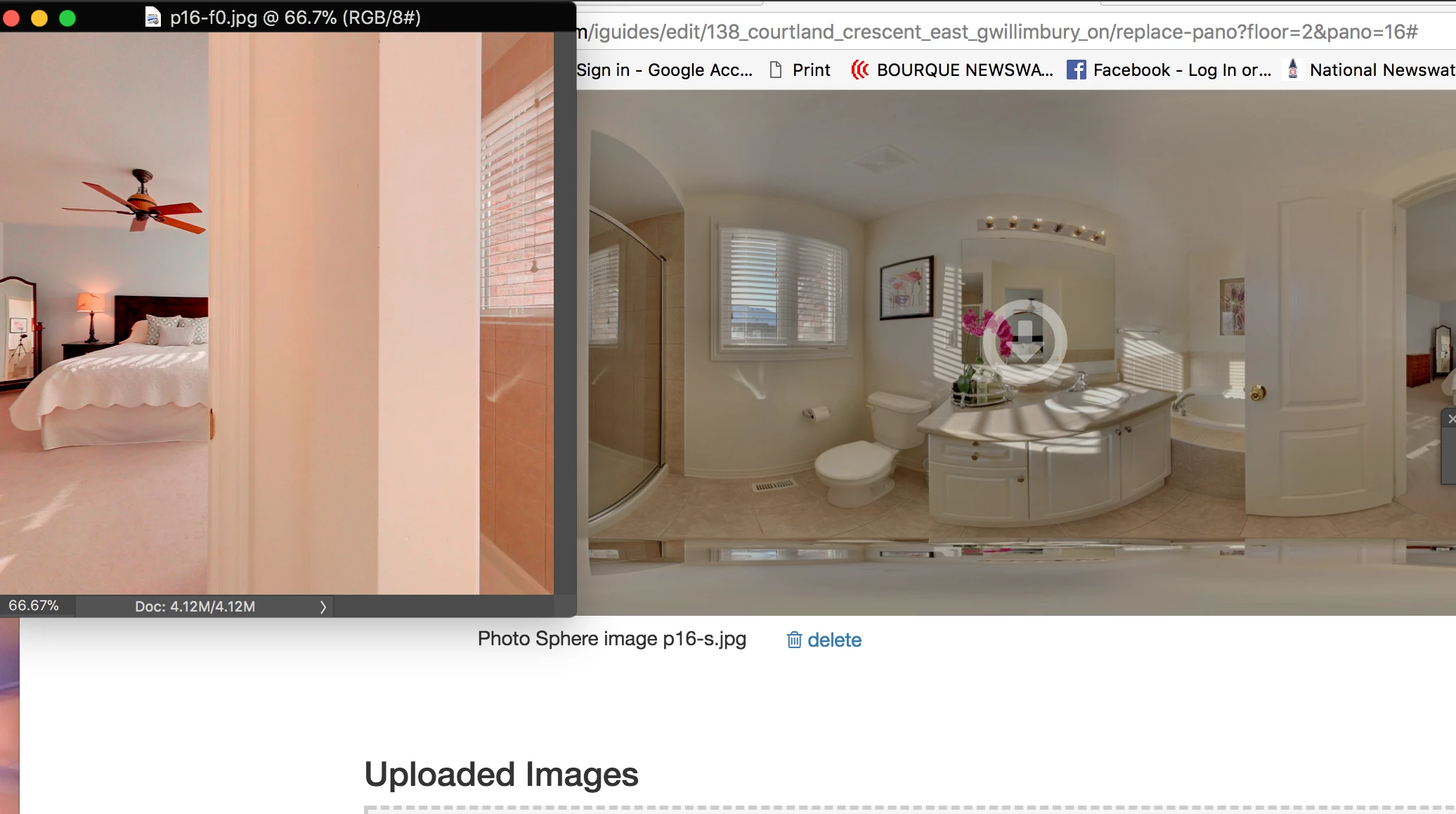 Wondering if any Photoshop experts might be able to help me solve this. I am attempting to edit jpg photos that make up a panorama. When I open the file in Photoshop, it seems to change color. In the attached screenshot you can see the original panorama on the right and the individual photo as it looks when I open it in Photoshop. I'm on a Mac and the Photoshop color profile is ProPhoto RGB. Photoshop CC version 19.0 -- I haven't changed any settings and have not experienced this until yesterday. Thanks for any recommendations.
 AdChoices