dignio
Participant
May 30, 2014
Answered

Install ICO format/plugin in photoshop CC 2014?

  • May 30, 2014
  • 8 replies
  • 185952 views

Hi there


How do I install ico format in photoshop CC, windows 8.1 64bit.


Thanks in advance!

Correct answer johnnybob1970

To anyone that stumbles onto this post I would like to assure you that the ICOFormat plugin is alive and kickin and works well within CC, you need to create a folder ( if its not there already ) called "File Formats" inside of your C:\Program Files\Adobe\Photoshop CC 2015\Plug-Ins\File Formats <----- drop the plug-in inside this folder

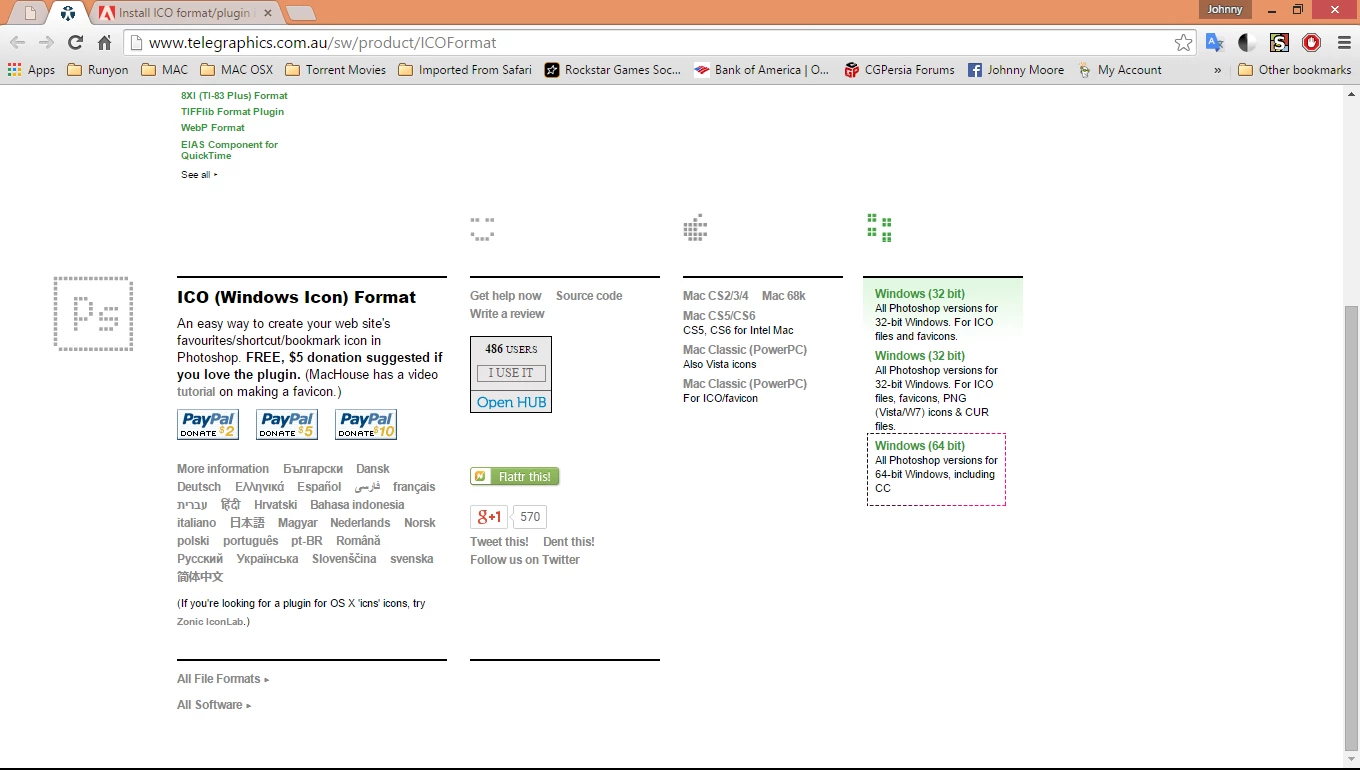
Just go the site - Telegraphics - Free plugins for Photoshop & Illustrator...and other software scroll down

I doubt anyone needs this but here is a link illustrating the install procedure    How to Save a Favicon in Photoshop CC - YouTube

8 replies

Participant
February 11, 2024

hi

Participant
October 9, 2022

As of October 2022 on Photoshop CC on M1 Mac 12.2 it is working. Just to make sure the max image size is 256x256 and launch the Photoshop using Rosetta by right clicking Photoshop > Get Info and checking "Open using Rosetta".

simonlchabi
Participating Frequently
October 9, 2022
Thank you Nixad,
But unfortunately I'm lumbered with Windows and that right click action
just isnt appearing/happening for me
Participant
December 30, 2022

Hello Simon. I'm also Simon. I have good news.
This can be done in windows without a plugin now! I created a 265x256 png, opened it in Photoshop, went to "Save As", and just typed in "favicon.ico" for the name of the file, and it worked! It's being used as a valid ico in my React app!

simonlchabi
Participating Frequently
April 14, 2022

Thank you JohnnyBob1970

for your clear and comprehensive answer - youre a Prince!

Participant
May 13, 2022

Im glad this worked out for you, and I guess it still works in 2022 eh? I have not tried yet as I have stopped Web dev and switched to tattoo artist

Participant
May 13, 2022

I am A.K.A JohnnyBob1970

GrayJackel
Known Participant
July 31, 2021

As of today, July 30 2021, Adobe has decided to brick all external plug ins and put in place a in app market place. 


Making amazing plug ins from Telegraphics unuable. Which is a shame since I have been using them for years only to have adobe thanos it away.

Jeff Arola
Community Expert
Community Expert
July 31, 2021

As far as i know, adobe has not "bricked" third party plugins.


If you have, for example, an M1 processor mac it may seem that is the case, but in reality third party plugin makers need to compile the plugins and meet the quarantine requirements to work on M1 macs just as they did when apple switched to Intel processors from PowerPC processors.

oliverwilke
Participating Frequently
January 25, 2021

Here comes another confirmation.
The plugin works smoothly on Photoshop 2021.

Just drop the plugin file in your PS plugin folder and keep in mind the max. 256x256 file size.

Participant
May 9, 2021

hi there, I just did that but a window pump up , somthing about telegraphics, do you know where I can download the Ico plugin? or maybe is just because of the size?

thank you!

Participant
June 8, 2021
  1. Go to the site Telegraphics scroll down to ICO Format then, on the right select either 32bit, 64bit, ot Mac depending on your PC
  2. Go to your Photoshop CC install ~ [Drive Letter]:\Program Files\Adobe\Adobe Photoshop 2021\Plug-ins\
  3. Creat a new folder named File Formats place the file ICOFormat_.8bi into that folder then restart Photoshop CC.


* Remember that it will only show up in the Save As menu if it is 256x256 and smaller. 

** This also adds .cur format as well, so you can make cursors in Ps CC

Participant
February 12, 2019

This

ICO (Windows Icon) file format plugin for Photoshop

is working in Photoshop cc 2019; however, it only supports 256x256; the ICO file format option when saving your file will only appear when your image size is 256x256 pixels or lower

May 29, 2019

@pepe lameira: It is normal for icons to be 256x256 and smaller. The Windows standard is actually 32x32.

johnnybob1970Correct answer
Participating Frequently
August 9, 2015

To anyone that stumbles onto this post I would like to assure you that the ICOFormat plugin is alive and kickin and works well within CC, you need to create a folder ( if its not there already ) called "File Formats" inside of your C:\Program Files\Adobe\Photoshop CC 2015\Plug-Ins\File Formats <----- drop the plug-in inside this folder

Just go the site - Telegraphics - Free plugins for Photoshop & Illustrator...and other software scroll down

I doubt anyone needs this but here is a link illustrating the install procedure    How to Save a Favicon in Photoshop CC - YouTube

hkanchev
Participant
December 9, 2015

It looks like you only mentioned how this can be done for Windows users. What will be the way(file path) for Mac users? Should we create the same File Formats folder in the Plug-ins folder of Photoshop CC located in Applications? I already tried that and it didn't work. Any help is appreciated.

Herbert2001
Inspiring
December 9, 2015

Easy: Hard Drive/Applications/[Photoshop version]/Plug-ins

Sir Loin
Participant
June 17, 2014

The Telegraphics.com plug-in (ICOFOrmat.8bi) does not work in Photoshop CC as of Jun-2014.

WORKAROUND:

The workaround is to save the images as PNG (16x16, 32x32, 48x48 and 64x64), then convert them at

http://www.convertico.com/

IcoBundle

You may want to combine those icons, so it will scale gracefully in File Explorer.

To combine those ico files, use ICOBundle (download from http://telegraphics.com.au/sw/product/ICOBundle)
The syntax to combine the icons is:
icobundl.exe -o <output file> <input files separated with spaces> -

For example:
icobundl -o test.ico test16.ico test32.ico test48.ico test64.ico

Enjoy!

Participant
March 7, 2024

Sorry but from a 2 Kilobytes PNg file, the converticoCOM Site produces a 100 Kilobytes Icon! To big for such a small item... Not good for page speed. It needs to be produced well because it's probably not gonna be optimized / touched in a long time..
I used https://convertio.co/de/png-ico/ produces files around 10-15 kb or smaller depending on your PNG Icon size