
Inspiring
December 30, 2019
Answered

Is there a way to increase the canvas size by a specific amount to pics of different dimensions?

  • December 30, 2019
  • 5 replies
  • 2794 views

Hi,


I have a load of pics of differing sizes that I want to increase in size by 20px all round. Is there an easy way to automate this (ie with an action) or do I need to use a script? It might be worth pointing out that I have very little knowledge of scripting so am hoping that an action will do the job!


Any help would be awesome. Thanks.
This topic has been closed for replies.
Correct answer Stephen Marsh

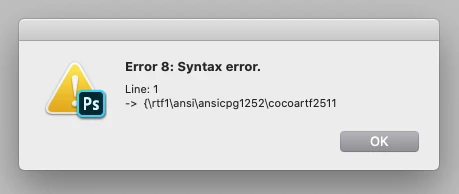
Struggling to get that to work...

:o(


You saved the file as RTF and not plain text.


You just need to record the action using the relative option;


http://www.peachpit.com/articles/article.aspx?p=1660206

5 replies

josephlavine
Community Expert
Community Expert
December 30, 2019

I believe the simplest option is to create an Action to increase the Canvas size, and then you can Batch this will multiple files.

Ham1000Author
Inspiring
December 30, 2019

Thanks Joseph. Yet again, the Adobe Community fixes my problems super fast!!

Ham1000Author
Inspiring
December 30, 2019

Thanks Kukurykus and Stephen_A_Marsh; the script (once I'd managed to make it!!) worked a treat, and I can't believe how many years I've used PhotoShop but never seen the "Relative" tick box in Canvas Size!! Apparently you can teach an old new tricks! LOL

JJMack
Community Expert
Community Expert
December 30, 2019

Just remember every time you play or run a script or play an action like that editing a document the document canvas size will be increased. Actions that add mats and frames to images often use several such steps. And canvas added to a background layer will had some color.

JJMack
D Fosse
Community Expert
Community Expert
December 30, 2019

That's right. An action, expanding by pixels in Canvas Size, is straightforward. A script is not necessary.

Stephen Marsh
Community Expert
Community Expert
December 30, 2019

I’m not in front of a computer, however from memory you should be able to use a relative value to expand the canvas in an action without requiring a script. 


EDIT: Now that I am in front of Photoshop, here is a visual:


Keep in mind that adding a uniform relative 20px is the total size, so that would be 10px on each edge. 

Kukurykus
Legend
December 30, 2019
function rC(v) {return eval("aD." + v + ".as('px') + UnitValue('20 px')")}
(aD = activeDocument).resizeCanvas(rC('width'), rC('height'))
Ham1000Author
Inspiring
December 30, 2019

Thanks Kukurykus.

Where do I add that text?

:o/

Ham1000Author
Inspiring
December 30, 2019

Legend! I'll give it a go, thanks.


Struggling to get that to work...

:o(