

Answered
Latest update: Photoshop stopped saving to the correct folder.
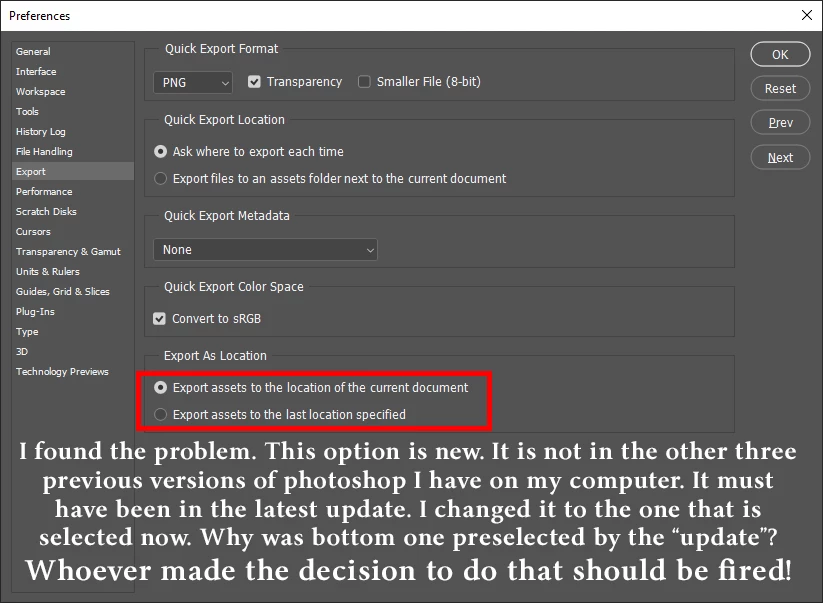
After this latest update Photoshop stopped saving exports to the correct folder. Previously, through all versions of photoshop I've had over the last several years, I could save a project to a newly created specific folder, then when I clicked export, it would automaticly export it to THAT folder. Now, I can save a project to a newly created folder, then click export and it opens to the last projects folder, NOT the one I created to save the project in.
My question: How can I, what can I do to make photoshop return to it's previous behavior concerning this? Reseting the preferences is out of the question because then EVERYTHING that I have set is done away with and I'd have to start over (I fell for that once and will never do it again!).
 AdChoices