
Exit
  • Global community
    • Language:
      • Deutsch
      • English
      • Español
      • Français
      • Português
  • 日本語コミュニティ
  • 한국 커뮤니티
Locked
0

Layer Style Not Working

Community Beginner ,
Jul 08, 2019 Jul 08, 2019

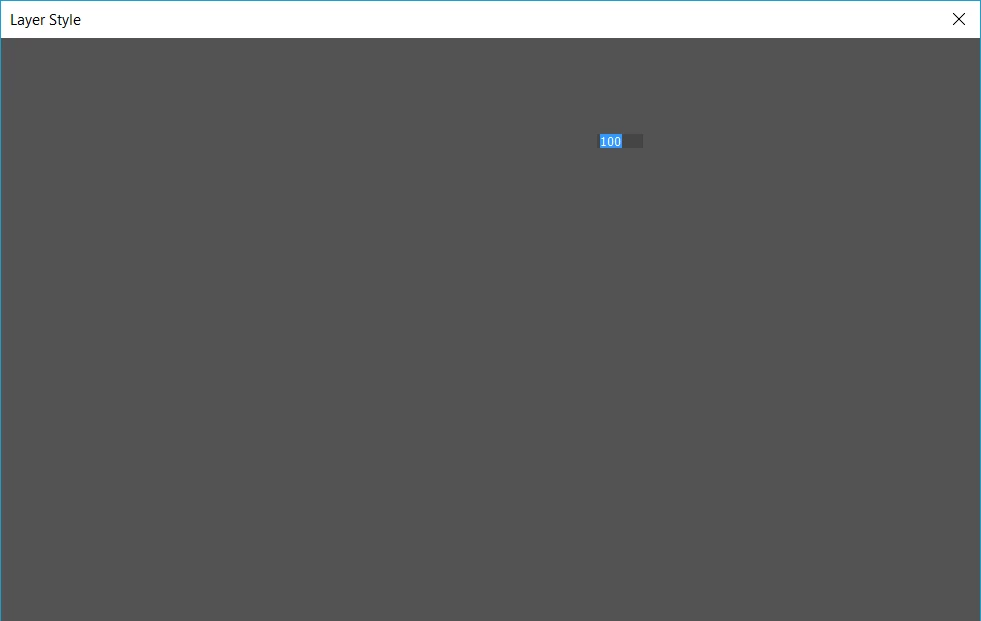
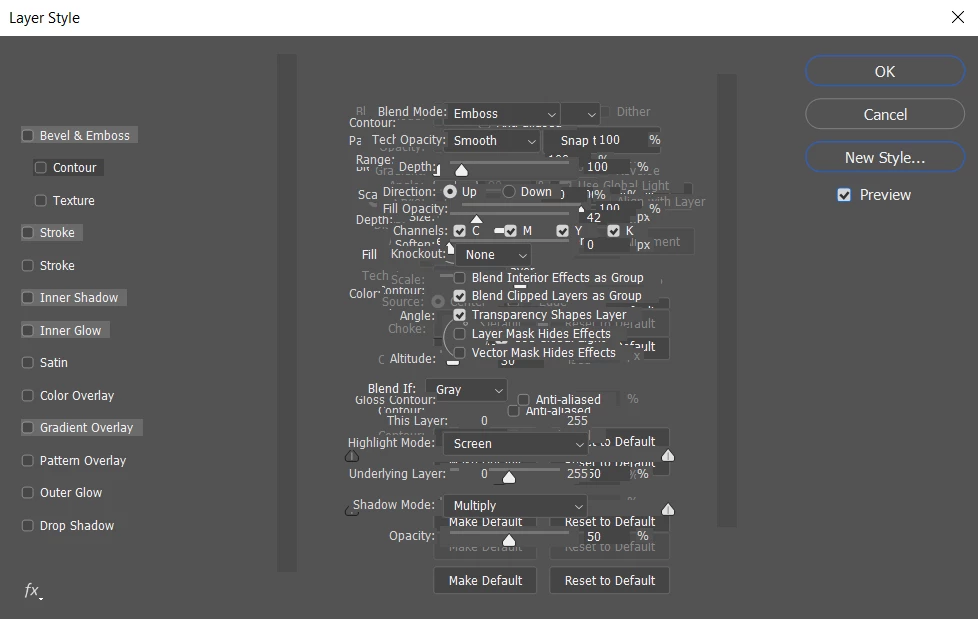
So I have Photoshop CC 2019 and as of recent, whenever I right click on a layer or go into the top menu and hit "Blending Options..." the Layer Style panel pops up but nothing loads inside of it regardless of how long I wait except for one box that only says "100". I've had this issue for weeks now, I've tried restarting Photoshop, restarting my computer, updating Photoshop, everything, but nothing seems to work. I really need this panel ASAP.

This is what I see when I first click "Blending Options...":
When I click around in the Layer Style menu, things start to appear but not to the point where I can use them, such as this:
Please help, I really need this function to work.

15.9K
Translate
Report
Community guidelines
Be kind and respectful, give credit to the original source of content, and search for duplicates before posting. Learn more
community guidelines

correct answers 1 Correct answer

Community Expert , Jul 08, 2019 Jul 08, 2019

Hi

Try this

Go to Preferences > General  and click Reset Preferences on Quit. Then click OK and close and restart Photoshop.

I know you have restarted and updated Photoshop but neither of those resets the Preferences.

Dave

Translate
Adobe
Community Expert ,
Jul 08, 2019 Jul 08, 2019

Do you have multiple versions of the software on your machine?

This looks like a glitch with the install and I would suggest using the CreativeCloud app manager to uninstall it and then later reinstall it.

Translate
Report
Community guidelines
Be kind and respectful, give credit to the original source of content, and search for duplicates before posting. Learn more
community guidelines
Community Beginner ,
Jul 08, 2019 Jul 08, 2019

I've had this version of Photoshop since it came out though, what would have caused the install glitch? It's been going on even before I updated it.

Translate
Report
Community guidelines
Be kind and respectful, give credit to the original source of content, and search for duplicates before posting. Learn more
community guidelines
Community Expert ,
Jul 08, 2019 Jul 08, 2019

If it is the Preferences, then the preference file is updated every time you close Photoshop. It contains much more than just the user Preferences and if it gets corrupted strange behaviours can ensue including dialogue box corruption.

Dave

Translate
Report
Community guidelines
Be kind and respectful, give credit to the original source of content, and search for duplicates before posting. Learn more
community guidelines
Community Expert ,
Jul 08, 2019 Jul 08, 2019

Hi

Try this

Go to Preferences > General  and click Reset Preferences on Quit. Then click OK and close and restart Photoshop.

I know you have restarted and updated Photoshop but neither of those resets the Preferences.

Dave

Translate
Report
Community guidelines
Be kind and respectful, give credit to the original source of content, and search for duplicates before posting. Learn more
community guidelines
Community Beginner ,
Jul 08, 2019 Jul 08, 2019

That did it! Thank you so much!

Translate
Report
Community guidelines
Be kind and respectful, give credit to the original source of content, and search for duplicates before posting. Learn more
community guidelines
Community Expert ,
Jul 08, 2019 Jul 08, 2019

You're welcome

Dave

Translate
Report
Community guidelines
Be kind and respectful, give credit to the original source of content, and search for duplicates before posting. Learn more
community guidelines
New Here ,
Oct 17, 2021 Oct 17, 2021

Wow TT
You saved me too!

Thank you so much TT

Translate
Report
Community guidelines
Be kind and respectful, give credit to the original source of content, and search for duplicates before posting. Learn more
community guidelines
New Here ,
Dec 19, 2021 Dec 19, 2021

Hi Dave.


Can you explain why I do not see blending options in the Blending Options Layer Style dialog (see attached)?


I do not have an option in General Preferences to Reset on Quit. How else can I reset if that's the issue?


I have reinstalled CS6. This has worked in the past just fine, but I have not used it in a while.


Thanks for any assistance.

Translate
Report
Community guidelines
Be kind and respectful, give credit to the original source of content, and search for duplicates before posting. Learn more
community guidelines
Community Beginner ,
Apr 19, 2023 Apr 19, 2023

Did not work for me. No joy here..

Translate
Report
Community guidelines
Be kind and respectful, give credit to the original source of content, and search for duplicates before posting. Learn more
community guidelines
New Here ,
Dec 17, 2025 Dec 17, 2025
LATEST

You just saved me from a mental breakdown. I've been trying to figure this out for MONTHS and needed the layer syles for a current project and this fixed it!

Translate
Report
Community guidelines
Be kind and respectful, give credit to the original source of content, and search for duplicates before posting. Learn more
community guidelines
Community Expert ,
Jul 08, 2019 Jul 08, 2019

Some great suggestions have already been given. If they don't work, you might want to try the Creative Cloud Cleaner Tool.

Use the Creative Cloud Cleaner Tool to solve installation problems

"The Creative Cloud Cleaner Tool allows you to more precisely remove installation records for Creative Cloud or Creative Suite applications that may have become corrupted or may be causing problems with a new installation."

Translate
Report
Community guidelines
Be kind and respectful, give credit to the original source of content, and search for duplicates before posting. Learn more
community guidelines