Exit
  • Global community
    • Language:
      • Deutsch
      • English
      • Español
      • Français
      • Português
  • 日本語コミュニティ
  • 한국 커뮤니티
11

Layer Style Preview broken

Participant ,
Oct 07, 2023 Oct 07, 2023

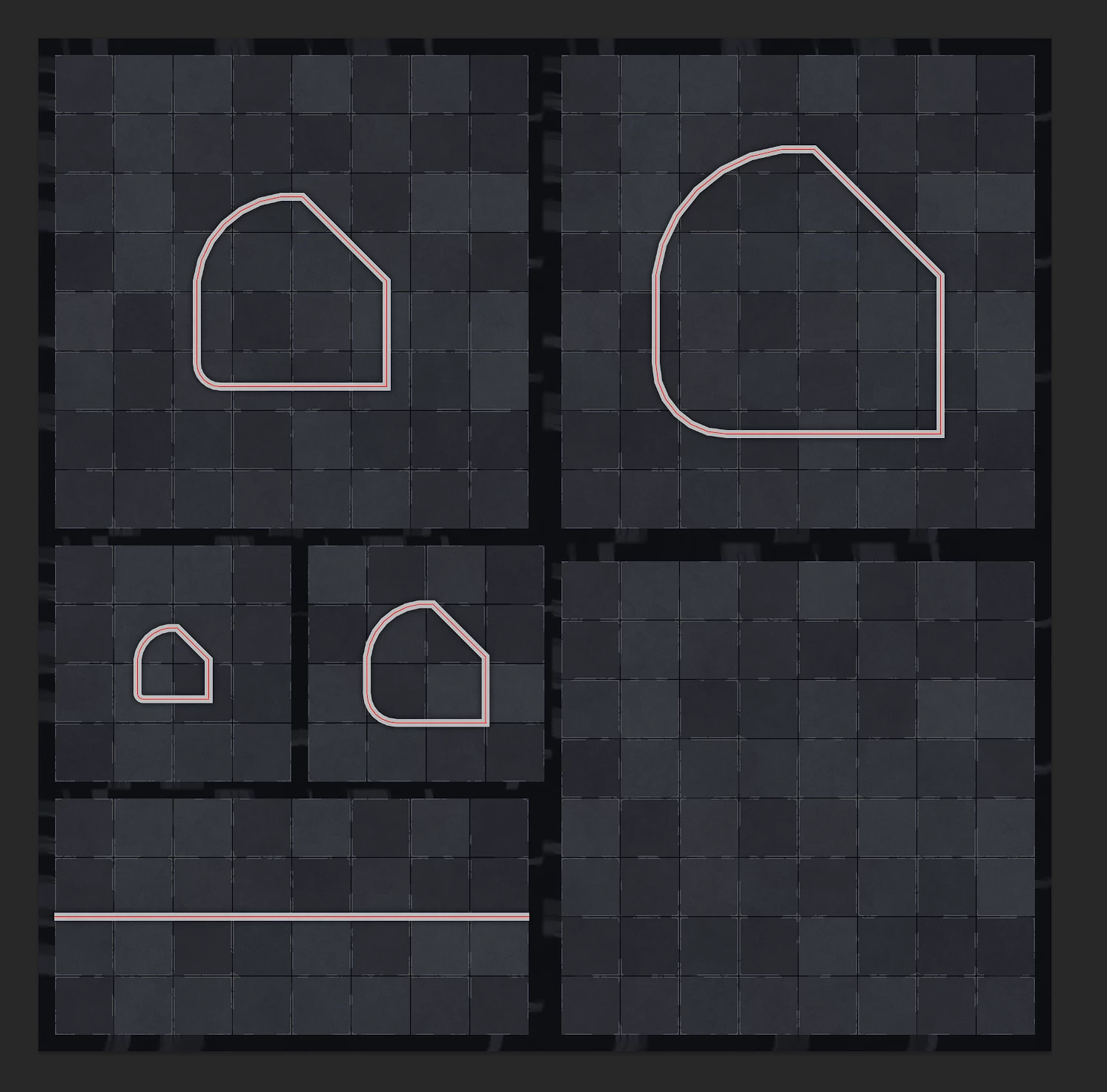
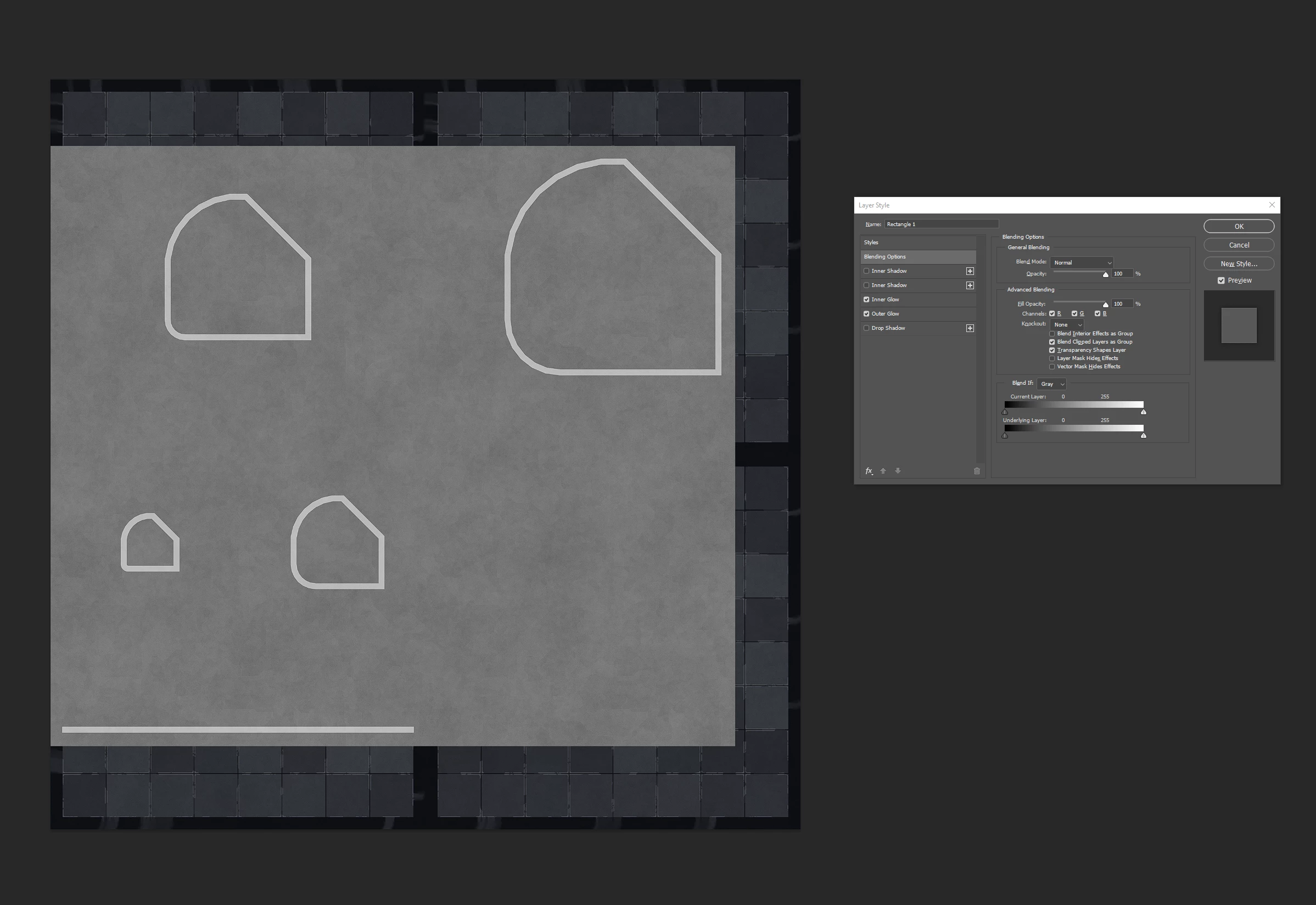
The layer-style dialog breaks preview of a layer.


The red vector layer is the layer that I'm editing the layer styles on:


The actual image:
ThatRobHuman_0-1696717563244.png


While the layer style dialog is open:
ThatRobHuman_1-1696717629828.png


TOPICS
Windows
221
Translate
Report
Community guidelines
Be kind and respectful, give credit to the original source of content, and search for duplicates before posting. Learn more
community guidelines
Adobe
Participant ,
Oct 07, 2023 Oct 07, 2023

Now this is happening whenever I change the layer in question. All blending falls apart until I hide and unhide the layer.

Translate
Report
Community guidelines
Be kind and respectful, give credit to the original source of content, and search for duplicates before posting. Learn more
community guidelines
Participant ,
Oct 07, 2023 Oct 07, 2023

and here's what it's like drawing new vectors....

ThatRobHuman_0-1696720570541.png


Translate
Report
Community guidelines
Be kind and respectful, give credit to the original source of content, and search for duplicates before posting. Learn more
community guidelines
Participant ,
Oct 07, 2023 Oct 07, 2023
LATEST

For additional clarity: My system is not overloaded and this has only just recently started up. Yes, I've reset my preferences, again. Yes, I'm on the latest drivers for everything.


ThatRobHuman_0-1696720978881.png


Translate
Report
Community guidelines
Be kind and respectful, give credit to the original source of content, and search for duplicates before posting. Learn more
community guidelines
