
Question
Library items disappear from library
I am having a recurring issue in different Adobe apps accessing my library items.
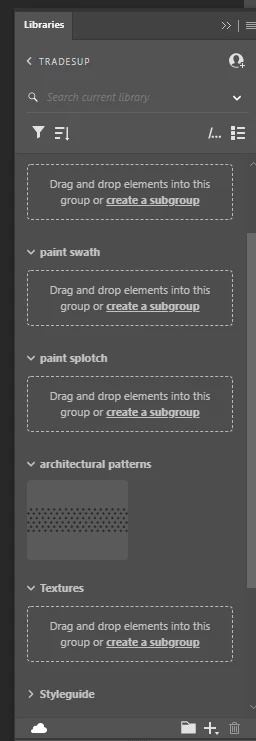
Currently, I'm experiencing it often in Photoshop. Some of my libraries/folders appear to have no assets in them. Or, only a couple. The folders still show up, but there's nothing in them. If I click/hover on the cloud icon, it claims everything is up to date.
When I check through the Creative app or online, the assets appear, but there's no way for me to quickly insert/link them into the file I'm working in.
Anyone have a solution for this? I am often finding myself unable to work on projects because my assets have disappeared or are inaccessible.


 AdChoices