


Known Participant
February 16, 2025
질문

Looking for a photoshop brush

  • February 16, 2025
  • 5 답변들
  • 3042 조회

Hi,

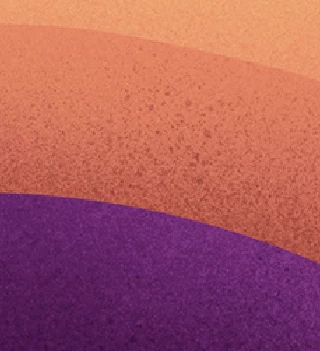
Can anyone help me with a brush for photoshop that is similar to this style, made in procrete? (I dont know the name of the brush it in procreate) I have looked all around internet, just to find brushed that are more static stippled. The brush will be used on shadows and highlights like in the reference.

Any ideas?
5 답변

c.pfaffenbichler
Community Expert
Community Expert
February 24, 2025

Participating Frequently
February 24, 2025

BAM!!!! I had to try a few times but VOILA!  My computer was being glitchy.  

You people are so amazing and PATIENT!!!  Thank you!!! Thank you!!!!

I'm warning you all now, I will be back for more instruction!  Thank you again. I know where my go to's are!!

Nancy OShea
Community Expert
Community Expert
February 20, 2025

Have you tried Kyle's Spatter brushes in the Special Effects Brushes folder?


Nancy O'Shea— Product User & Community Expert
Participating Frequently
February 21, 2025

I have downloaded some of his brushes.  I'll see what I can do. Thank you!

Participating Frequently
February 20, 2025

I am looking for a brush as well, maybe its not a brush but made with filters etc.  This is what it looks like.  Can someone help me create this, please??  I have searched for grunge brushes, sponge brushes, and splatter and ink brushes but have not found anything close.  I am in desperate need of creating this.


Trevor.Dennis
Community Expert
Community Expert
February 21, 2025

@Mona3319 do you realise that you could easily make a brush preset from your graphic?

You need to invert it and paint over the logo with black, and then use Edit > Define brush preset.

It's only 500 odd pixels, so probably not big enough, but you could upscale and sharpen it. 

Something else you could do is give the brush 100% Angle jitter in Brush Settings, which will rotate the brush every time it is stamped down

Participating Frequently
February 24, 2025
quote

 Once i have this splatter the way I want, I want to subtract my logo from it. 


Can you tell me what you did in the second layer?  I see a mask but I am not sure what you did there.  Also, I would like to subtract a logo and not text, not sure if the process is the same.  I just always see a text layer used in these explanations but I can never find someone using an actual logo. Does the logo need to be a certain file extension?  Sorry I'm such a newbie at this.  So my logo would be either a png or a psd. I would like to have my paint in white at this time.  The green would be my tshirt.  So I would like to have the black part of my GOAT logo subtracted from my white.  So you can see my green tshirt color where the black is on my GOAT logo.  Did I explain that correctly? 

c.pfaffenbichler
Community Expert
Community Expert
February 17, 2025

The splatter appears to lay atop sharply separated areas, so I am not completely sure what you want to achieve. 

Could you post another example. 

davescm
Community Expert
Community Expert
February 16, 2025

In the brushes panel type Spatter into the search box. If that doesn't give you what you need from the brushes on your system, click at the top right of the brushes panel and select 'get more brushes'. That should take you to the Kyle brush collections, which include spatter brushes.


Dave