


Inspiring
November 6, 2022
질문

[MacOs.13 M1/Photoshop.24] Saving 16 bit PSD documents take so much longer w.r.t 8 bit PSD

  • November 6, 2022
  • 9 답변들
  • 910 조회

Hi,


Saving 16 bit PSD documents take so much longer w.r.t 8 bit PSD

This is not expected when the size of the document is the same.


Adobe Photoshop Version: 24.0.0 20221013.r.59

Operating System: Mac OS 13.0.0

System architecture: Apple M1 Ultra

Physical processor count: 20
Built-in memory: 128GB


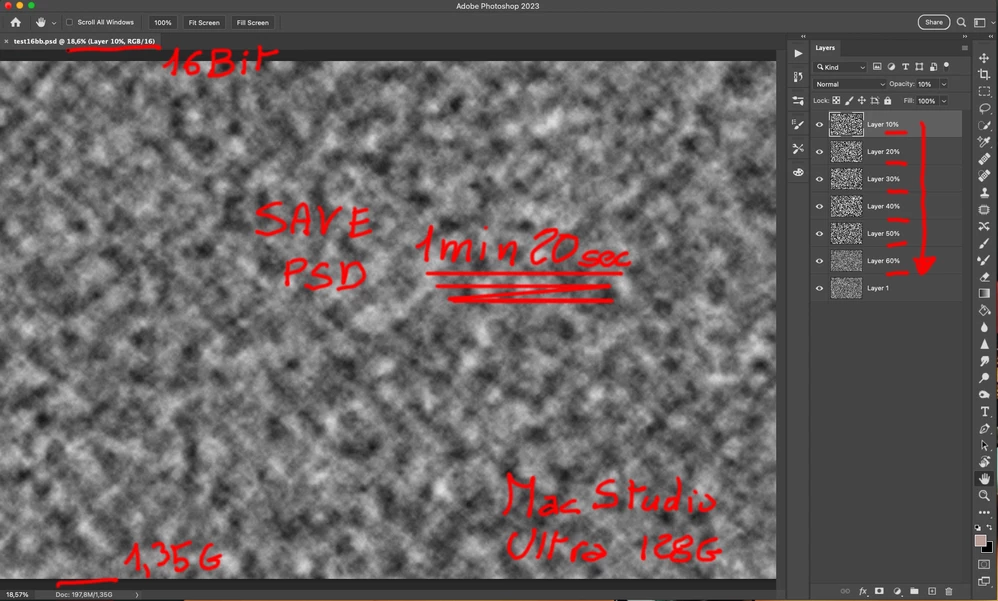
  • 16 Bit PSD (Doc size 1.3GB)  : takes about 1m20s
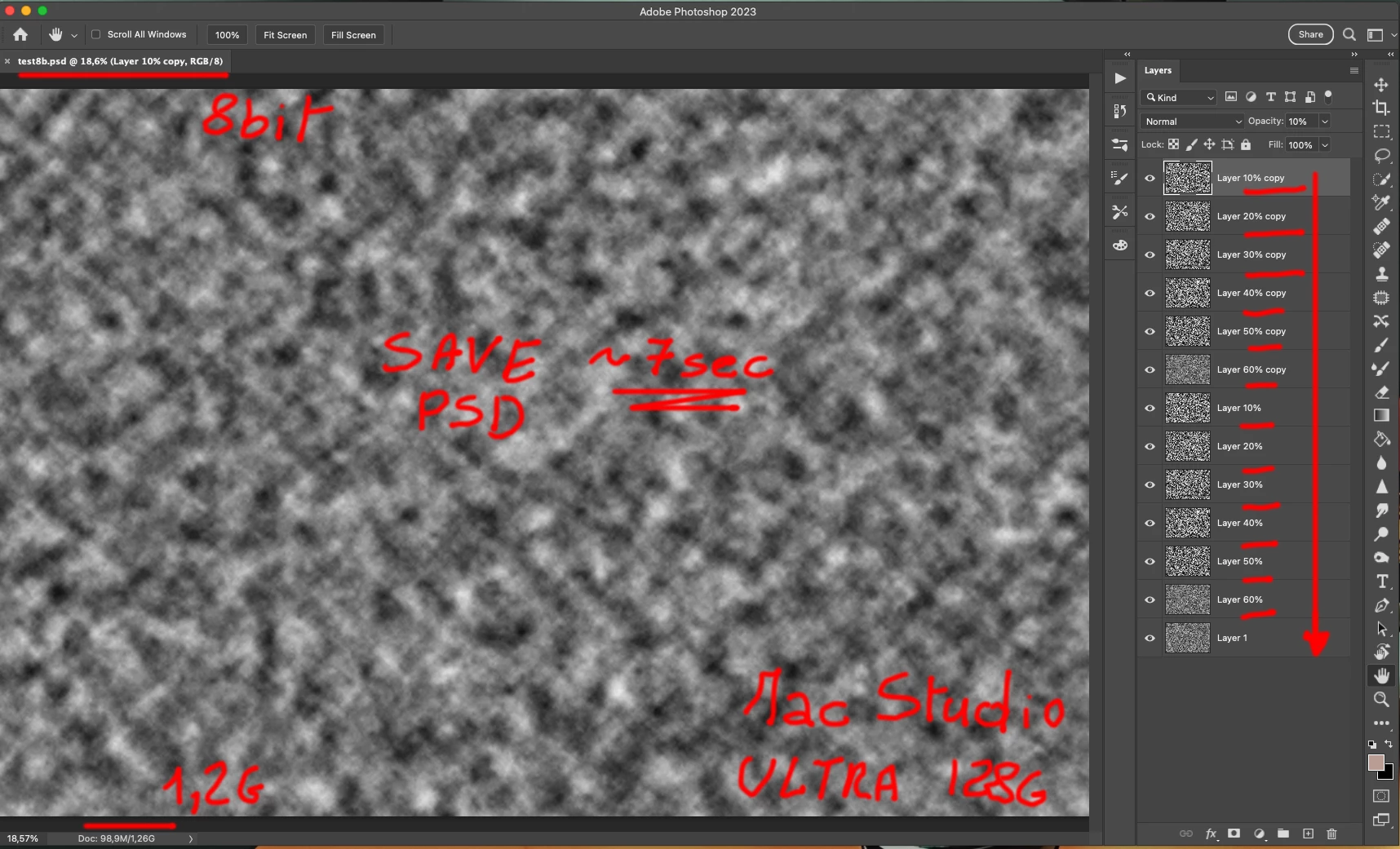
  • 8 Bit PSD (Doc size 1.2GB):     takes less of 7s


How to reproduce

  1. Create a new 16Bit document of 7200x4800
  2. Applay Filter/Noise/Add Noise to Layer 1
  3. Applay Filter/Render/Cloud to Layer 1
  4. Duplicate  6 times the Layer 1
  5. change the opacity of each copied layer to 10%,20%,30%,40%,50,60% respectively
  6. note that Photoshop report the size of the document of 1.35GB
  7. save as PSD document

It takes about 1m20s to save to disk !!!


  1. Change the document to Image/Mode/8Bit
  2. Duplicate Layer 1-6 in order to obtain a document with a total of 13 Layers
  3. note that Photoshop report the size of the document of 1.26GB (quite similar to the 16Bit version)
  4. save as PSD document

It takes less of 7s


I have repeated the test starting/closing photoshop for the 8/16 bit document, with the same result.

I have tried to save to PSB and TIFF format, with the same result.


Can you please investigate this issue ?


Best regards.

이 주제는 답변이 닫혔습니다.

9 답변

Participant
November 30, 2022

I have rehashed the test beginning/shutting photoshop for the 8/16 digit report, with a similar outcome.

I have attempted to save to PSB and Altercation design, with a similar outcome.

robertw44482386
Inspiring
November 30, 2022

@D Fosse actually it is the opposite, disk space is not a concern for the very few files that remain 16 bit all through the workflow but would be a concern for the terabytes and terabytes of files on our server, 99% of which are 8 bit and compressed. That's why an 8 bit compressed + 16 bit uncompressed workflow would be ideal and if we could have all users' machines do that automatically it would be a great advantage in avoiding the several minutes long saves that discourages us from using 16 bit in situations where it might make sense.

As far as 16 bit smart layers saving time when embedded in an 8 bit file, the way it is an advantage is when say you have a gradient background as a 16 bit smart layer embedded in an 8 bit file. You can open the file and make a quick adjustment to the normal non background parts of the file (like the figure over the background perhaps) and save. Since the 16bit smart layer was unmodified (never opened and saved) the actual file save is quick (8bit speeds). When modifying a dozen files like this to make a minor change on each of them, the saving takes almost no time, but if they were 16 bit through and through, saving a dozen files like this for a minor change in each would take a half hour under deadline.

PECourtejoie
Community Expert
Community Expert
November 30, 2022

I'm wondering if defering to the GPU for saving would help in that matter, similar to what Lightroom/ACR can do.

D Fosse
Community Expert
Community Expert
November 30, 2022

To be honest, I don't understand the problem. Work in 16 bit uncompressed, and everything is fast and snappy.


If you're concerned about saving disk space, you just have to accept compromises. If not, there is no problem.


A 16 bit smart object in an 8 bit master document is still 16 bit data that you need to save, so I don't understand the logic in that either.

robertw44482386
Inspiring
November 30, 2022

We run into this all the time and many of us at work are doing all kinds of workarounds to avoide saving in 16 bit even when working in 16 bit (i.e. 16bit smart layers in 8 bit docs, rendering and merging curves in 16 bit then converting to 8 bit and saving) but all this is time consuming and sometimes results in reduced editability.

Is there a way to automatically save 16 bit files uncompressed and 8 bit files compressed? This would be ideal. We can save and move larger files much quicker than Photoshop can compress them to smaller files.

D Fosse
Community Expert
Community Expert
November 10, 2022

Yes, as the others said. The real slowdown here is the compression. A 16 bit test file here went from less than a second uncompressed, to 27 seconds compressed.


8 or 16 bits just exaggerates it, because 16 bit data are harder to compress. Keep in mind that compression is CPU-limited, not disk-limited. It's just a lot of numbers to process before it can be saved.


Photoshop reports the size of the open and uncompressed file as it sits in memory, not the packaged size of (the compressed) file on disk.

Legend
November 10, 2022

You have created the most difficult to compress... so since 16 bit compression is much harder, so you've made a bad problem worse...

PECourtejoie
Community Expert
Community Expert
November 10, 2022

Hi, I get similar timings on a moderately powerful Windows Laptop, with lots of other stuff running.

It is a known fact that the 16 bits files do not compress as easily as their 8 bits counterparts.

Rember that the file size is the size it takes in the scratch file, and might not be related to the size once saved.

Do you have maximize compatibility on?

IvanoTls작성자
Inspiring
November 10, 2022

There is no answer to this report ?