
TypoMan23
Known Participant
September 7, 2022
Question

(macOS) Photoshop random error message while watching a film

  • September 7, 2022
  • 2 replies
  • 344 views

I was watching a film late last night on my iMac, and during a delicate moment, the film disappeared and then this message flashed up in the middle of the screen!

I have zero idea why this happened. It makes no sense since I hadn't used photoshop since a few hours prior, nor was I trying to open a PDF in photoshop.


Has this happened to anyone else?


Didn't appreciate such an intrusive and random message which disrupted my viewing...
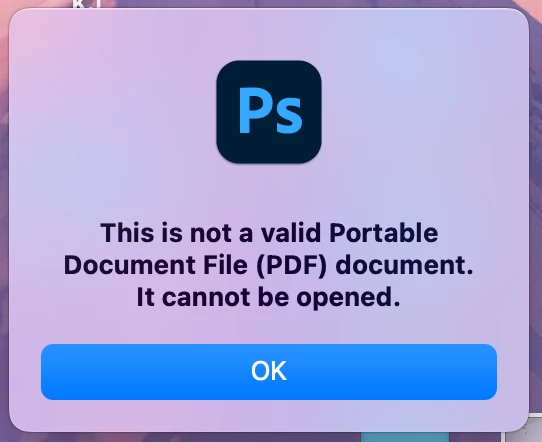


{Thread title updated by moderator}

This topic has been closed for replies.

2 replies

Participant
October 6, 2022

I was watching a movie when Photoshop opened itself. With this message "this is not a valid Portable Document File (PDF) document It can not be opened". I've reset the preferences of Photoshop. The first time this has ever happened. I can only Pudge the video cache. The other options were, greyed out.


Is this a security concern? Scary!


Photoshop 23.5.1 release
2.5 GHz Quad-Core Intel Core i7
MacBook Pro
macOS Monterey

Sameer K
Community Manager
Community Manager
September 7, 2022

Hi there,


Thanks for reaching out. I'd love to help you figure this out.


Could you please share the version of Photoshop & the macOS you are working on? Was Photoshop open in the background when this happened?


Other users reported this issue in the past if the iCloud backup was enabled with the 'Optimize Mac Storage' enabled.


You can also try Edit > Purge > Clipboard in Photoshop before you close it.


Check the original post around this here: https://community.adobe.com/t5/photoshop-ecosystem-discussions/quot-this-is-not-a-valid-portable-document-file-pdf-quot-random-error-in-photoshop/m-p/11843365#M514379


Let me know if this helps,
Thanks!
Sameer K


TypoMan23
TypoMan23Author
Known Participant
September 7, 2022

Thanks for the reply, will read the link.


Photoshop 23.5.0
OS Monterey 12.5.1 (21G83)

It was last night and I cannot honestly remember if Photoshop was still open. 


So you are saying I cannot have iCloud enabled in order to stop seeing this error message again? Hmmm.
And that I have to purge my clipboard all the time manually?