
Exit
  • Global community
    • Language:
      • Deutsch
      • English
      • Español
      • Français
      • Português
  • 日本語コミュニティ
  • 한국 커뮤니티
0

Magic Wand Tool PS 2023

New Here ,
Feb 07, 2023 Feb 07, 2023

Hello! When I bring a high-res .jpg with a white background and defined foreground image into PS 2023, the Magic Wand suddenly isn't selecting the white background anymore...it's selecting the whole image instead of isolating.


Any ideas, or if this is a PS 2023 thing? A PS user since early 2000s, I've checked all the settings.


Thank you!
TOPICS
Windows
2.4K
Translate
Report
Community guidelines
Be kind and respectful, give credit to the original source of content, and search for duplicates before posting. Learn more
community guidelines

correct answers 1 Correct answer

Community Expert , Feb 07, 2023 Feb 07, 2023

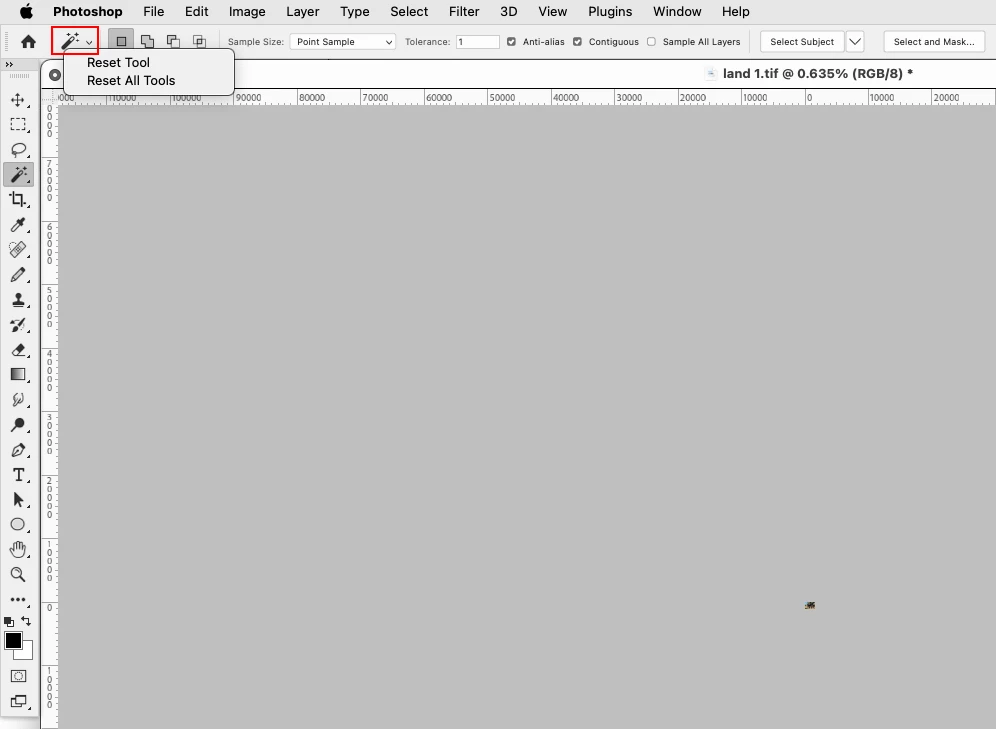
Did you try resetting the Magic Wand Tool by right clicking on the Magic wand icon on the left hand side of the tool options bar and clicking Reset Tool?

You can also see what the Tolerance setting is. The higher the setting the more that is selected.

The default value is 32.


res.png

Translate
Adobe
Community Expert ,
Feb 07, 2023 Feb 07, 2023

Did you try resetting the Magic Wand Tool by right clicking on the Magic wand icon on the left hand side of the tool options bar and clicking Reset Tool?

You can also see what the Tolerance setting is. The higher the setting the more that is selected.

The default value is 32.


res.png

Translate
Report
Community guidelines
Be kind and respectful, give credit to the original source of content, and search for duplicates before posting. Learn more
community guidelines
New Here ,
Apr 04, 2023 Apr 04, 2023
LATEST

Jeff, thank you so much. Resetting the tool fixed that problem. It's a clean selection removal again!

Translate
Report
Community guidelines
Be kind and respectful, give credit to the original source of content, and search for duplicates before posting. Learn more
community guidelines