
Massive memory leak issue in Photoshop 24.6 Mac M1
Issue:
Photoshop continually increases memory use to the point it is using up to 100GB RAM and MacOS becomes unusably slow
A bit more detail:
I use a script called BMTCollage written by the late Adobe Forum expert JJMack to apply graphic designs onto photos of t-shirt mockups. The script loops through the number of t-shirt designs (i.e. 10 transparent PNGs) and applies them to the number of t-shirt photo PSD files (i.e. 5) to create end result JPEG t-shirt mockups (i.e. 50 mockups) as an example.
The mockup script uses a smart object layer in the PSD file to identify where the PNG graphic should be placed.
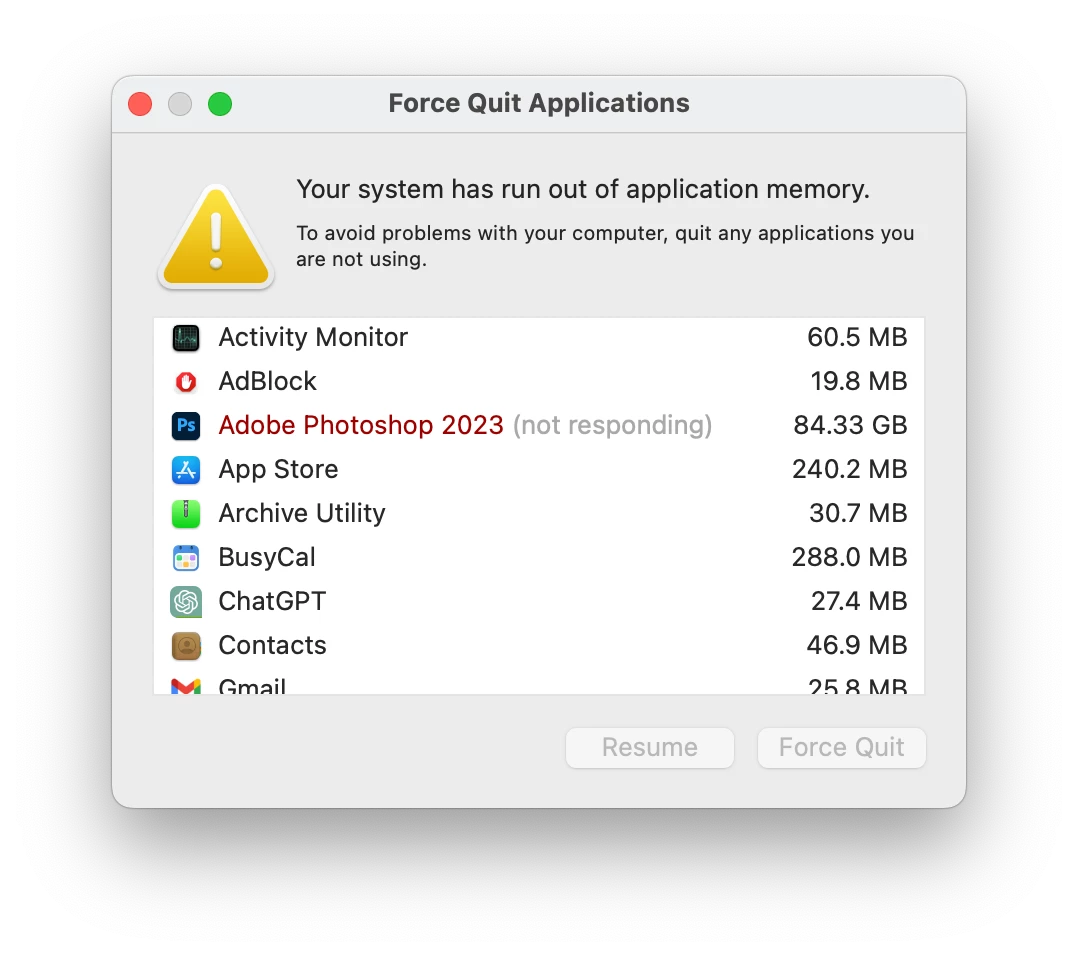
While running this script, Photoshop 24.6 Mac memory increases and increases, to the point where it can hit 80 - 100GB and then MacOS struggles with the paging to disk (even when there is 300GB+ free on a fast internal SSD) and declares it has run out of application memory.
Photoshop version: Adobe Photoshop Version: 24.6.0 20230615.r.573 15cc86e arm64
OS and version: macOS 13.4.1(c) running on M1 iMac
Steps to reproduce the behavior:
Step 1
Download this ZIP file (105.4MB) which contains the Photoshop script and sample images to work with.
Step 2
Unzip and locate the "Scripts & Misc." folder.
Step 3
Copy the "Mockups.jsx" and "PCTpreferences.jsx" scripts into your Photoshop Scripts folder (/Applications/Adobe Photoshop [VERSION]/Presets/Scripts/)
Step 4
In Photoshop, go to File > Scripts > Mockups
Step 5
In the script's dialogue box, select the correct folders on your Mac.
- In "Batch Folder of a Mockups Template File", select the "Mockups" folder (from the expanded ZIP)
- In "Objects Collection Folder", select the "Obj0" folder (from the expanded ZIP)
- In "Output Folder", select the "Export" folder (from the expanded ZIP)
- Tick the "Edit Smart Object" and "Fit Image" tick boxes.
Step 6
- Click "create mockup collages" and let Photoshop run through the script.
Expected result: Photoshop should complete the script and manage its memory appropriately within the limits set in Preferences.
Actual result: Photoshop continually increases its RAM consumption as it loops through the script, eventually getting to an enormous RAM size and causing MacOS to become unstable. (It doesn't crash MacOS but the OS becomes extremely slow until Photoshop is force quit.)
I noticed this memory usage pattern starting when generative fill was introduced in Photoshop Beta, which has now come across to Photoshop 24.6 stable. I'm not sure if that is really when it started though; it may be coincidental.
 AdChoices