
Participant
March 20, 2018
Question

New canvas won't appear on Adobe Photoshop CC2017

  • March 20, 2018
  • 2 replies
  • 2764 views

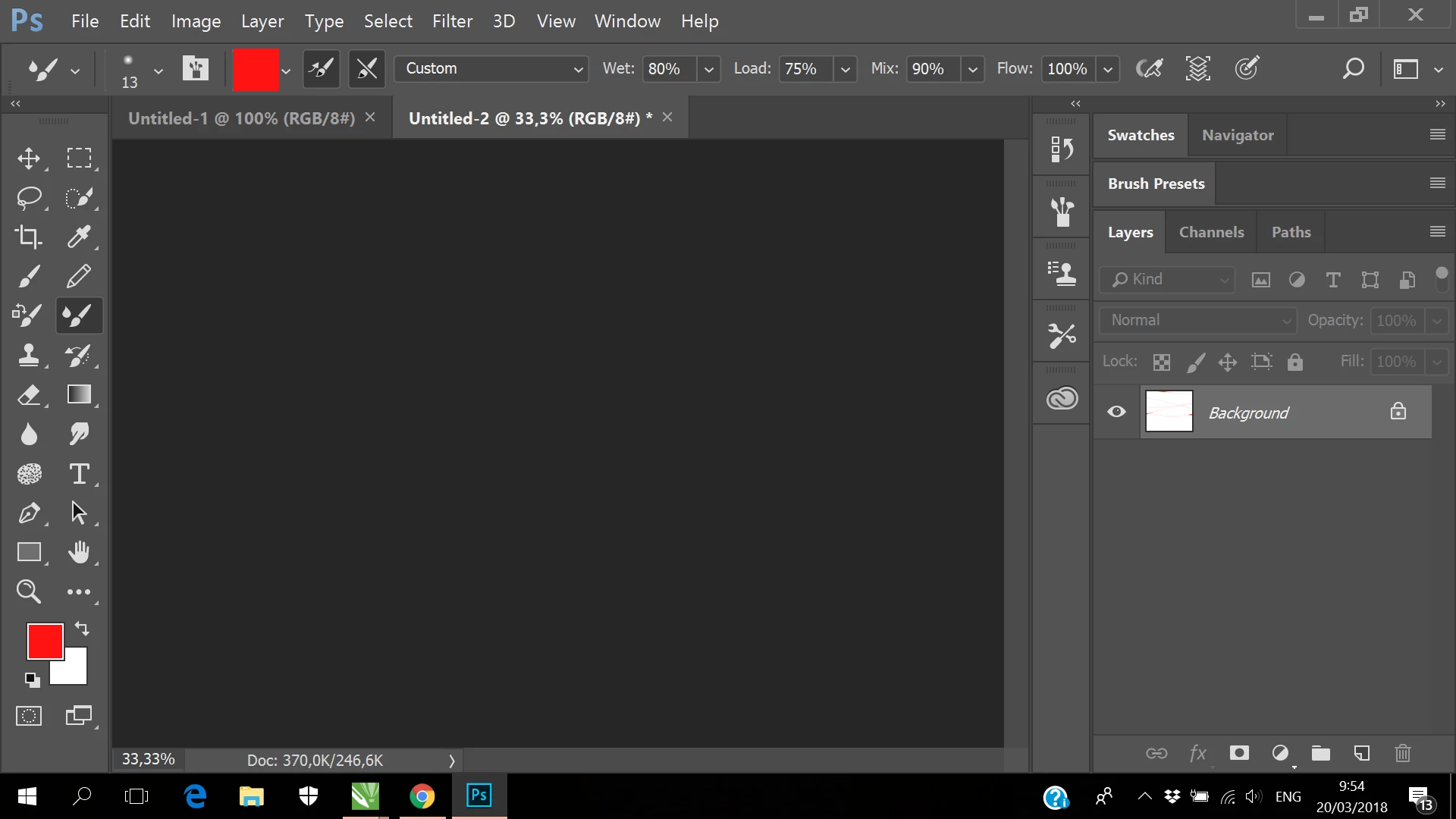
As you may see in my app. I've tried to make new document by File>New>Create. And then there's nothing. Only the black background (eventough i've tried zoom in zoom out-- hoping I would find the white canvas, but there's none). Then I tried to use random brush to draw, and as you see it appeared in the 'layers' section. But I the white canvas just didn't appear the way it should be. I also tried File>Open on random pictures I have, it didn't appear also. So confusing.

Anyone has the same problem? this is the first time I tried CC2017 (I usually use CS4)
This topic has been closed for replies.

2 replies

March 20, 2018

Also try updating your GPU driver to the latest version from the manufacturers website

Participant
March 21, 2018

Ok I'll try to update it soon. Thanks!!

Michael J. Hoffman
Community Expert
Community Expert
March 20, 2018

Hi, I’ve moved this discussion from Photoshop Sketch (mobile app) to the general Photoshop forum.

Your screen resolution looks very small. I wonder what your screen dimensions are, and if that could be an issue?

Also, it’s worth a try to disable GPU acceleration in Edit > Preferences > Performance.

Is this his a new installation? Or was it working previously? If it was working, you can try resetting your preferences to the default to clear possibly corrupted preferences:

Preferences in Photoshop

Mike

Participant
March 21, 2018

I've tried disabling gpu acceleration and it works, the new canvas finally appear. Thanks!!

Still don't know what's wrong with the resolution, I installed adobe illustrator at the same time as this photoshop (both are new), but it has normal resolution and works well.