
Question
No matter what I do Photoshop keeps painting outside my selection
I have put up the hardness in everything, tried inverseselect and delete, but the borders in my selection keeps being feather by photoshop. I just want to have a hard edge, no feathering or anything when I paint. I cannot understand why this is even an issue, as this is default in Paint, but in Photoshop I need to go through some complicated details.
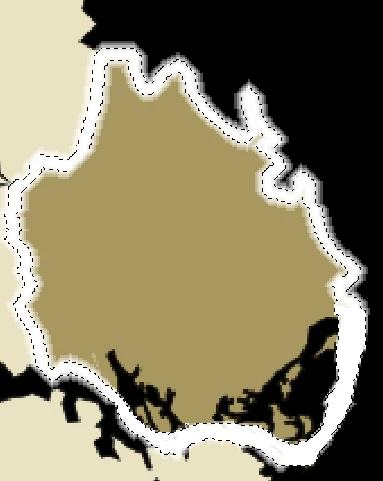
So this is my selection, I do not want any pixels to be "half tranparent" or anything, just a hard border where the selection ends. I have feather at 0, hard pencil tool, I have tried to set Quick Mask at "Selected Areas", but still PS keeps painting outside of the selection. Why does PS do this and how do I stop it?
 AdChoices