Participant
November 17, 2018
Answered

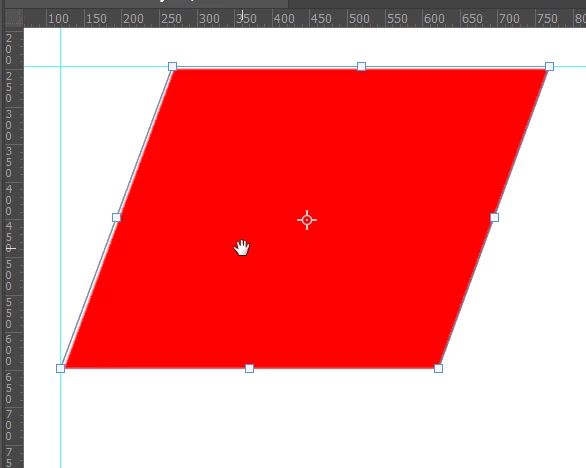
No vertical guides while transforming an object

  • November 17, 2018
  • 4 replies
  • 321 views

Vertical guides can no longer be created while transforming an object. With horizontal lines it works.

Can someone tell me why that is?

This topic has been closed for replies.
Correct answer Trevor.Dennis

It's a brand new Photoshop 'gotcha'.  The problem is that we can now commit a Free Transform or Type layer by clicking away from it, so when you try to drag out a guide from one of the rulers partway through a Free Transform, it's like you just OK'd the FT.  You can get round it by panning with the space bar, to more the part of the canvas that contains the object, closer to the ruler.  It works with vertical and horizontal guides, but I agree it is a whole new PITA added to your workflow.
4 replies

Kukurykus
Legend
November 18, 2018
Trevor.Dennis
Community Expert
Trevor.DennisCommunity ExpertCorrect answer
Community Expert
November 18, 2018

It's a brand new Photoshop 'gotcha'.  The problem is that we can now commit a Free Transform or Type layer by clicking away from it, so when you try to drag out a guide from one of the rulers partway through a Free Transform, it's like you just OK'd the FT.  You can get round it by panning with the space bar, to more the part of the canvas that contains the object, closer to the ruler.  It works with vertical and horizontal guides, but I agree it is a whole new PITA added to your workflow.

Jeff Arola
Community Expert
Community Expert
November 18, 2018

You can also press a modifier key like Shift while dragging out a guide to avoid committing the transform.

JJMack
Community Expert
Community Expert
November 18, 2018

Are you referring to the purple smart guides in newer version of Photoshop.  If so which version of photoshop.

JJMack
Jeff Arola
Community Expert
Community Expert
November 18, 2018

What version of photoshop and operating system are you using?