

John Blaustein
Inspiring
August 27, 2010
Answered

Open Kodak PhotoCD files in PS CS5 - is it possible? (Win XP)

  • August 27, 2010
  • 5 replies
  • 77312 views

Hi,

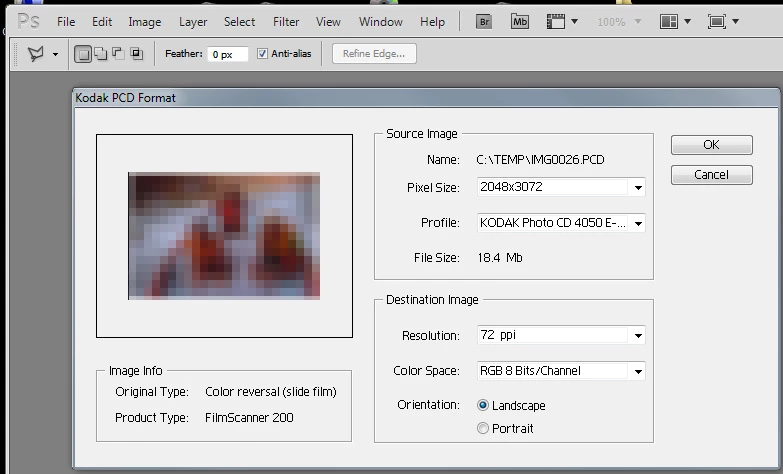
I have some old Kodak PhotoCD files (.PCD) that I would like to open in PS CS5.  After searching the KB and forums for info, I found the file "Photo CD.8BI" in the Goodies folder on my CS3 disk and copied it into C:\Program Files\Adobe\Adobe Photoshop CS5\Plug-ins\File Formats.  Unfortunately, PS CS5 still will not open the .PCD files.

I could install CS3 again and use the Photo CD.8BI plug-in there, but I'd rather not install CS3 if I don't have to.

Anyone know of a way to open/convert .PCD files in CS5, or is the .PCD format so old that it can't be done?  (I'm using Windows XP Home.)

Thank you.

John
    This topic has been closed for replies.
    Correct answer Noel Carboni

    Noel,

    Thank you so much for your time and effort helping me.  I got the second file and it is perfect for my current purposes.

    Wow... what a great tribute to the Adobe forums... people really helping each other.  I hope I can return the favor to you, Noel, or to someone else at a later time.

    John


    You're welcome.

    I've taken it one step further...  I have discovered how you can open your .pcd files in Photoshop CS5, which may help you access your existing library of .pcd files.

    All you need to do is find the file pcdlib32.dll that came with the same version of Photoshop from which you got Photo CD.8BI.  Copy pcdlib32.dll into your Photoshop CS5 32 bit installation area (or a folder in your PC's path) and voila, it works!

    -Noel

    5 replies

    Participant
    August 30, 2023

    Just open them in Adobe Photoshop CS2 and they open perfectly. Viola!

    Participant
    November 13, 2012

    The jpg's are in PICTURES.  I was able to copy them using Bridge CS6.

    Participating Frequently
    September 16, 2010

    Hi, this may not be of help to you John.

    For PS-cs5 users on the mac platform (worked with Intel running snow leopard) here is a work around for getting at those old Kodak Digital Science Photo CD master disk and the PCD files.

    You can import them into I-photo. Once you have them imported with I-photo you can get them into PS-CS5.

    November 5, 2010

    @someguyinnw  Thank you kind sir.  You just saved me HOURS of effort with your brilliant PhotoCD to iPhoto solution.  I am forever indebted. 

    Participating Frequently
    November 5, 2010

    David,

    I had a panic there as well until I figured this out myself. Seems to work on most of the Photo CDs. I had used this Kodak PhotoCD format (200+ disks) thinking that it would be good for long term storage archive, so much for best laid plans…

    Ted

    Noel Carboni
    Legend
    August 27, 2010

    I have heard that there is a plug-in for the popular freeware viewer Irfan View that will read Kodak Photo CD format.  Check here:

    http://www.irfanview.com/plugins.htm

    Do you have a link to a .pcd file somewhere?  I can try it to see if it works, as I have Irfan View and all its plug-ins.

    -Noel

    John Blaustein
    Inspiring
    August 27, 2010

    Noel,

    Thank you.

    It looks like IrfanView will do it.  I haven't used IrfanView in a long time.  I guess it will convert the .PCD to a JPG or TIFF, yes?

    I am emailing you a file to test... thank you for offering that.

    John

    Noel Carboni
    Legend
    August 27, 2010

    Irfan View does open the file, I've sent you back the image attached to an eMail.

    It's been a really long time since I opened a .pcd file, but don't I recall the Kodak system allowed you to select the resolution?  Irfan View did not provide such a selection - it just opened your file as 768 x 512 pixels.

    -Noel

    Chris Cox
    Legend
    August 27, 2010

    You'll have to launch in 32 bit to use the old plugin.

    And yes, PCD is getting pretty old.

    John Blaustein
    Inspiring
    August 27, 2010

    Thanks for the quick reply, Chris!

    Is there a way for me to "launch in 32 bit" in Windows XP Home?  I don't think so, but I thought I'd ask.... just in case.

    John

    Chris Cox
    Legend
    August 27, 2010

    In XP Home you're always in 32 bit mode.

    In which case you may not have put the plugin in the correct locatino - check the Help -> System Info report to see if the plugin is being loaded.