
Participant
August 4, 2021

P: Color Distortion When Opening Images saved from Facebook in Photoshop 26.5

  • August 4, 2021
  • 75 replies
  • 29082 views

After updating to the latest version of Photoshop, we encountered an issue where images saved from Facebook from the previous year display color distortions when opened in the program. However, images saved recently from Facebook open without any issues and display correctly.
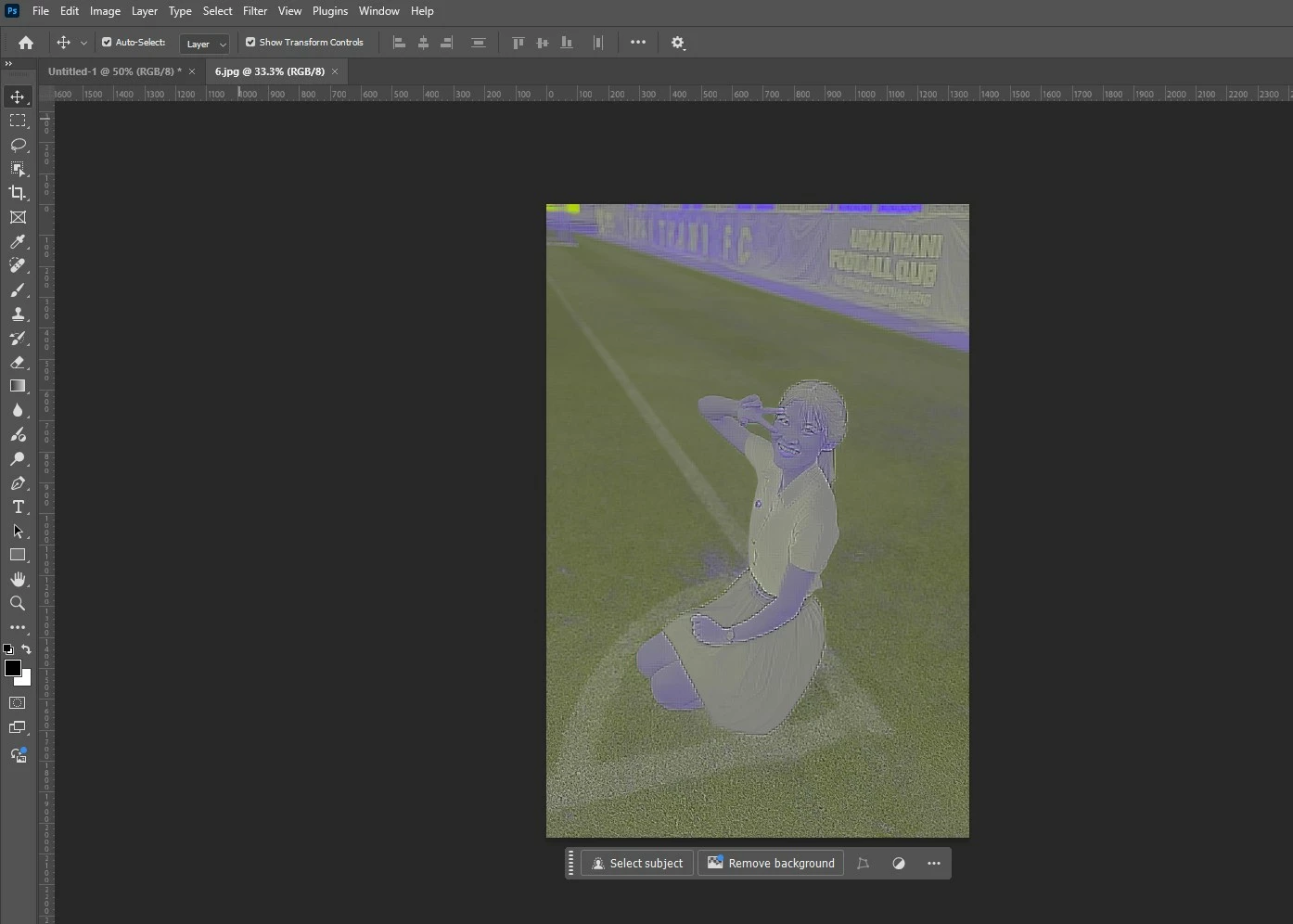
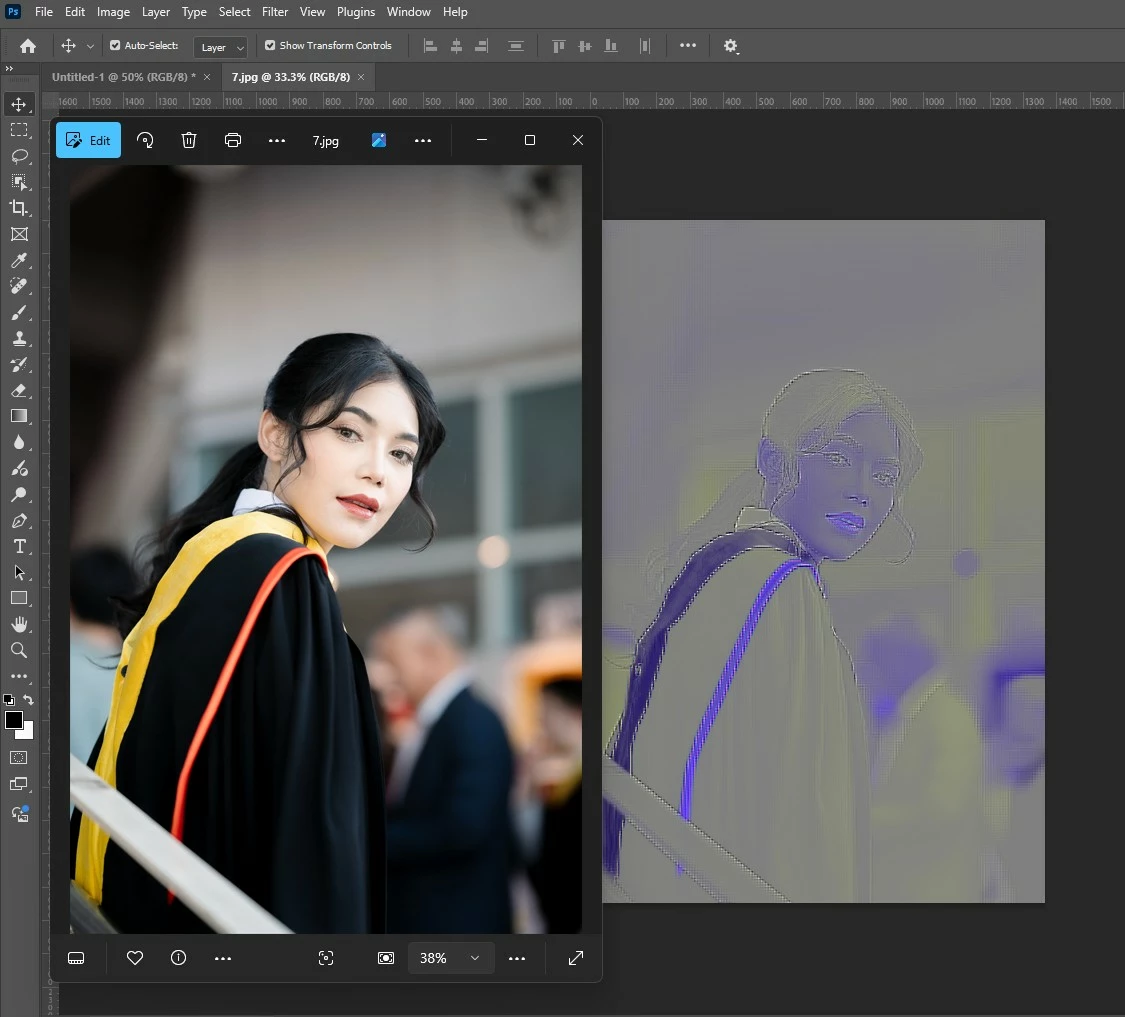


75 replies

Participant
April 2, 2025

I'm having this issue as well.  It's an issue with the way Photoshop reads facebook images.  This is entirely on Adobe, and there's little you can do about it.

I've had success with running images through media converters online (the kinds that convert annoying formats like AVIF into something actually useable) and turning them into .png files.  But yeah, this is for Adobe to fix.  There's nothing you can currently do.  And despite what Adobe Support will tell you, the person on the other end who has 8 years of photoshop experince and has dealt with this issue several times is lying about both of those things.

MassC
Legend
March 28, 2025

Hey @Chanitpon370485241xu8

Can you share what your color space is? You can find that by going to Edit > Convert to Profile and looking at the Source Space. Does it do this only to these images? 


^CM

Participant
February 19, 2025

 i dont know why its coming like this for few images , i was changed the location and i importd in the photoshop but same lines are coming when imported wht we do , and i tried redownload from the facebook imaesd but no use same priblem comming


Sameer K
Community Manager
Community Manager
February 19, 2025

Hey, @Venkata38425314b1l0. Welcome to the Photoshop Community. I'll move your response to discussions for now. I'll need more info to help you figure this out. Please share the system info from Photoshop Help > System info > Copy and paste into a text document > upload and attach here. 


Does this happen with the specific documents? Is this image stored on an external drive or in a folder associated with cloud backup services? Working through a network or external drive is unpredictable & is not recommended. Head here to learn more: https://adobe.ly/3A2G2zK


Please share if you find a repeatable pattern or series of steps along with a sample JPEG/PSD file with me via direct message. 


Thanks!
Sameer K

(Type '@' and type my name to mention me when you reply)

Participant
February 14, 2025

Version: Mac ver 26.3.1
macOS 15.3.1

macBook Air M3 16/512... Sheesh, i'm paying for this!

Sameer K
Community Manager
Community Manager
February 14, 2025

Hey, @faiv. Welcome to the Photoshop Community. I'll move your response to discussions for now. I'll need more info to help you figure this out. Please share the system info from Photoshop Help > System info > Copy and paste into a text document > upload and attach here. 


Does this happen with the specific documents? Is this image stored on an external drive or in a folder associated with cloud backup services? Working through a network or external drive is unpredictable & is not recommended. Head here to learn more: https://adobe.ly/3A2G2zK


Please share if you find a repeatable pattern or series of steps along with a sample JPEG/PSD file with me via direct message. 


Thanks!
Sameer K

(Type '@' and type my name to mention me when you reply)

Participant
February 14, 2025

@Sameer K
These are just JPEGS, on Mac desktop. Been doing this for over 20 years…
Text doc Sys Info attached…


James Faivre
 Certified Support Professional

Participant
August 4, 2021

Hello all,


Please have a look at the attached example. I downloaded movie posters all from the same site but some show this issue when opening them in Photoshop and some don't.


Link to the image: https://www.themoviedb.org/t/p/original/Agc6lw8pb6BIGVeguvdjDT0p9Mb.jpg


Does anyone know why this is happening and/or how this could be solved? Thanks a lot in advance for your help!

Myra Ferguson
Community Expert
Community Expert
August 4, 2021

You could try the solution for a similar known issue for Premiere Pro or Premiere Rush:

Green and pink video in Premiere Pro or Premiere Rush
