
Answered
OpenType Feature > Figure Style > Tabular Lining available in Photoshop??
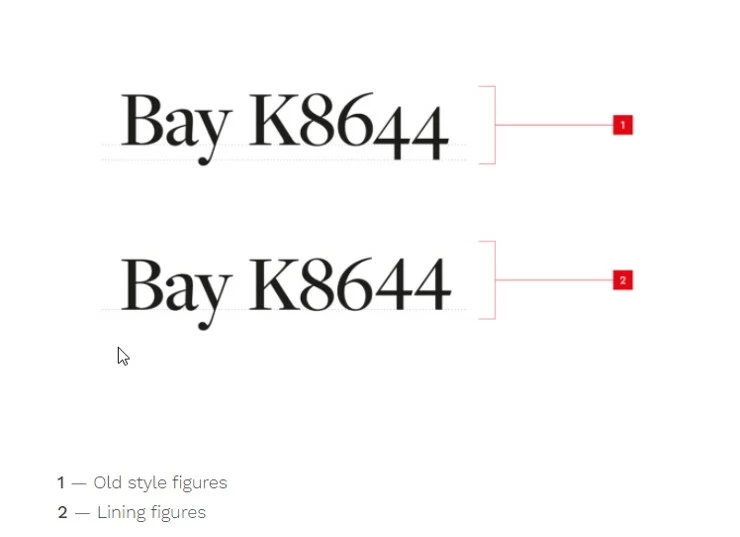
My company uses Font Freight Display Pro and it has two styles of numbers. 'Old style' figures (where some characters drop below the baseline) and 'lining' figures where they sit on the baseline. See below the reference.
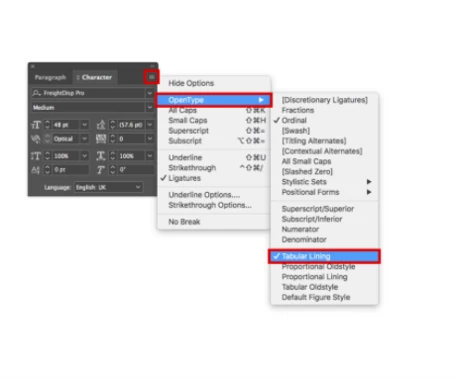
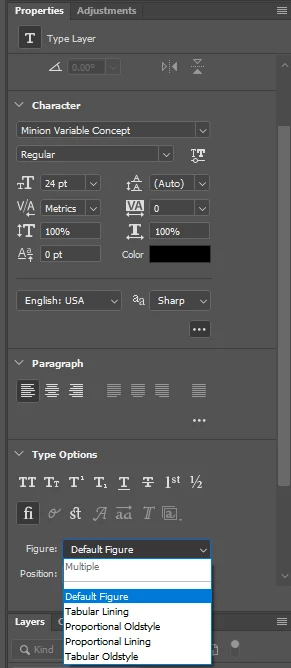
I can fix the problem using InDesign and Illustrator throught the below path (ghanging from 'old style' to 'lining' figures). However, Photoshop doesn't give me this option. As I work a lot with this Font on Photoshop, I would like to know if anyone knows a slolution for this issue?
Many thanks!
Larissa


 AdChoices