ryanb36110785
Participant
January 23, 2019
Answered

Package option is disabled in Photoshop

  • January 23, 2019
  • 15 replies
  • 82168 views

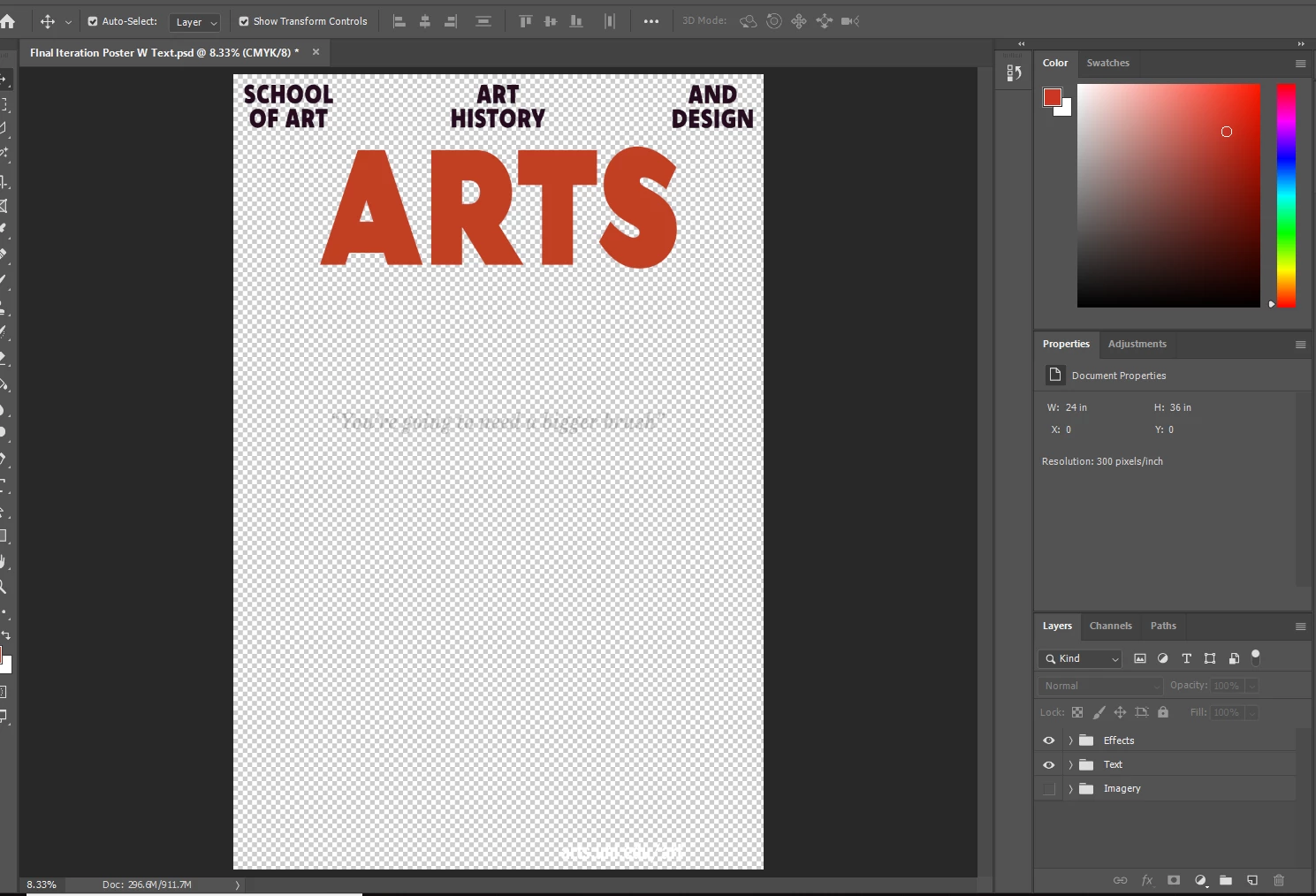
I am trying to make a package file for my text, but the option is greyed out.  I can't find anywhere that has the fix for this problem, I saved the file but it won't let me package it after that.  All of the text is in the original text format, none of it is rasterized.
Correct answer JJMack

Have you save the document and does it have link objects the can be packaged?

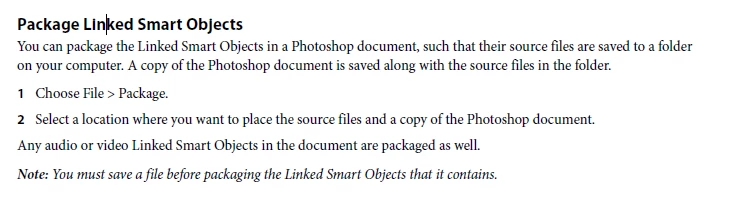
Note: You must save a file before packaging the Linked Smart Objects that it contains.

15 replies

kevin.brandon
Community Expert
Community Expert
November 15, 2022

Photoshop v 2023 would not let me File > Package... my .PSD file, until I had placed a Linked image in the Ps file.


With the placed Linked image in the Ps file I was able to Package my PSD file. The linked image was included in the Packeage 'Links' folder, however the fonts used in the Ps file were not included. The fonts were open source fonts and not part of the Adobe fonts collection. Any ideas?


Thank you,

Trevor.Dennis
Community Expert
Community Expert
November 15, 2022
quote

Photoshop v 2023 would not let me File > Package... my .PSD file, until I had placed a Linked image in the Ps file.


With the placed Linked image in the Ps file I was able to Package my PSD file. The linked image was included in the Packeage 'Links' folder, however the fonts used in the Ps file were not included. The fonts were open source fonts and not part of the Adobe fonts collection. Any ideas?


Thank you,  


By @kevin.brandon

If you are using JJ's script, I am afraid he passed away earlier this year so he won't be able to help you.  Some fonts that used to come with Photoshop are no longer available I imagine because of license changes.  If it is not possible to edit the package to use different fonts, could you find a similar font, and rename it.  I am not sure if that is even possible. i.e. does the fint name come from the file name, or is it embedded?  Just a thought and maybe worth a try.

Participant
February 18, 2022

Try saving as an EPS and packaging from that file. Usually works for me!

Devon Adams
Participating Frequently
February 18, 2022

Once I saved on my local machine rather than the cloud, it packaged JUST FINE.

Participant
March 30, 2021

Just seeing this post now. 

I noticed I could not package if my file were embedded, but their orignal files were in the trash. 

Make sure every file you are using wether it be type, or an image is not in the trash. 

The "package" option for me, un-greyed itself when I placed these files back on my dektop.

Tove L
Participant
December 1, 2020

I had the same problem. I then resaved the whole document and included the linked files in the illustrator option popup box. The option package then appeared again.

BESTHERW
Participant
November 19, 2020

My file was saved before, and the pacakge option was greyed out, after I tried to re-save (save as option) the file again, and it un-greyed out.

BESTHERW
Participant
November 19, 2020

Sorry, typo. I meant my file was saved before, and the pacakge option was greyed*.

Participant
March 12, 2023

Worked here as well! Thank you very much!


Participant
October 27, 2020

I embedded images and it un-greyed out for me. 

Troy789
Inspiring
July 23, 2022

Thanks, Zach5F84! I had the same problem and the option 'un-greyed' after I embedded my images.

constellationculinary
Participant
October 14, 2020

Agree with this solution. The file I was trying to package was fully saved, but I had another file open (with simliar content) that was not fully saved. Once I made sure all of my open AI files were saved, I could then package the file I wanted. 

DavidLaufer
Inspiring
September 21, 2020

I am having this same problem. I have complex file to send to production, so I need the package function to collect the linked files. Package is grayed out- file has been saved. all layers are unlocked. this is a real train wreck. 

Participant
July 24, 2020

This may or may not help, but I had the same problem and realized you cannot have any unsaved changes. It's not enough just to have saved the file at some point; all changes must be saved (and therefore no asterisk up in the filename in the tab). That did the trick for me.

kristianstupak
Participant
April 30, 2021

Yes It helped, thank you!