


Participant
February 2, 2023
해결됨

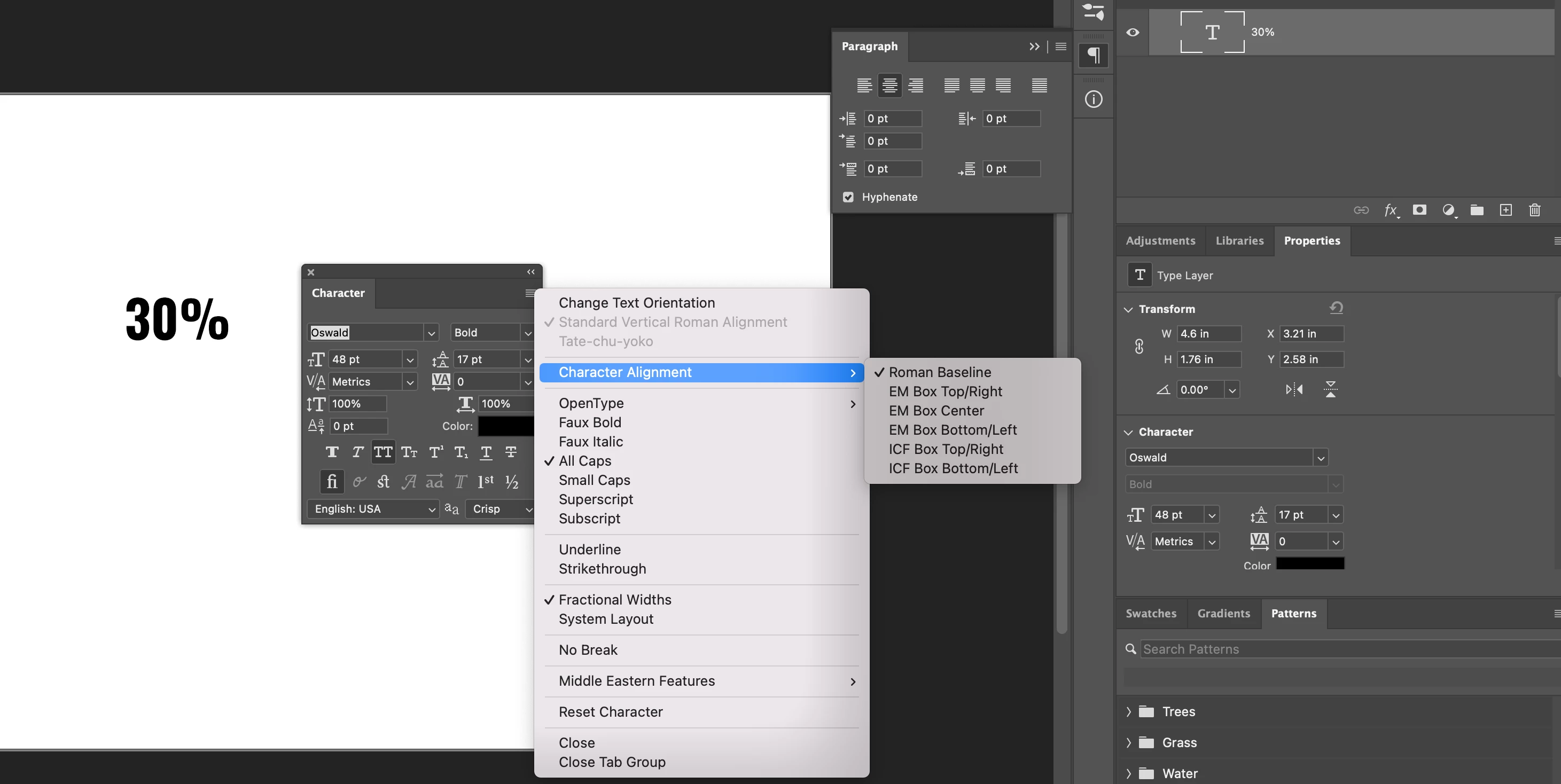
Percentage sign moves from after to in front of numbers: 30% -> %30

  • February 2, 2023
  • 2 답변들
  • 3812 조회

I'm trying to write text "30%" in PS, but as soon as I press the %-key, it will be placed in front of the numbers: %30 instead of 30%.


PS 24.1.1 on a new Mac Book Pro 2021, macOS 13.1.  Is this a bug or a new preference that I've missed?

최고의 답변: CShubert

Hi @Framebay sorry you are having issues. Testing here and it works as expeccted.  Look at this screenshot and see if any settings are different or maybe were changed on your side? When did you first notice this?


Thank you,

Cory

2 답변

Framebay작성자
Participant
February 2, 2023

Now I actually found the problem, somehow my preferences where set to using Hindi Digits (under Middle Eastern Features). I dont know how this have happened, the apps are quite new installed and I've never been into these settings. Thanks for guiding me to the right setting panel.

CShubert
Community Manager
CShubertCommunity Manager답변
Community Manager
February 2, 2023

Hi @Framebay sorry you are having issues. Testing here and it works as expeccted.  Look at this screenshot and see if any settings are different or maybe were changed on your side? When did you first notice this?


Thank you,

Cory

Participating Frequently
April 5, 2024

Having the same issue as the original poster and my dates are also getting formatted wacky!!  UGGH!  Your "fix" didn't appear to fix anything as my character alignment is already set to Roman Baseline.