Known Participant
November 6, 2023
Question

PH doesn't recognize Wacom Tablet

  • November 6, 2023
  • 3 replies
  • 348 views

Hello,


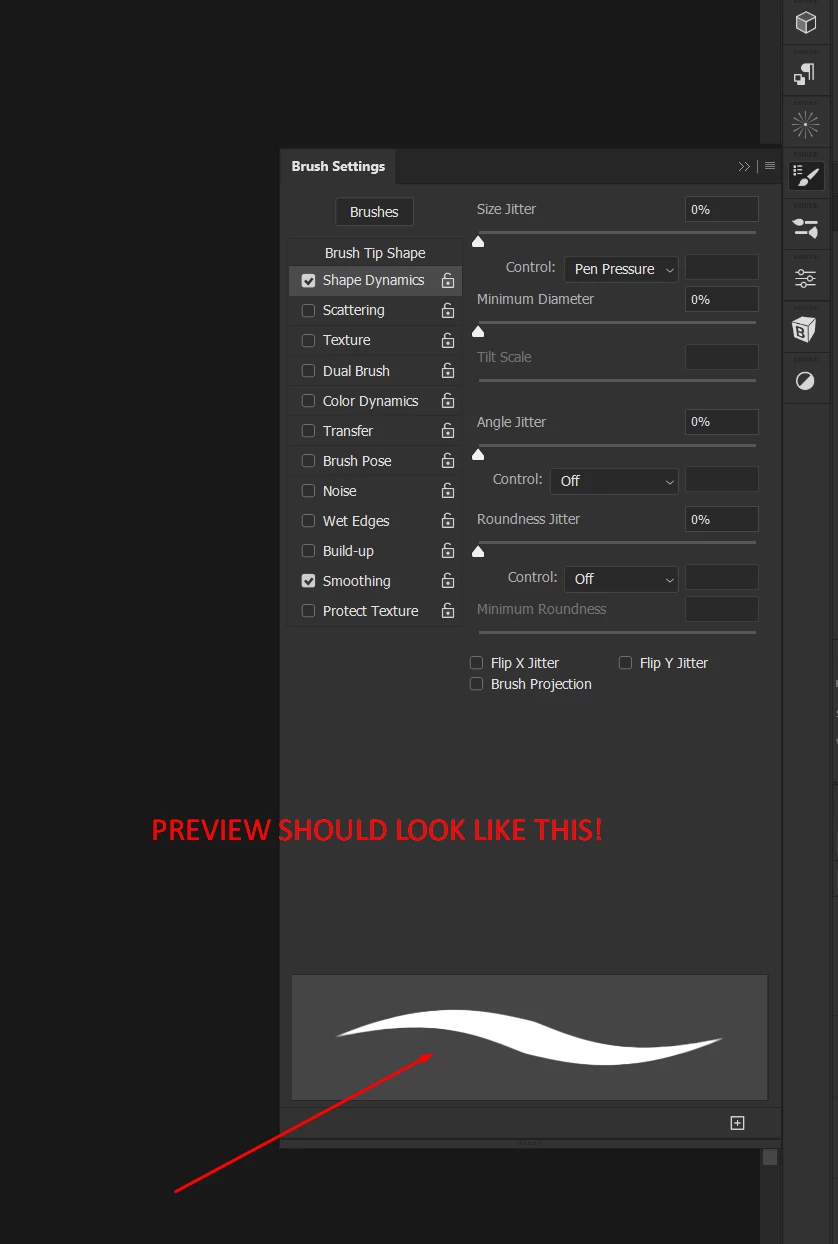
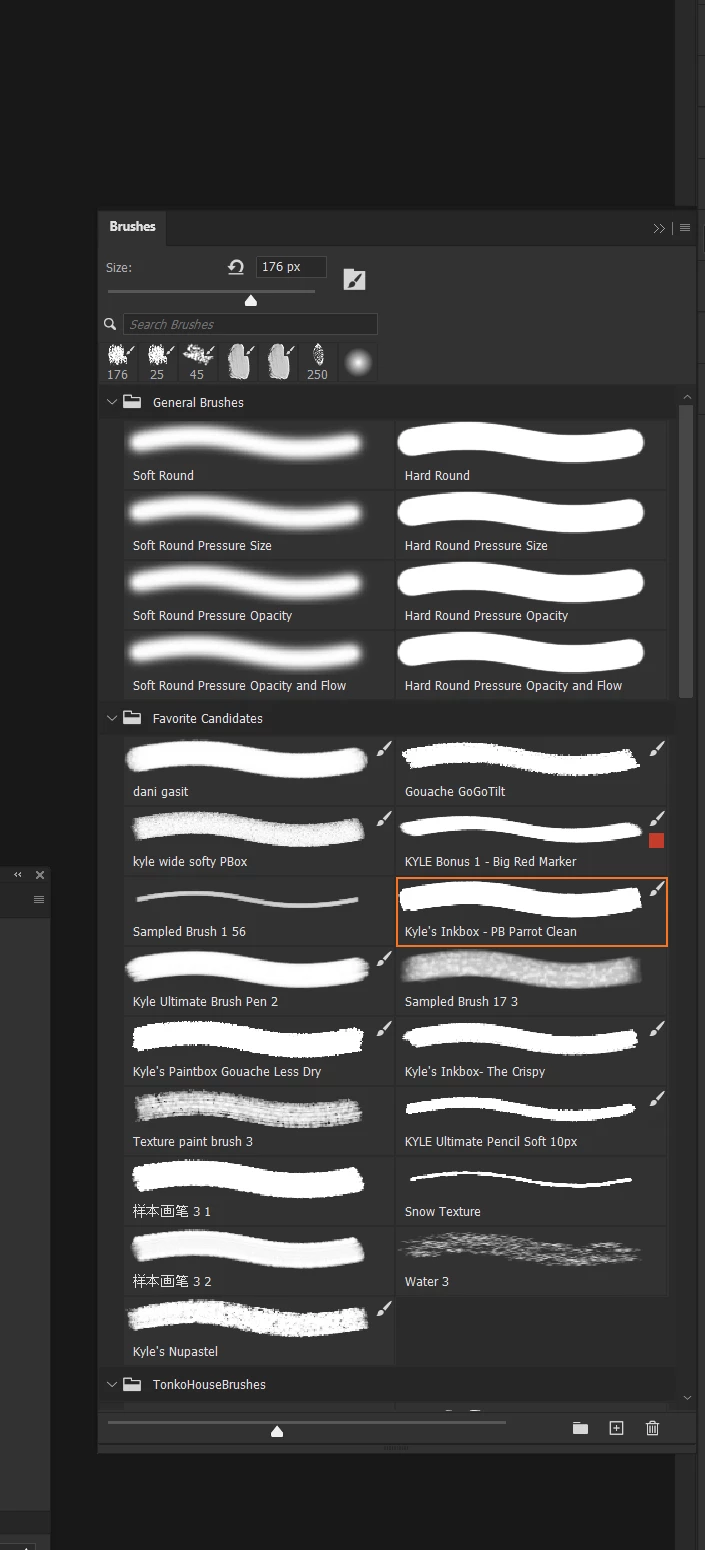
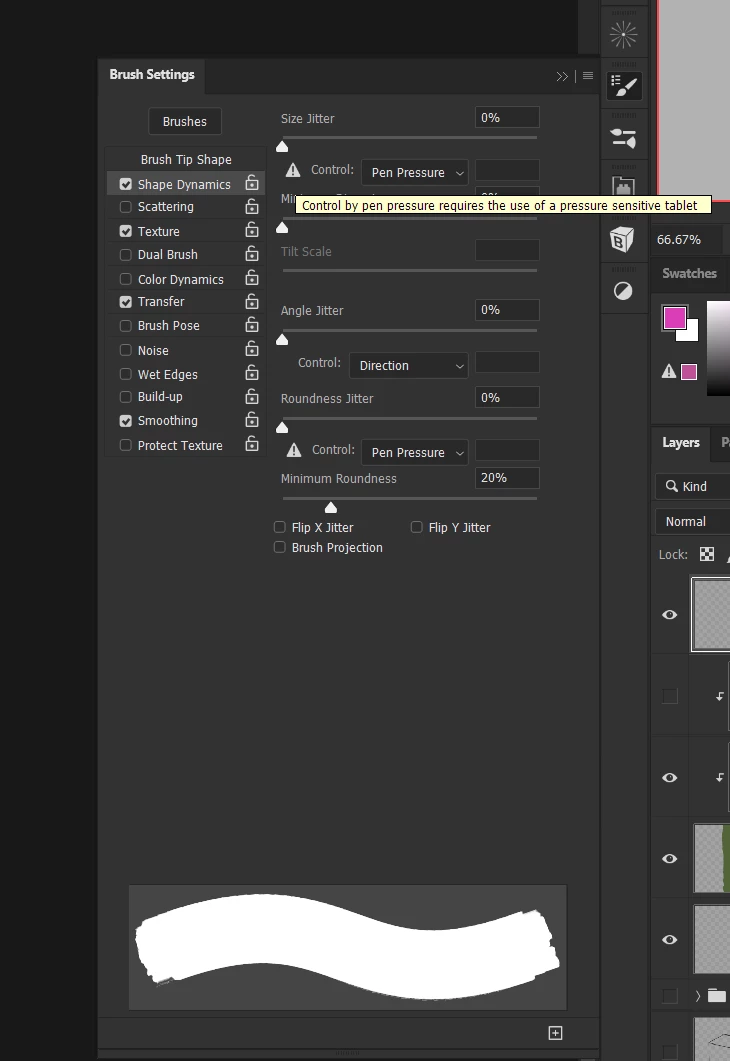
I've had this problem for ages. Every time I open Photoshop (PH), my brush preview does not update even though I am using a tablet. I have to restart the app 6 or 7 times for Photoshop to acknowledge my use of the tablet. Today, I did it 10 times in a row and it still doesn't work.

Other painting apps don't have this issue. If you're wondering which version of Photoshop I'm using, I can tell you it's the latest version and all of the previous versions before this one. The issue is always the same.


Windows Ink turned On or Off doesn't make any difference.

I found posts from 2016 with the same issue. It's truly heartwarming to see that even with the advent of AI, those pesky basic things still refuse to behave. But hey, who needs functionality when we have stellar marketing, right? Cheers to progress!
This topic has been closed for replies.

3 replies

RoxanaMDAuthor
Known Participant
November 7, 2023

Some of the things I already tried, some not. I will test and see. Thank you.


edit: I do have the latest Wacom Driver.

AxelMatt
Community Expert
Community Expert
November 7, 2023

Do you have installed the latest Wacom driver? If no, try to download and install the recent driver. It's in the moment version 6.4.4-3 (Windows)

Take also a look here: Wacom pen pressure just stopped working (PS 21.2.2... - Adobe Community - 11378218

It's an older post, but several tipps are still relevant until today.

For ex. try to use the PsUserConfig.txt with the lines 

# Use WinTab
UseSystemStylus 0

inside.


My System: Intel i7-8700K - 64GB RAM - NVidia Geforce RTX 3060 - Windows 11 Pro 25H2 -- LR-Classic 15 - Photoshop 27 - Nik Collection 8 - PureRAW 5 - Topaz Photo
RoxanaMDAuthor
Known Participant
November 7, 2023

Hello,


could I get some help on this?