You can see templates in the Photoshop 2020 interface before you create a new document. You’ll find them in the Libraries panel; choose Window > Libraries at any time, including when no documents are open. In the Libraries panel, you can search for "Photoshop" and filter by "Templates" as shown below on the right.
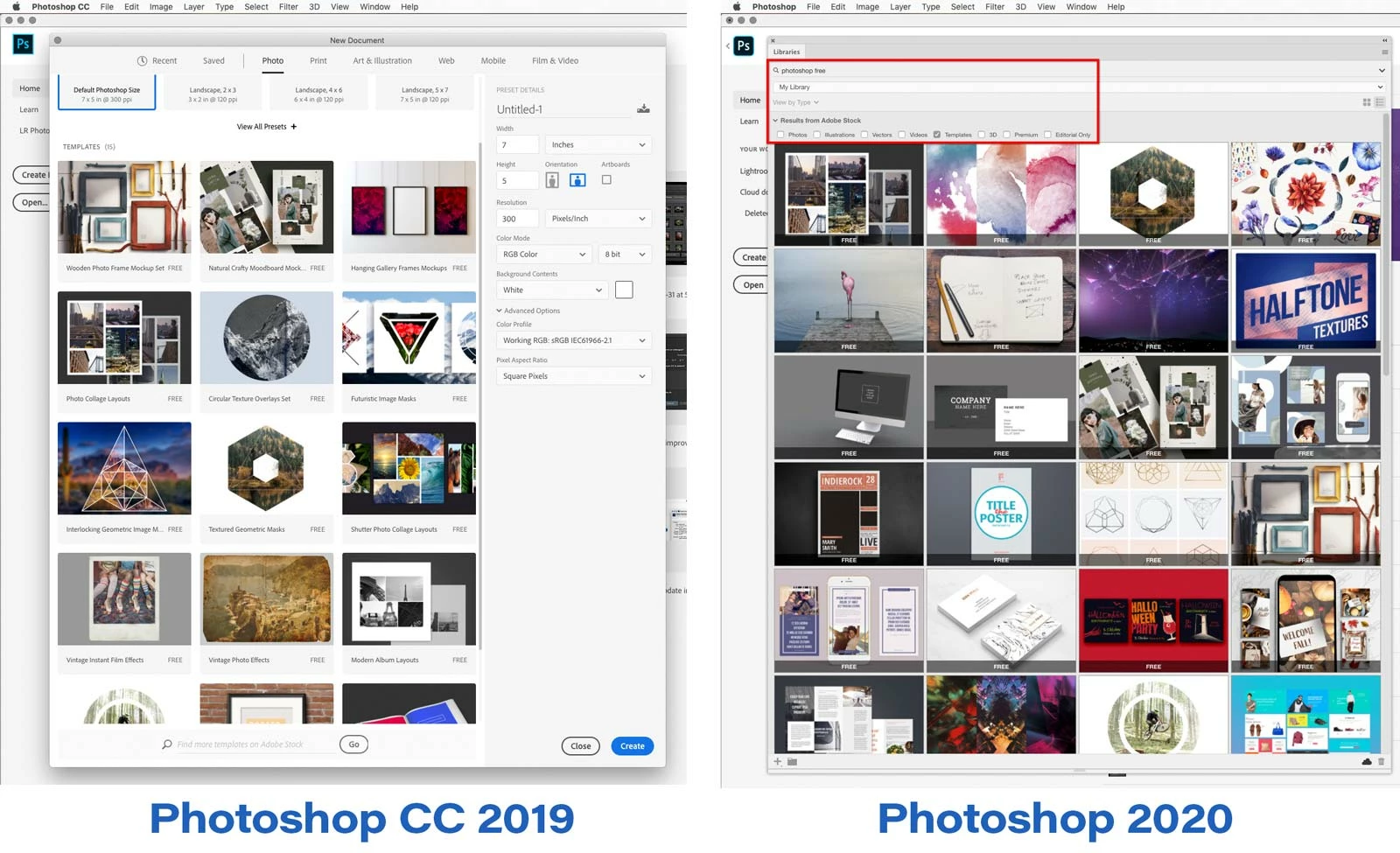
In that comparison of Photoshop CC 2019 vs Photoshop 2020, note the following:
- In both versions you can preview and select a template with no documents open.
- Photoshop CC 2019 can show only 15 templates; if you want to see more, you do the search at the bottom but it kicks you out to the Adobe Stock web site. The Libraries panel can show many more templates at once, in Photoshop 2020 itself, without making you go to the web site.
- Photoshop CC 2019 limits you to three columns across. Photoshop 2020 will show as many columns as the width of your display will allow.
- As to why the change was made, many users complained that the File > New dialog box was very very slow to open in Photoshop CC 2019. The New Document dialog box is much faster in Photoshop 2020; I’m not sure if this is the official reason but it’s possible that because the New Document dialog box no longer has to load templates from the Internet, it can now display as fast as it used to before it was redesigned.
So in some ways, the way it’s done now is actually better.



 AdChoices