


Participant
September 28, 2021
질문

Photoshop 2021 not even opening on Windows 10 because of 0xc0000142 error

  • September 28, 2021
  • 2 답변들
  • 374 조회

I bought the creative cloud with photoshopand other apps. Once i was done installing the apps I tried to open photoshop and it said i needed to do an update on my computer which windows did let me know it was ready for an update. After the update photoshop doesn't open at all and i get this message. (See below)


I restarted my PC. I uninstalled photoshop and reinstalled. I used the creative cloud cleaner tool and reinstalled. Still no luck
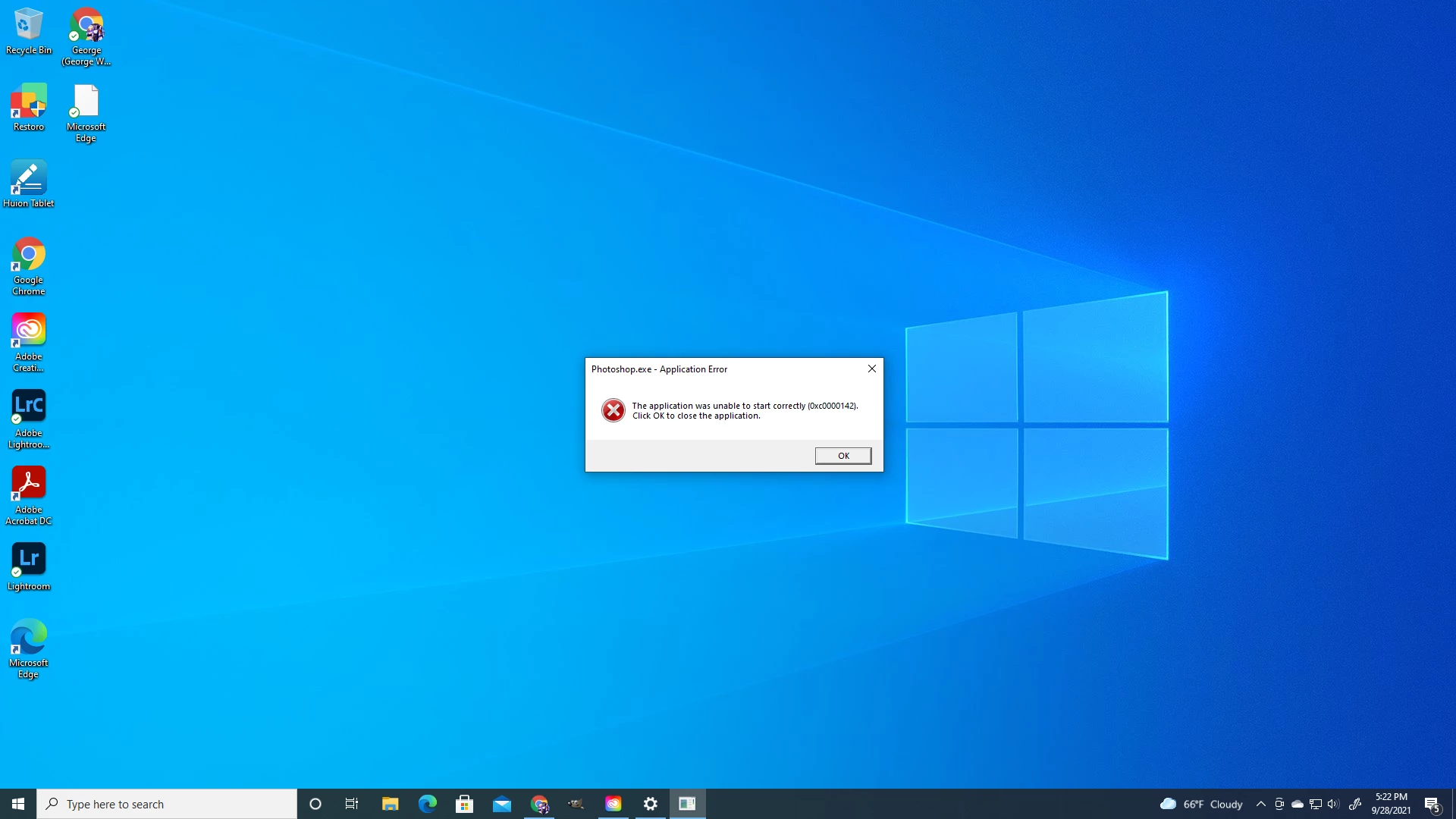


{Thread title edited by moderator}

이 주제는 답변이 닫혔습니다.

2 답변

nikunj.m
Community Manager
Community Manager
September 29, 2021

Hi @MDubz21 ,


We're sorry about the trouble with Photoshop. If the steps suggested by mglush don't help, please ensure that you have all available Windows 10 updates installed on the computer & try re-installing Photoshop to check if that helps.


You can also check out: https://support.microsoft.com/en-us/office/error-0xc0000142-when-you-start-an-office-application-64b3a500-ee74-4b66-b370-9d607ef92b6c


Let us know how it goes!

Regards,

Nikunj

mglush
Community Expert
Community Expert
September 28, 2021

Hi!'

We are sorry to hear you are having this issue. Have you checked to make sure that your computer's system requirements meet the standards for the version of Photoshop that you are running? Here is some informtion on system requirements: https://helpx.adobe.com/photoshop/system-requirements.html


Another thing to check is your Graphics Processor Card. Is it also up to date and compatible with this new version of PS? Chec out this help doc on GPU compatiblity: https://helpx.adobe.com/photoshop/kb/troubleshoot-gpu-graphics-card.html


Let us know if either of these help?

Michelle