


Participant
October 30, 2024
해결됨

Photoshop 2025 cannot open any camera raw files starting last week

  • October 30, 2024
  • 2 답변들
  • 4801 조회

Photoshop 2025 was previously working fine and able to open camera raw files with Sony and DJI. Starting Oct 28, it has not been able to open any camera raw files. Photoshop 2025 freezes, and I need to use the task manager to shut it down. Photoshop 2025 is able to open other file types, like jpeg. I have uninstalled Photoshop 2025 with uninstalling preferences and installed it again, and the result is the same. I have gone to Edit/Preference/ Camera Raw Preference/ unchecked Use GPU. Please advise. 
최고의 답변: Ged_Traynor

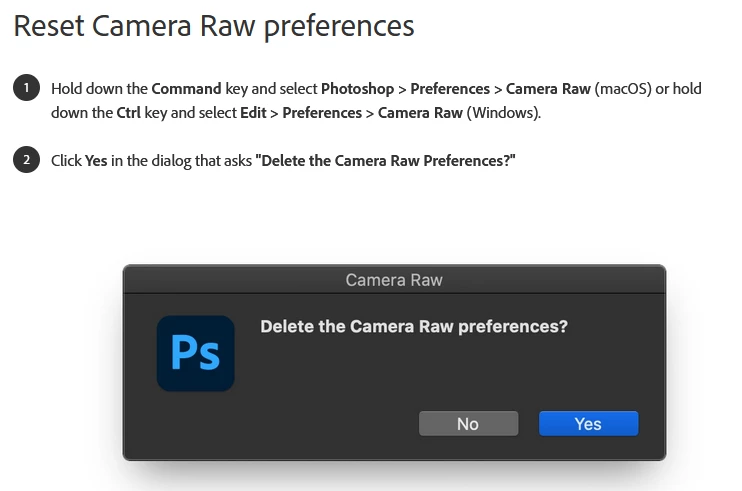
@winstond56643391 try resetting your ACR preferences

2 답변

Known Participant
March 9, 2025

I had a similar problem.  When I edit an image in Camera Raw and try to open it in Adobe Photoshop 2025 as a smart object, nothing  happens.  It won't open. I have tried the solution listed below several times, and it hasn't worked for me.  What should I do to fix this?

Participant
August 31, 2025

same problem it cannot open anyy raw file and all the solutions seems not working....can you update ? thanks


Ged_Traynor
Community Expert
Community Expert
October 31, 2024

@winstond56643391 try resetting your ACR preferences

Participant
October 31, 2024

Thank you. This resolves the problem.