Participating Frequently
December 29, 2021
Answered

Photoshop 22.2.0 - Photoshop 3D

  • December 29, 2021
  • 1 reply
  • 2366 views

Hi all,
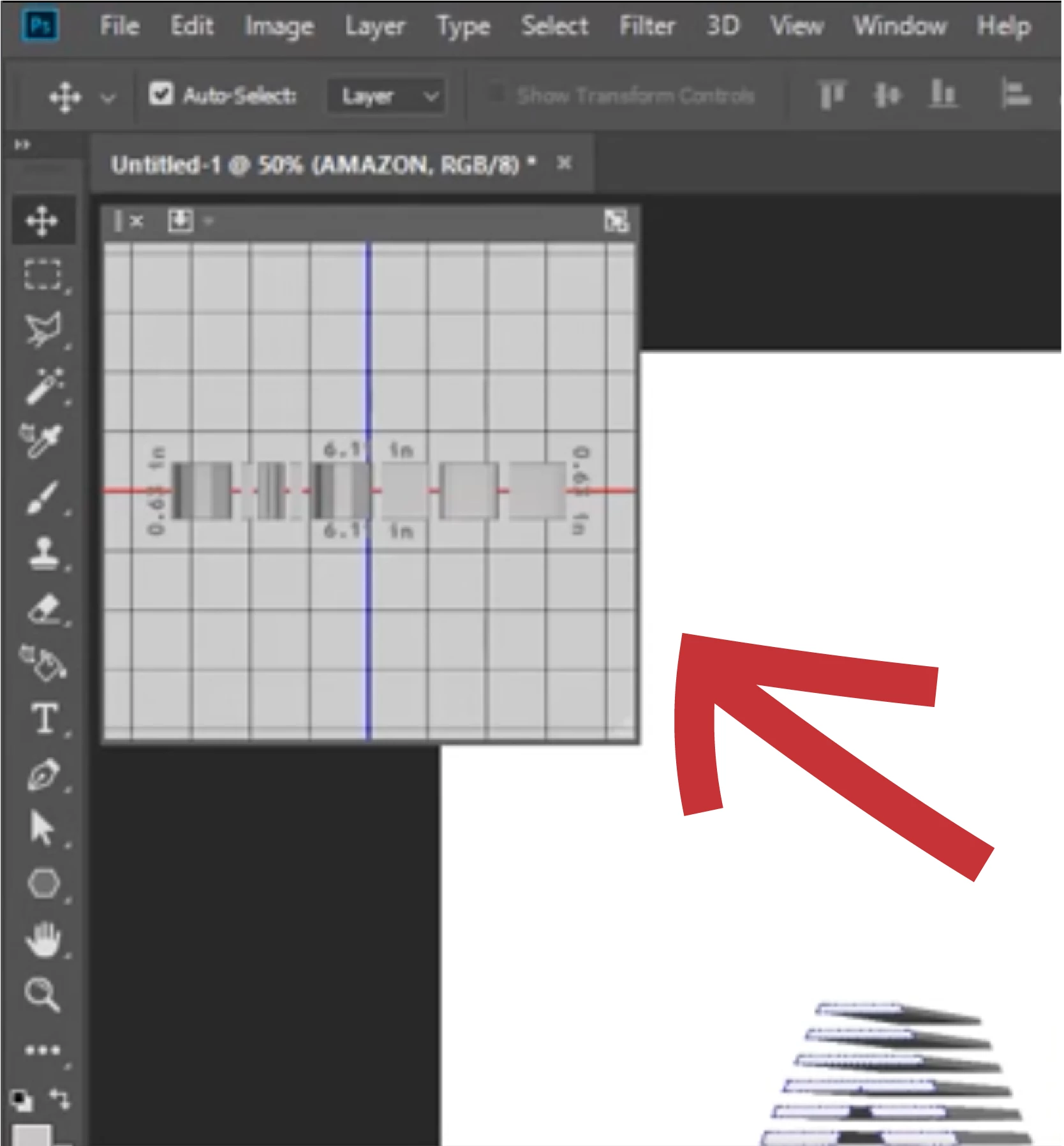
I have disappeared the small window that opens in the upper left part doing a 3D job in Photoshop.
Could someone help me activate that little window ???
I work with an iMac, its operating system is: macOS Monterey (version 12.0.1).
Photoshop version is 22.2.0
Thank you in advance and I send a cordial greeting. 
 

This topic has been closed for replies.
Correct answer JJMack

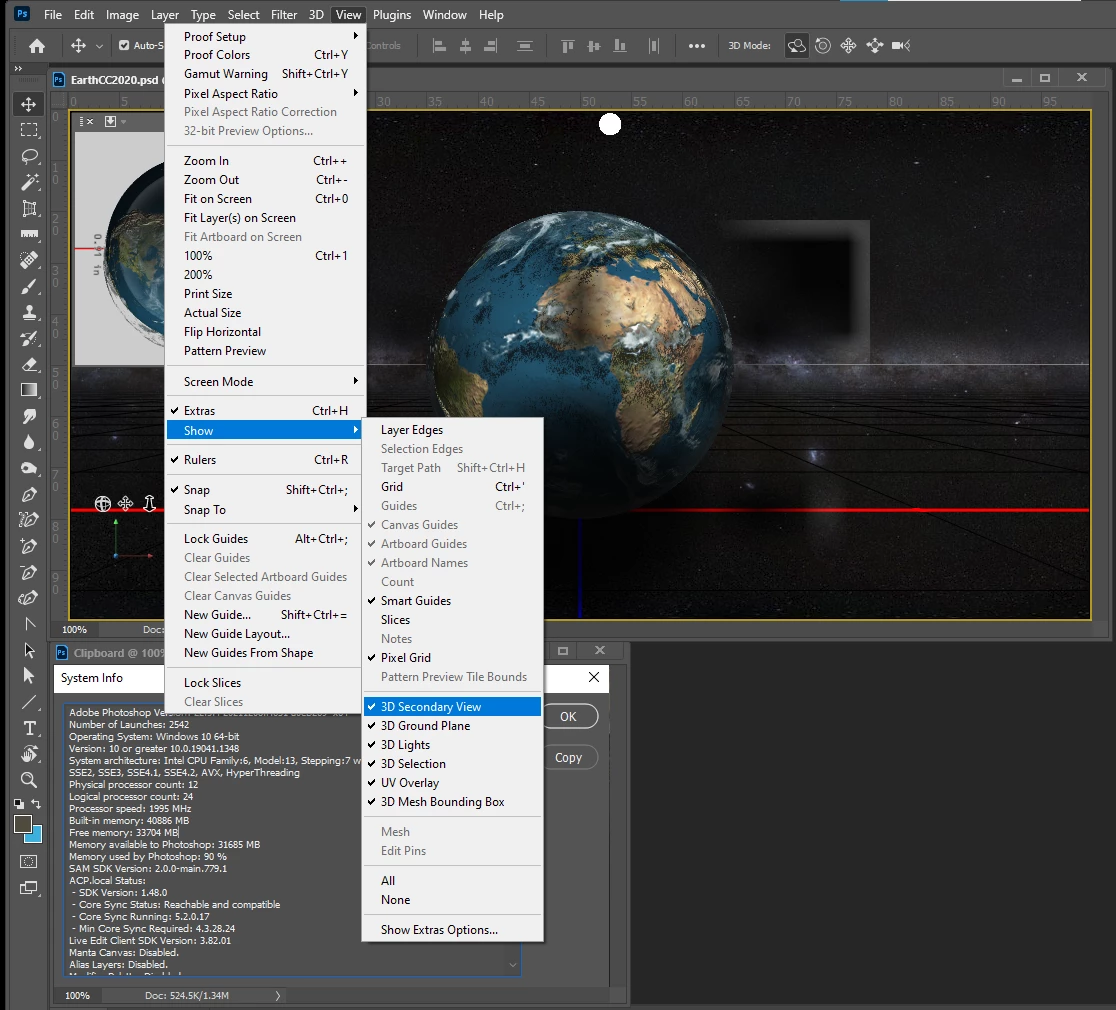
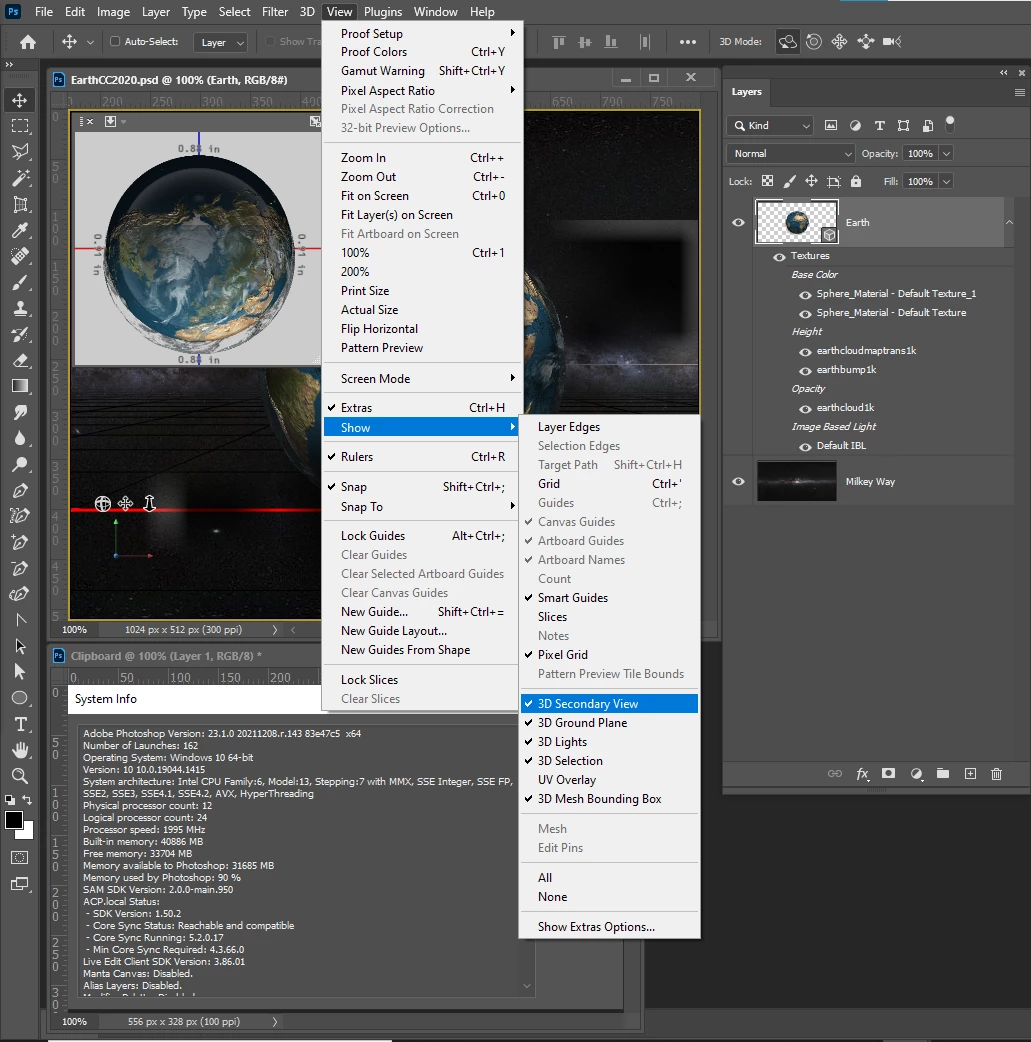
You are aware that Adobe is removing all the 3D support that is in Photoshop.  Furniture Photoshop version all they will be able to with Photoshop 3D layers is replace the 3D layers with a raster image layer the 3D object static 2D  composition.  If you require Photoshop 3D support you need to keep an old Photoshop that has 3D support  if I you want to continue to work with Photoshop 3D layers.   I Would suggest Photoshop 2020.   Adobe recommends you use your Photoshop 2021 version 22.2 (from February 2021).   Adobe will not be addressing bugs in Photoshop 3D support in any version of Photoshop.  Adobe Photoshop current release is Photoshop 2022 version 23 and 3D support.   Have you Deactivate  Adobe's Native Canvas Support in your Photoshop version 22.2 that is a requirement for 3D.  Older versions of Photoshop do not have Adobe Native Canvas Support that is why I recommend Photoshop 2020 version 21.2.12.   With the move tool actiive menu View>Show>3D Secondary View should still be available in Photoshop 22.5.4 and 23.3 as you can see here on my Windows 10 PC version 22.5.4 on top.Nativa Canvas is Diactivated. You may havs a Mac issue. MAC issue

1 reply

JJMack
Community Expert
JJMackCommunity ExpertCorrect answer
Community Expert
December 29, 2021

You are aware that Adobe is removing all the 3D support that is in Photoshop.  Furniture Photoshop version all they will be able to with Photoshop 3D layers is replace the 3D layers with a raster image layer the 3D object static 2D  composition.  If you require Photoshop 3D support you need to keep an old Photoshop that has 3D support  if I you want to continue to work with Photoshop 3D layers.   I Would suggest Photoshop 2020.   Adobe recommends you use your Photoshop 2021 version 22.2 (from February 2021).   Adobe will not be addressing bugs in Photoshop 3D support in any version of Photoshop.  Adobe Photoshop current release is Photoshop 2022 version 23 and 3D support.   Have you Deactivate  Adobe's Native Canvas Support in your Photoshop version 22.2 that is a requirement for 3D.  Older versions of Photoshop do not have Adobe Native Canvas Support that is why I recommend Photoshop 2020 version 21.2.12.   With the move tool actiive menu View>Show>3D Secondary View should still be available in Photoshop 22.5.4 and 23.3 as you can see here on my Windows 10 PC version 22.5.4 on top.Nativa Canvas is Diactivated. You may havs a Mac issue. MAC issue

JJMack
Participating Frequently
January 10, 2022

Thank you very much JJMack for your reply; Everything concerning Photoshop 3D has become clear to me.
I will seek, in time, the migration to Canvas.
Kind regards