


질문
Photoshop 22.3 slow & laggy on MacBook Pro running macOS Big Sur
I'm experiencing a lot of slowness and lag in Photoshop with the most basic of tasks. The task I've been testing with is to open a totally blank document and try to type some text. No effects or anything. Photoshop cannot keep up with the typing and falls behind. Obviously other tasks are even worse.
Things I've tried
- Quitting and reopening Photoshop
- Restarting Mac, safe mode reboot, NVRAM reset
- Starting up Photoshop without plugins
- Deleting my preferences (in ~/Library/Application Support)
Photoshop 22.3.0
I don't have the newest Mac in the world, but I'd expect it not to be so slow. System info:
- MacBook Pro (Retina, 15-inch, Mid 2015)
- 2.8 GHz Quad-Core Intel Core i7
- 16 GB 1600 MHz DDR3
- Intel Iris Pro 1536 MB
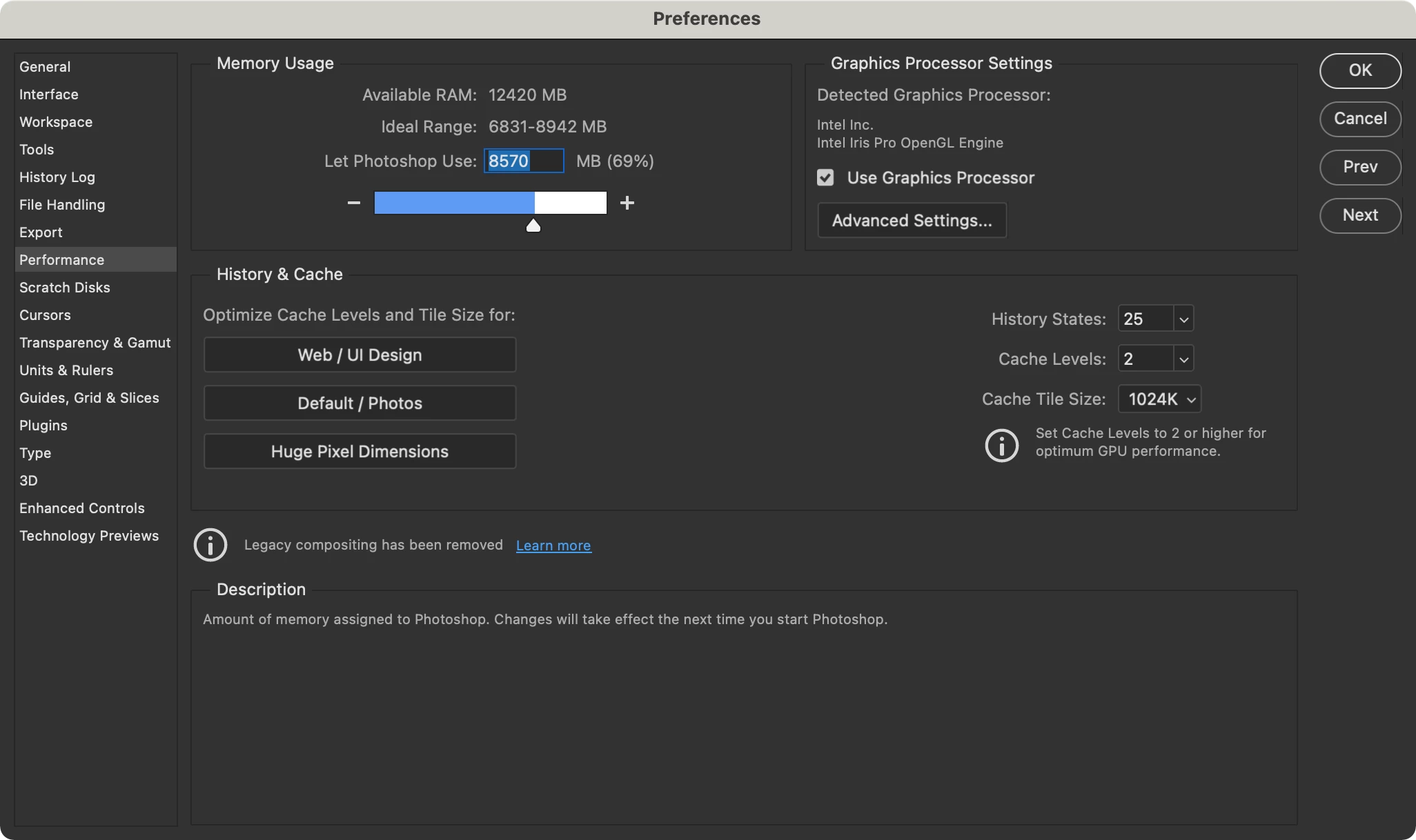
Here are my performance settings.
{Thread title edited by moderator}
 AdChoices