Participant
August 26, 2021
Question

Photoshop 22.5 color problem on Windows 10 - images open warmer than they appear in Camera Raw

  • August 26, 2021
  • 3 replies
  • 598 views

All photo open in PS 22.5 is yellowish however in Camera Raw look normally. How to solve the problem?
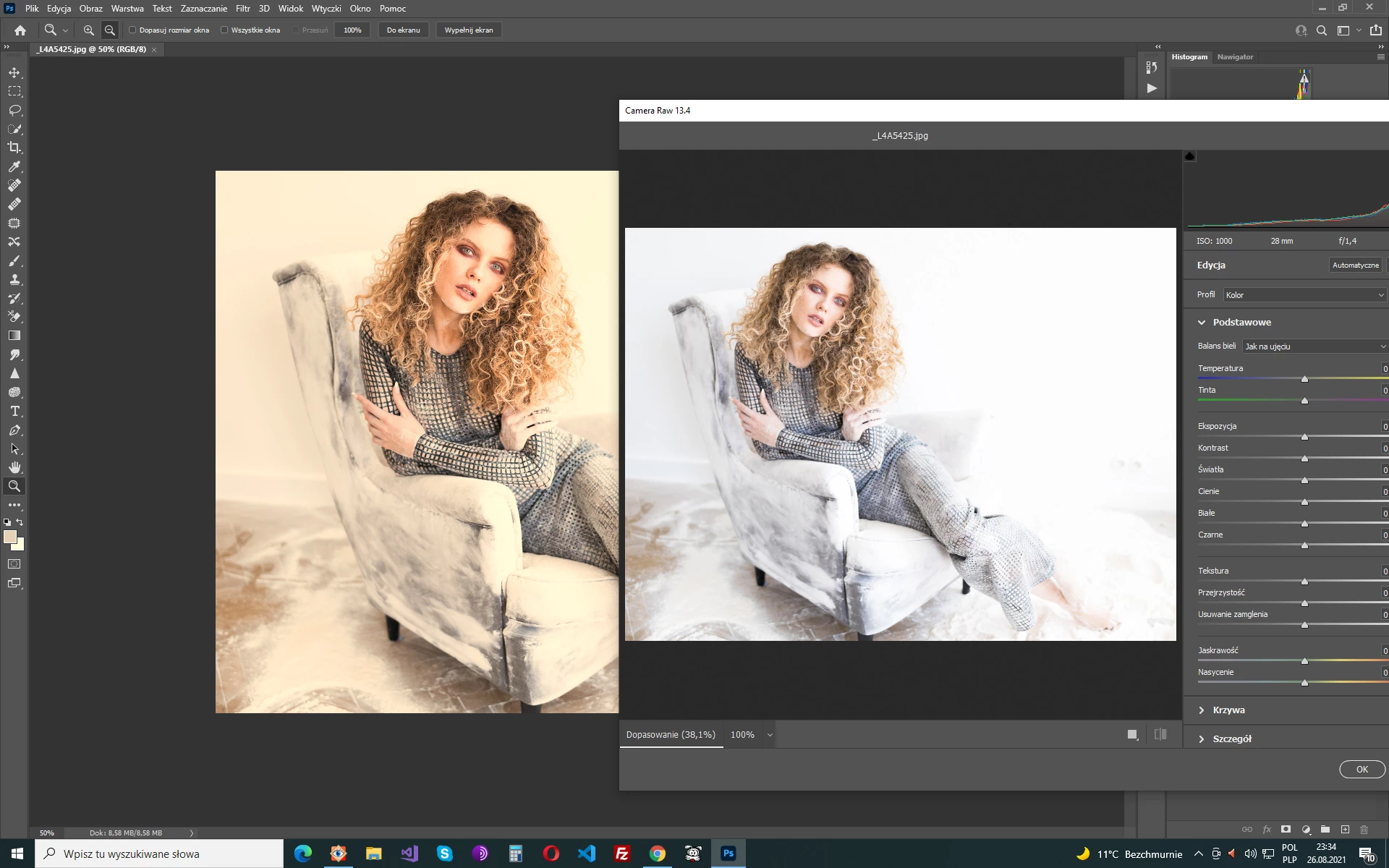


{Thread title edited by moderator}

This topic has been closed for replies.

3 replies

D Fosse
Community Expert
Community Expert
August 27, 2021

This is most likely a defective monitor profile. That can often affect applications differently.


If you're not using a calibrator, you may be getting manufacturer profiles distributed through Windows Update. These manufacturer profiles are very often bad in different ways, and frankly I can't understand why Microsoft still allows it.


Replace your current profile with sRGB IEC61966-2.1 for now (or Adobe RGB if it's a wide gamut display). Relaunch Photoshop when done, the profile is loaded at application startup:


To be clear, the proper way to deal with this is to use a calibrator. The monitor profile is a crucial component, and a calibrator is the only way to have full control of it. But until you get one, sRGB is often close enough for non-critical use, and anyway better than a broken profile.

marek0101Author
Participant
August 27, 2021

Thanks for your help. It works ok.

TheDigitalDog
Inspiring
August 26, 2021

Can you show us the Photoshop Color Settings? 

First, try disabling GPU in the preferences (Preformance tab). Any better?
If not, recalibrate and build a new ICC display profile, the old one might be corrupted.
If you are using software/hardware for this task, be sure the software is set to build a matrix not LUT profile, Version 2 not Version 4 profile.
Some have reported color issues with displays that have an HDR option. Open Display Settings and toggle off the "Use HDR" switch if such an option exists.
If turning OFF GPU works, it's a GPU bug and you need to contact the manufacturer or find out if there's an updated driver for it. 
Also see: https://helpx.adobe.com/photoshop/kb/acr-gpu-faq.html

Author “Color Management for Photographers" & "Photoshop CC Color Management/pluralsight"
nikunj.m
Legend
August 26, 2021

Hi,


We're sorry about the trouble with Photoshop due to the issues with color. Did you start experiencing this issue after the latest update? Do you use a tool/software to calibrate your monitor?


You can try changing the monitor to sRGB 2.1 to check if that helps. You can check the steps suggested here: https://www.windowscentral.com/how-configure-correct-color-profile-your-monitor-windows-10


Please let us know if it helps!

Regards,

Nikunj