Participant
February 4, 2021
Question

Photoshop 3D Help

  • February 4, 2021
  • 1 reply
  • 264 views

Hey guys,


So I have a very quick question:

How do you make these things (Image)
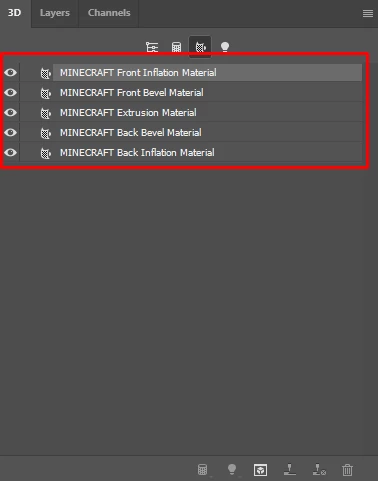
Separate 2D Layers?


Thanks alot,

Someone

This topic has been closed for replies.

1 reply

davescm
Community Expert
Community Expert
February 4, 2021

Each of those are materials,  so already consist of a number of 2D texture layers. To access them click on one of the materials and then in properties click on the folder next to the texture (base color, metallic , roughness etc)  you want to edit and choose edit texture (shown here for base color). A psb file will open with the texture - you can edit it the same as any other 2D image and when finished close and choose save to update the material.


Dave


Participant
February 5, 2021

Thanks for your quick reply,


This is not what I meant. Let me clarify with more screenshots

I need each face (texture) to be a layer in my 2D photoshop workspace. 

Like this so I can move them around and do cool stuff.


Thanks,

Someone


davescm
Community Expert
Community Expert
February 5, 2021

Open each texture and copy it from the PSB to a layer in a new document

Dave