

Question
Photoshop animation
Having a problem in Photoshop timeline panel with layer clips snapping. As you can see in the photo, the layers are snapping just past the frame marker, and nothing I do moves them to the frame marker. Whether I move the clips forward or backward, they are always the same space ahead of the frame. How do I fix this?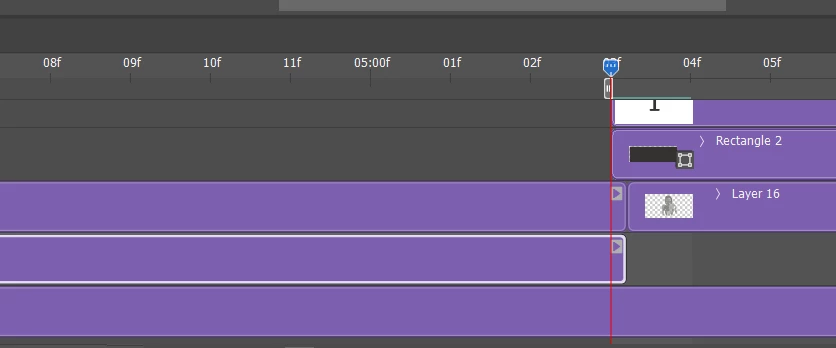


 AdChoices