This topic has been closed for replies.

49 replies

allenxiao9051
Participant
November 13, 2017

Just got the same problem!

MacOS High Sierra.

Sahil.Chawla
Adobe Employee
Adobe Employee
November 14, 2017

Hi All,

This issue should be fixed in Photoshop CC 19.0.1. please open the creative cloud application & click on Update to install this patch for Photoshop.

Regards,

Sahil

Participant
November 14, 2017

I can confirm that this issue IS NOT fixed.

Updated CC2018 to the latest version, still cannot export PNG sequences. How hard can it be to take the working code from 2017 and replace the broken 2018 code?

Known Participant
November 7, 2017

I just came across this same problem. I'm trying to export a photoshop image sequence as pngs so I have multiple png files of an animation as the result. It worked just fine but since the 2018 update I'm getting the "Could not complete the Render Video command because of a program error."

This action is a HUGE part of my workflow and not being able to use it is very frustrating.

Participant
October 29, 2017

I'm having a similar issue, but I get the warning box come up with:

Could not complete the Render Video command because of a program error.

This was fine in the previous release and is an essential part of my workflow. I don't understand how Adobe manages to break things which were working perfectly fine (if annoyingly slow) before. This is whilst trying to render out a PNG sequence from a frame based timeline, a "save for web" GIF is of no use to me at all.

Windows 8.1

If you're going to take 6 months to fix this issue I'll be coming down to Adobe HQ to kick some ass - I don't pay a subscription for faulty software and zero support.

Participant
November 4, 2017

Ah so I'm not the only one with the same issue on windows, except I'm using windows 10. I'm just going to reinstall 2017...I do hope they fix 2018 though.

Participant
October 26, 2017
Participating Frequently
October 26, 2017

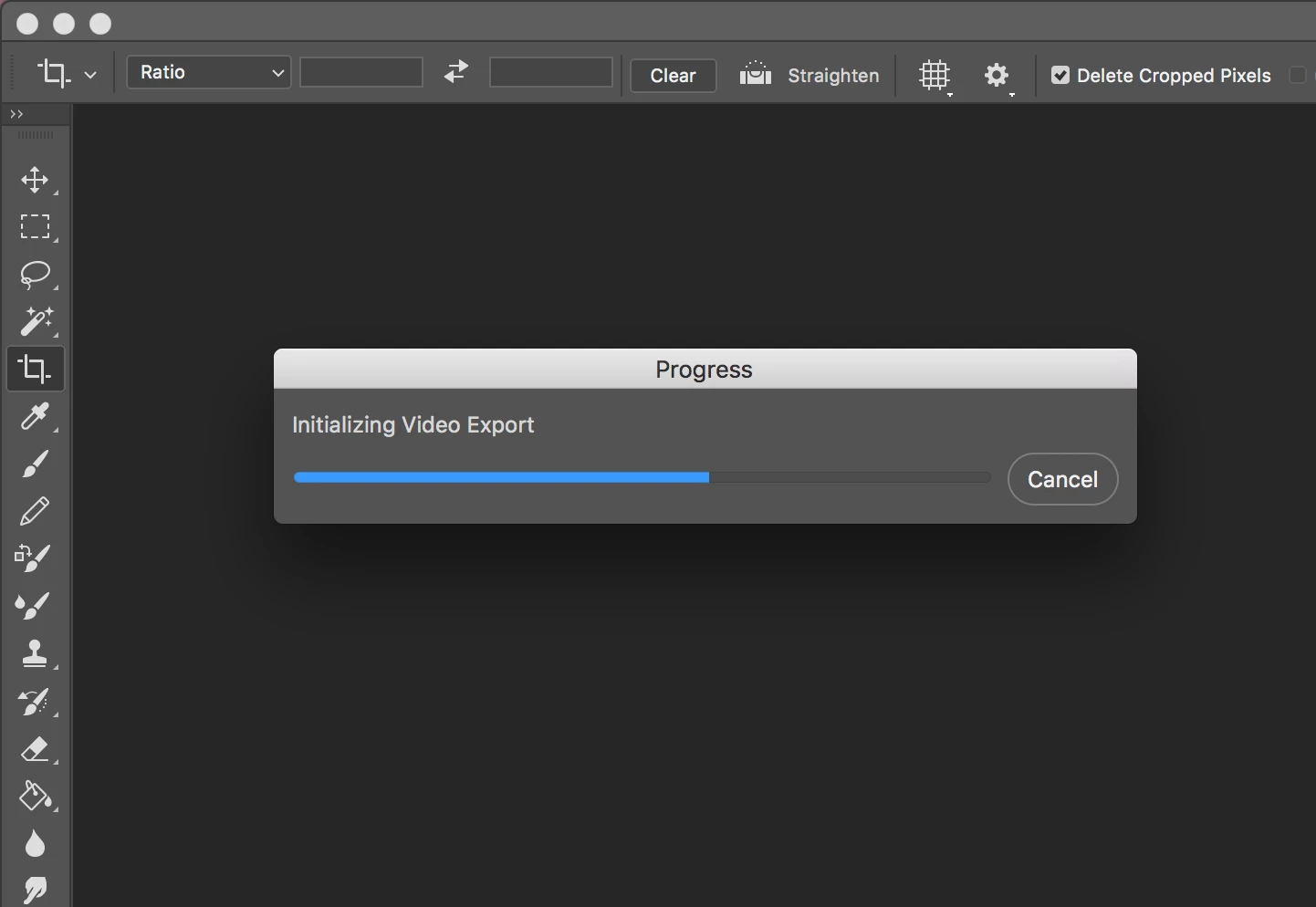
I second this, we need a response from Adobe acknowledging this issue; I'm trying to export an MP4 from a timeline, but before I can even tell it how to do that it just sits there saying "Initializing Export".

I've made sure that Media Encoder CC is also fully updated and even ran it separately to rule that out, but all to no avail.  Quitting and reopening Photoshop does nothing either.

kpoehling
Known Participant
October 26, 2017

Can we get a comment on this? I understand if it's a bug, but would be nice to know that there is some traction on it.

UI/UX Lead - PreSonus Audio Electronics
kpoehling
Known Participant
October 24, 2017

I can export the animation to a single GIF file and it yields the attached result. This does not serve my purpose nor is it how this used to function. Currently when you select the arrow that USED to bring you to the sequence export dialog it hangs on the progress bar posted in the original question.

In 2017 CC Photoshop this option would export the timeline as single frame .png files that I could then arrange in my sprite sheet for use in development. One singe animated GIF is not the same thing....

UI/UX Lead - PreSonus Audio Electronics
kpoehling
Known Participant
October 24, 2017

I'm on 10.12.6 and I'm having the same problem....I'm nearly dead in the water on a time sensitive project due to this bug. Please advise!

I am exporting knob animations for filmstrip/sprite sheet use FWIW. Worked like a charm up until the 2018 update. Now it just hangs.

UI/UX Lead - PreSonus Audio Electronics
ashwinr83991045
Participant
October 26, 2017

Hey, I'm facing the same problem. But as a temporary fix, I installed the older Photoshop 2017 (go to Creative Cloud > Photoshop CC > click the little arrow > Other Versions). The render video still works fine in the old version. Best of luck with your deadline.

kpoehling
Known Participant
October 26, 2017

Yeah...I'll probably have to do this, but was hoping that I might be able to switch over to other work before I HAD to take this route.

UI/UX Lead - PreSonus Audio Electronics
Sahil.Chawla
Adobe Employee
Adobe Employee
October 24, 2017

Hi Manantachai,

As you're not able to render videos out of Photoshop, could you please let us know which operating system are you using?

Do you have a frame animation or a video clip?

Regards,

Sahil

Manantachai Prisin
Participant
October 24, 2017

Hi Sahil,

I use Mac os high sierra

and I make a frame animation

Thank you so much

Apologize My English isn't not good.

Sahil.Chawla
Adobe Employee
Adobe Employee
October 24, 2017

Photoshop handles animation in two completely different ways, video and framed animation but they share the same 'timeline' window.

If you have actual 'video' clips then sure you can edit them and 'render' the edit out in a 'video' format such as .mp4

If you have 'frames' then your only option is to use File > Export > 'Save For Web' and export as an animated 'GIF' format image.