This topic has been closed for replies.

49 replies

MCadbe1
Participating Frequently
January 11, 2018

Does anyone have a phone number Or service email address? These forums have thier place but appears bugs will never get addressed by Adobe? Thanks, I would love to get to the bottom of this issue without having to buy a separate program.

davescm
Community Expert
Community Expert
January 11, 2018

MCadbe1  wrote

Does anyone have a phone number Or service email address? These forums have thier place but appears bugs will never get addressed by Adobe? Thanks, I would love to get to the bottom of this issue without having to buy a separate program.

You can use the support button at the top of this forum. However , Adobe developers know about the issue, have acknowledged it and have confirmed they are working on the fix. History shows a bundle of fixes tend to get released together as a "dot" update but they do not pre-announce dates for those.

Dave

Participant
January 1, 2018

Happy New Year, it's still not working.

(High Sierra, Ps CC18)

MCadbe1
Participating Frequently
December 31, 2017

Same issue on a MacBook... Latest OS and latest Photoshop CC.

Trying to create a time-lapse video from several pics of stars...

The method I am using is identical to Assembling a time lapse | Photoshop | lynda.com - YouTube

Participant
December 27, 2017

Hey Sahil.Chawla​ - I'm experiencing the same hang.. Any resolution?

LMcMillan
Participant
December 30, 2017

I'm having the same issue. Any resolution found?

Participant
December 16, 2017

Is there any fix by now?

MAC User, Photoshop CC 2018 V 19 and it's still not working. No Problem with 2017 ...

Participant
December 8, 2017

I also have this same problem. I love to create png sequences using frame animation in PS. It is so useful to me to be able to export these as PNGs. I hope this is corrected soon. Thanks,

-Mike

Known Participant
December 7, 2017

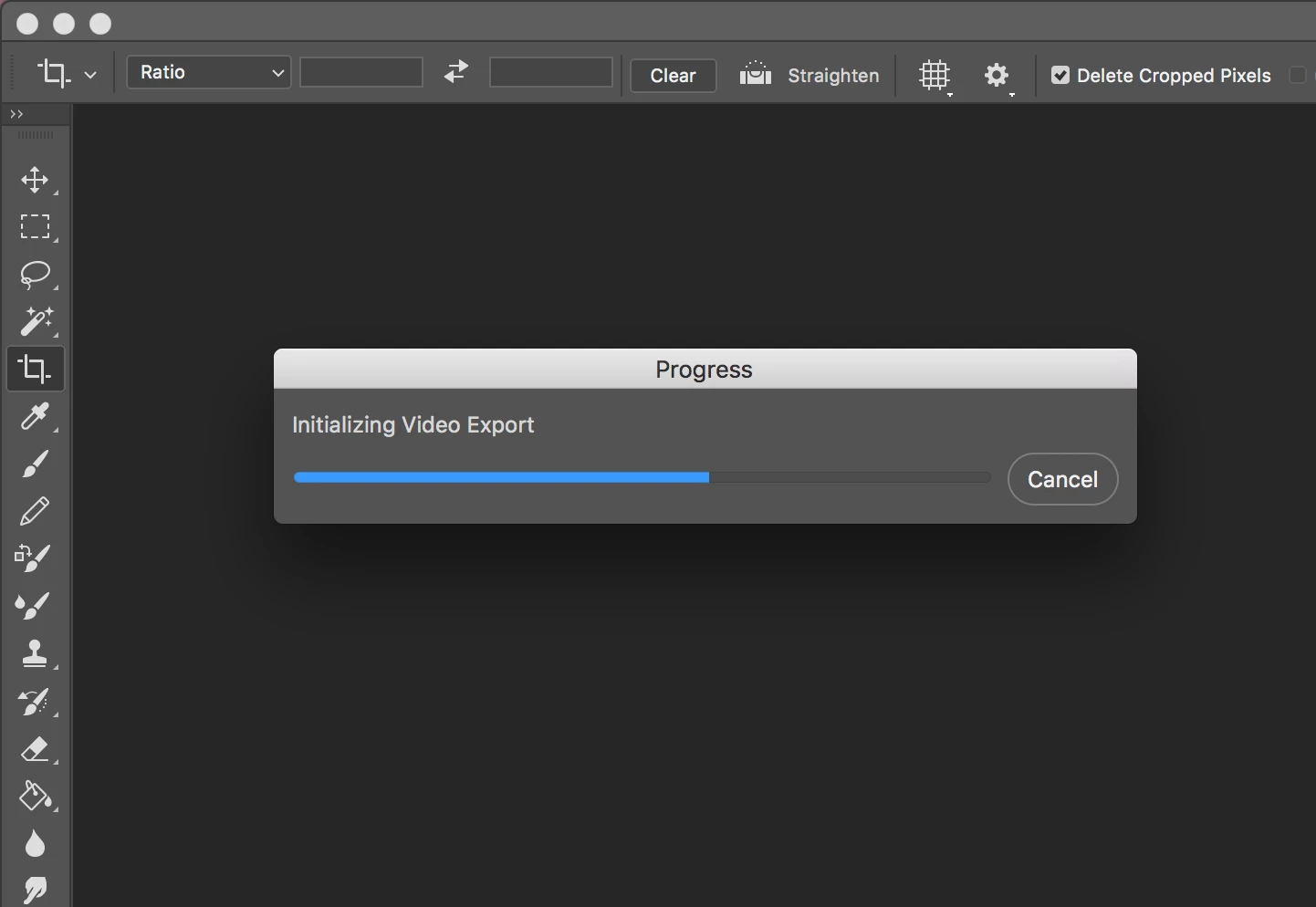
Still no update for this? I tried Photoshop 2018 today out of curiosity and I still can't export - render video - photoshop image sequence - png.

ashwinr83991045
Participant
November 15, 2017

Sahil.Chawla

Also confirming that the issue remains on v19.0.1. I installed the update, restarted my computer, but no luck. It still freezes on "Initializing Video Export" for me.

Known Participant
November 14, 2017

It's fixed for me. I restarted my whole computer just to be sure but it's working properly right now.

Known Participant
November 14, 2017

Never mind. I can render to an .mp4 fine now, but still can't render to a png sequence. Problem NOT fixed.

Participant
November 14, 2017

Same here. PS 2017 worked just fine. I use Render Video to export animation keyframes for storyboards; required for both production and legal review.

Installed PS (and all CC) 2018; now the Render Video option just stalls halfway through the initialization.

MacBook Pro (2017 model).

Tried reinstalling everything (CC 2018), no luck.

Tried reinstalling just Photoshop 2017 alongside all the new 2018 apps, Render Video works for PS 2017.

PS 2018 still stalls out.

Contacted support...waited an hour, got three minutes into the conversation and was disconnected. No call back, email or anything (they did have my contact info), and I haven't had another hour to spare and try again.

Hope that is of help to someone!