
danielquasar
Participating Frequently
February 6, 2017
Question

Photoshop CC Brush hardness acting weird. How to fix?

  • February 6, 2017
  • 3 replies
  • 16861 views

Hello everyone, I am having an issue with photoshop brushes in 0% hardness still showing edges. But first, here is my current system info:

CPU: i7-6700k @ 4ghz

RAM: 32gb DDR4 2300

GPU: nVidia 3gb 1060

OS: Win10 64bit latest

Adobe PS: CC latest (17.0.1)

System before I saw the issue:

CPU: i5 something from 6 years ago

RAM 16gb

GPU nVidia 550Ti

OS: Win10 64bit

I don't believe I saw the issue on my new setup before now.

Okay, back to the problem, which is a new issue. I can see the edges of brushes at 0% hardness. Even when opening up images made before the issue, it shows up. Here are some examples of what I am talking about:

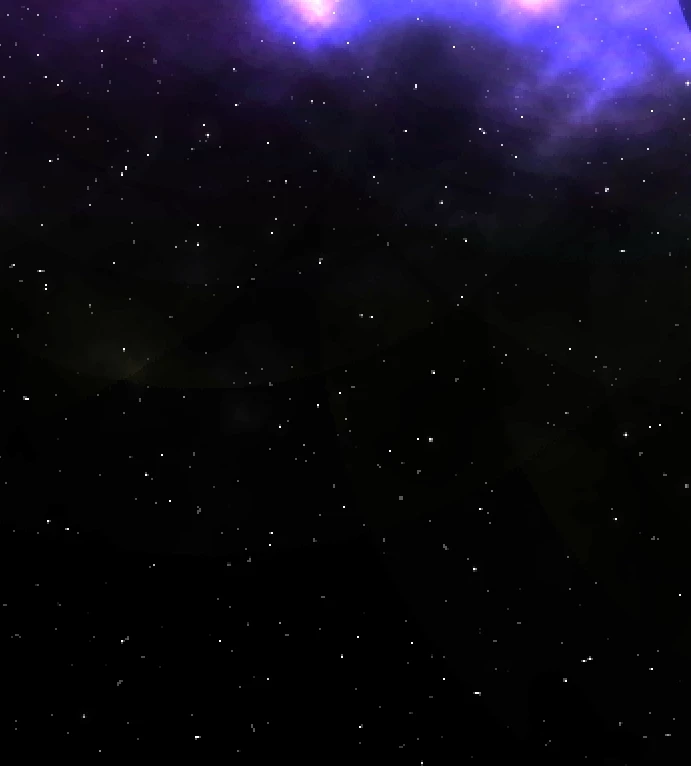
You can see the rings of where I clicked to add brush marks, and it never did this before. So, I went back to an old image and opened it up in an image viewer:
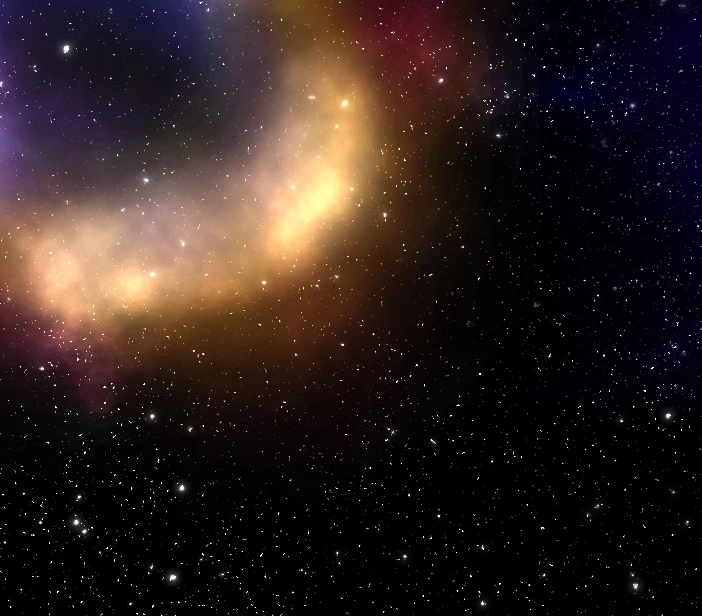
The issue doesn't appear, but when I opened it up in photoshop (like to edit), this is what I got:
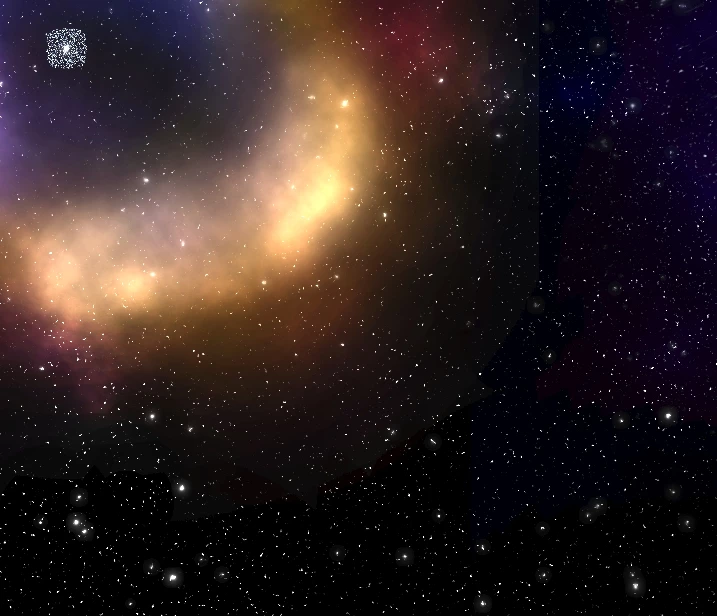
Now you can see the edges of where I brushed. Not to mention that now the glow around the center dot has turned into a pixelated mess.

Has anyone encountered this issue before? Do you know how to fix it? This is really killing me. Thanks in advance for the help!

This topic has been closed for replies.

3 replies

danielquasar
Participating Frequently
February 11, 2017

I guess the experts are as stumped as I am.

davescm
Community Expert
Community Expert
February 11, 2017

Hi Daniel

In a way I am stumped as I can't replicate your problem here, particularly as you say the problem is new.

I would do the following to try and get to the root of the issue.

1. Check the brush and layer blending modes to make sure nothing is off there.

2. Reset the brushes.

3. Try turning off the GPU in Preferences - Performance. If that resolves it, turn it back on but then try the Advanced settings , Basic/Normal/Advanced to see if one works any better.

4. Reset your preferences

If any of those do resolve it - post back so anyone else with the same issue can try the same.

Dave

Participant
March 3, 2024

I'm facing this issue now, I used soft brushes for an effect and exported to png files (from layers to files) the pic that I saved doesn't look the same and it had white colours along the brush line that I used. 

and I tried saving the file separately layer by layer, now the file mess is gone but the soft brush effect turned as hard brush effect. 

danielquasar
Participating Frequently
February 7, 2017

Just to update, this is still doing on and I have yet to figure out how to fix it.

Trevor.Dennis
Community Expert
Community Expert
February 6, 2017

I've been telling people that brushes are maybe not the best too for smooth gradients and to use Gaussian blur, but we have had so many people complain about this lately, that I've had a closer look, and there does seem to be an issue I don't remember being there before.  I wouldn't stake my life on it though.

The top stroke below is a full soft 125 pixel brush, and there is a definite edge against the white background.  I have set spacing all the way down to 1% btw.   The second stroke has Scatter set to 100% but not for both axes and control set to Off.  That has caused just enough jitter to soften the edge, but the brush size is obviously going to be bigger than the cursor.  The stroke is not perfectly parallel either, which is understandable with scatter jitter.  So I upped the Count to 2 for the last stroke to increase the stamp downs and hopefully straighten the line.  As you can see, it has not made a lot of difference.

That's as good as I can get it, but it is better than it was.

Trevor.Dennis
Community Expert
Community Expert
February 6, 2017

BTW I use the Flaming Pear Space Bundle for that sort of effect.  It's a bit dated now, but does an OK job and if you need to work quickly, it's useful.  You get the three plug-ins below for just $59, which I thought was OK.

Glitterato - Flaming Pear Software

LunarCell - Flaming Pear Software

SolarCell - Flaming Pear Software

It does this sort of thing between the three of them