Copy link to clipboard
Copied
I want to find a number of frames on the timeline and move the indicator to read the first frame and so on using javascript. I have tried with the below script which is not working on photoshop cc 2019. I can get only 0 as a number of frames.
var r = new ActionReference();
r.putProperty(charIDToTypeID('Prpr'), stringIDToTypeID('frameCount'));
r.putClass(stringIDToTypeID('timeline'));
var ret = executeActionGet(r);
alert( ret.getInteger(stringIDToTypeID('frameCount')) );
I am attaching the timeline and screenshot and PSD for reference.
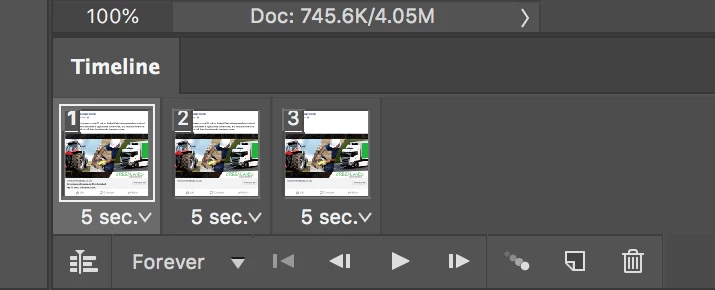
Thanks
As r-bin gave you the code to get the number of frames, here is that plus how to go to a particular frame:
var r = new ActionReference();
r.putProperty(charIDToTypeID('Prpr'), stringIDToTypeID('frameCount'));
r.putClass(stringIDToTypeID('animationClass'));
var ret = executeActionGet(r);
goToFrame(1)//enter frame you want to goto here. now it shows the first frame;
function goToFrame(frameNum){
var idslct = charIDToTypeID( "slct" );
var desc2 = new ActionDescriptor();
va...
Copy link to clipboard
Copied
Copy link to clipboard
Copied
Thanks r-bin. It works great. I also need to move the indicator to read the first frame and so on using javascript. Can you please help me with that?
Copy link to clipboard
Copied
As r-bin gave you the code to get the number of frames, here is that plus how to go to a particular frame:
var r = new ActionReference();
r.putProperty(charIDToTypeID('Prpr'), stringIDToTypeID('frameCount'));
r.putClass(stringIDToTypeID('animationClass'));
var ret = executeActionGet(r);
goToFrame(1)//enter frame you want to goto here. now it shows the first frame;
function goToFrame(frameNum){
var idslct = charIDToTypeID( "slct" );
var desc2 = new ActionDescriptor();
var idnull = charIDToTypeID( "null" );
var ref1 = new ActionReference();
var idanimationFrameClass = stringIDToTypeID( "animationFrameClass" );
ref1.putIndex( idanimationFrameClass, frameNum );
desc2.putReference( idnull, ref1 );
executeAction( idslct, desc2, DialogModes.NO );
}
Copy link to clipboard
Copied
Thank you very much for helping me with this Chuck Uebele. It's working as expected.
Get ready! An upgraded Adobe Community experience is coming in January.
Learn more