

Photoshop depending (or not) on screen scale. 100% is wrong.
Hi everyone,
I have an 2017 Retina MacBook Pro. I know that 100% in Photoshop means that a 500x500px Image will display very small. This is NOT my point, like thr other post that has been addressed in this forum.
Problem:
What I have noticed is that Photoshop seems to be dependent on the screen scale that you can set with every Retina Mac.
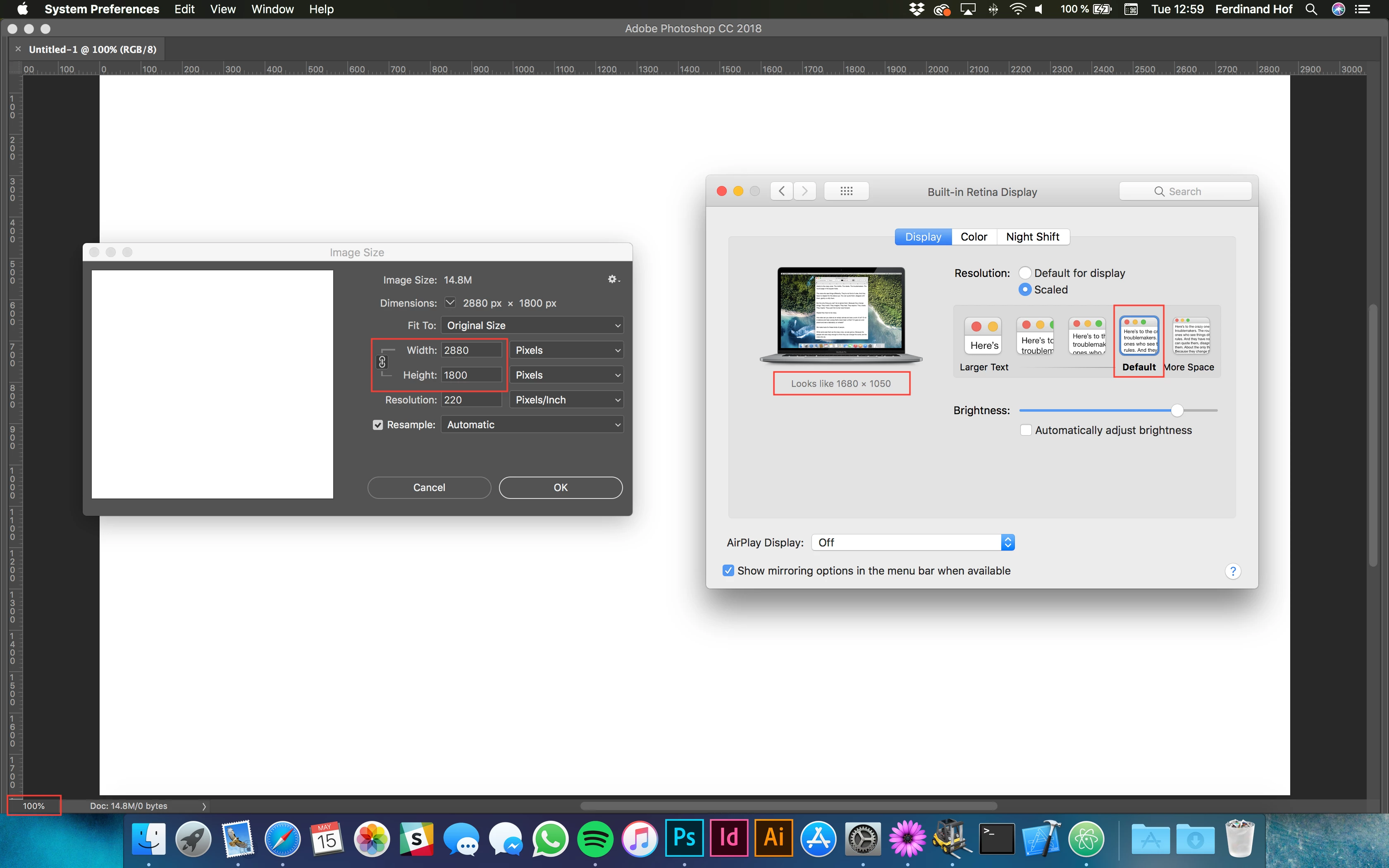
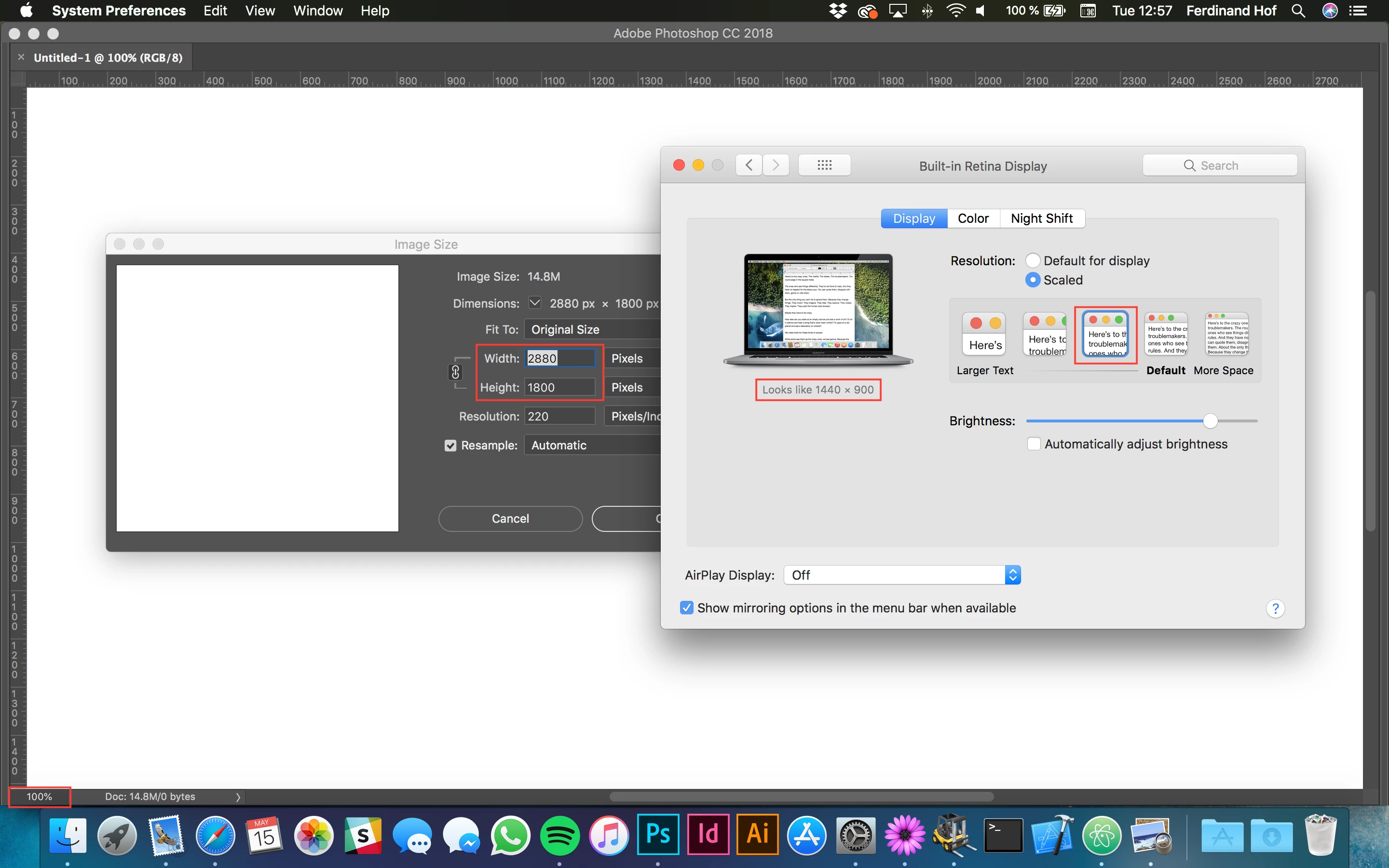
Mine is set on "looks like 1680x1050". The problem with this is that an Image with a resolution of 2880x1800 (Exactly the MacBook's screen resolution) on 100% should always cover the whole screen, no matter what scaling is selected in the preferences of macOS. Photoshop is not doing this as of now (unfortunately), see the space between window and white image in the first picture. However, when selecting "looks like 1440x900" which is exactly x2 the old MacBook Pro's resolution, the image fits (see second picture). In addition to this everyone owning a Retina MacBook Pro (can only say for 2017) will have the 1680x1050 scaling selected by default, which means anyone with a such a new MacBook is designing stuff bigger than it will appear later in a web browser or similar. This is unacceptable!
How it is supposed to be:
Photoshop should always display pixel as is, no matter what scaling is selected. Scaling should only affect the UI of Photoshop, like the tools panel, etc.
"Looks like 1680x1050"
"Looks like 1440x900"
Does anyone know how to fix this? Or has a workaround?
 AdChoices