


- Inicio
- Photoshop ecosystem
- Hilos de conversación
- Re: Photoshop exports are low quality
- Re: Photoshop exports are low quality

Copiar vínculo al Portapapeles
Copiado
Hello all,
I'll get straight to the point, I have been exporting all my photoshop files and all of them have been turning up on my desktop in low quality. I've searched online and tried everything from resetting preferences to changing "export as" settings to max and even using the save for web function which I previously haven't done. Please let me know how I could fix this, the images I'm trying to export are logo/banner designs (for youtube, twitter, etc) and have resolutions ranging from 500x500 px to 2560x1440 px.


 1 respuesta correcta


What you see in the Export window at 100% is what you get. The file doesn't deteriorate after that.
Do you have any display scaling set in Windows, like 125% or 150%? Windows Photos will follow this setting, and scale the image accordingly. That will obviously affect image sharpness, as it requires pixel resampling by fractions.
Photoshop doesn't do that, at 100% it always represents one image pixel by exactly one screen pixel.


Examinar y buscar tutoriales y artículos relacionados
 10
réplicas
10
10
réplicas
10


Copiar vínculo al Portapapeles
Copiado
And "low quality" means exactly what? Show us examples and tell us exact export settings. Otherwise your post isn't going to be much use to anyone. Likewise, knowing about your system's specs and how you view the images might explain why they appaer as low quality. This may not be PS-related, after all.
Mylenium
Copiar vínculo al Portapapeles
Copiado
! !
Copiar vínculo al Portapapeles
Copiado
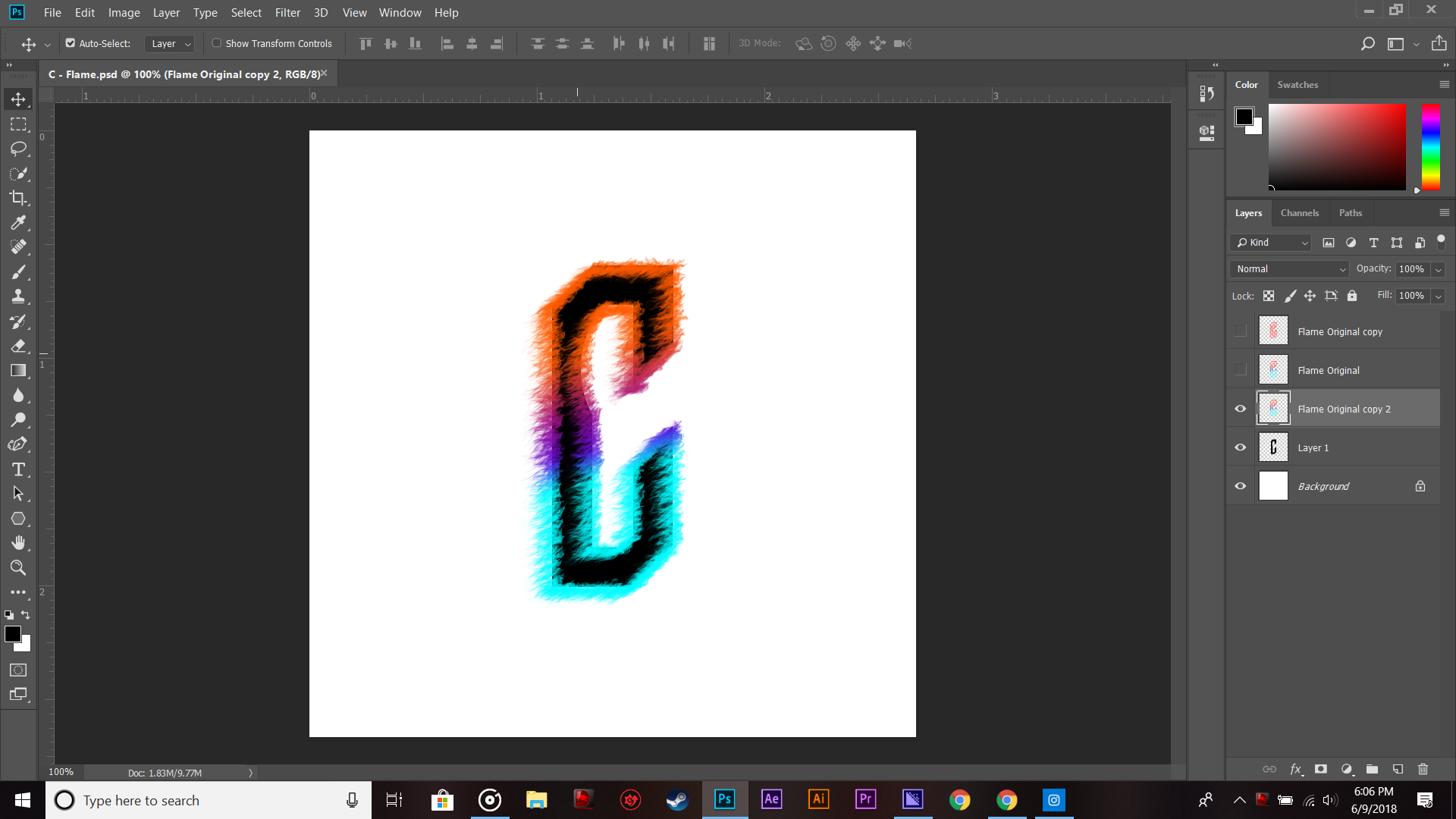
The first is the export, the second being inside photoshop. Below is the image of my export settings: 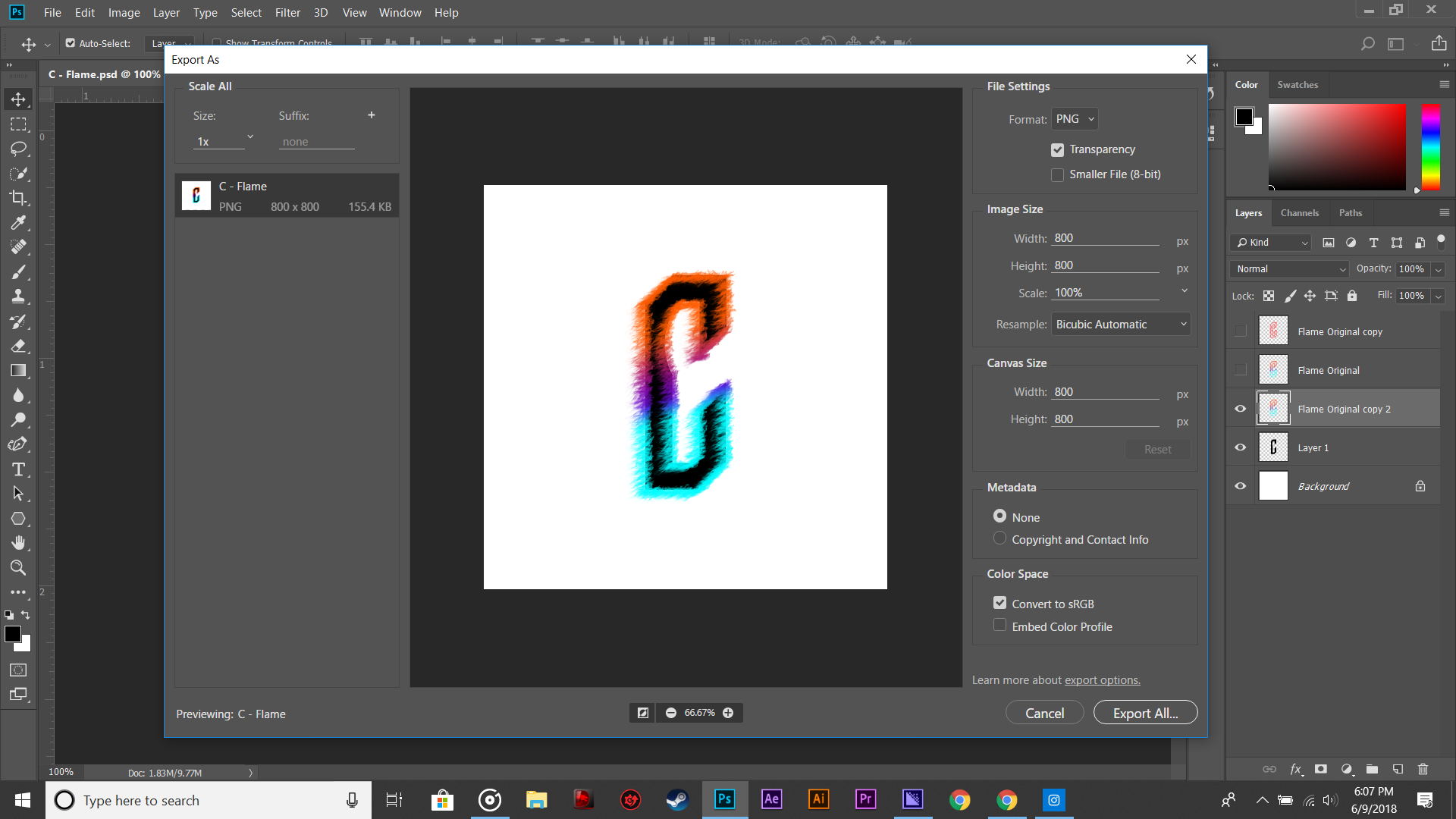

Copiar vínculo al Portapapeles
Copiado
I can't see any difference in quality between the exported image and the psd in Photoshop when viewing them at 100% – they appear identically. How are you viewing the exported image when you see the low quality?

Copiar vínculo al Portapapeles
Copiado
Thanks you guys.

Copiar vínculo al Portapapeles
Copiado
Without examples of what you mean by "low quality" and what you expect instead, it is going to be difficult to help you.
Copiar vínculo al Portapapeles
Copiado
500 x 500 is a very small file. You cannot expect high quality from that.
You need to show with screenshots exactly what the problem is.
Copiar vínculo al Portapapeles
Copiado
I'm opening the exported file via the windows photos app, and i can clearly see that some of it is "pixelated", the image in photoshop appears clearly and is is in perfect quality while working. Whenever I export, the quality is not the same and I can clearly see that it is low quality when zooming in or jsut viewing it at 100%.
Copiar vínculo al Portapapeles
Copiado
What you see in the Export window at 100% is what you get. The file doesn't deteriorate after that.
Do you have any display scaling set in Windows, like 125% or 150%? Windows Photos will follow this setting, and scale the image accordingly. That will obviously affect image sharpness, as it requires pixel resampling by fractions.
Photoshop doesn't do that, at 100% it always represents one image pixel by exactly one screen pixel.

Copiar vínculo al Portapapeles
Copiado
I'm experiencing the same issue at 4000×6000px


¡Prepárate! En enero llega una experiencia mejorada de Adobe Community.
Más información
 AdChoices