Exit
  • Global community
    • Language:
      • Deutsch
      • English
      • Español
      • Français
      • Português
  • 日本語コミュニティ
  • 한국 커뮤니티
0

Photoshop > fx > pattern incrustation freezes

Community Beginner ,
Apr 08, 2023 Apr 08, 2023

Hi team,


photoshop version: 24.3

OS: Win10


I would like to report an issue I meet for some days but couldn't find how to troubleshoot.

When I wish to use a pattern I recently created, I don't use the Edit > fill way (wich works) because I can't modify the scale and angle. So I go on the layer >fx > pattern incrustation, but it freezes totally and I end by end the task with task manager. I just can't work.


Note: I installed oldest version but do the same


You'll find attached a pdf showing the screenshots of the steps.

Picture 1: the first windows already freezes. I have to clic on the windows in order to the windows of the picture 2 appears.picture 3 psd issue.png
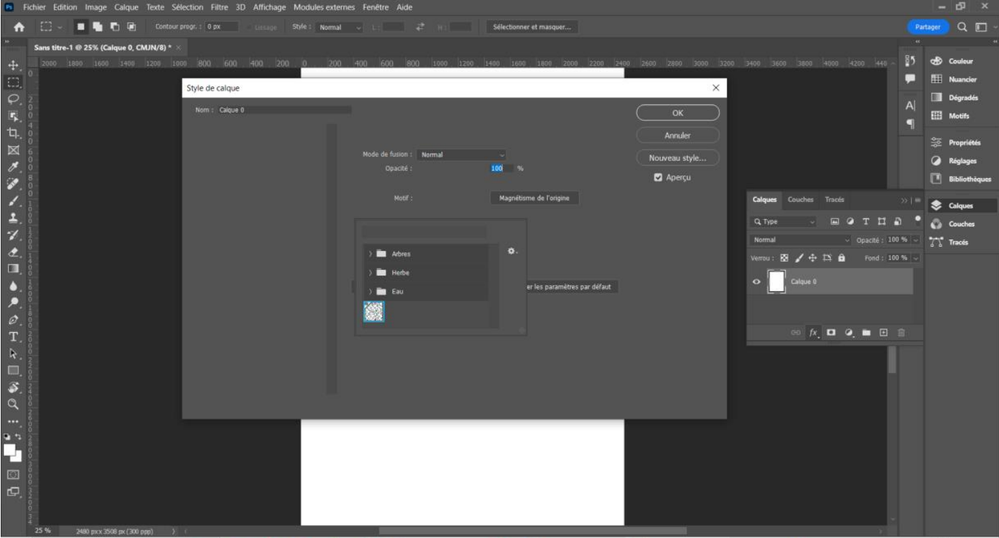
 

Picture 2: You'll see the pattern aren't shown. Same, I have to clic on it.


194cf810-ce3b-478f-ab3e-2260659da343.png


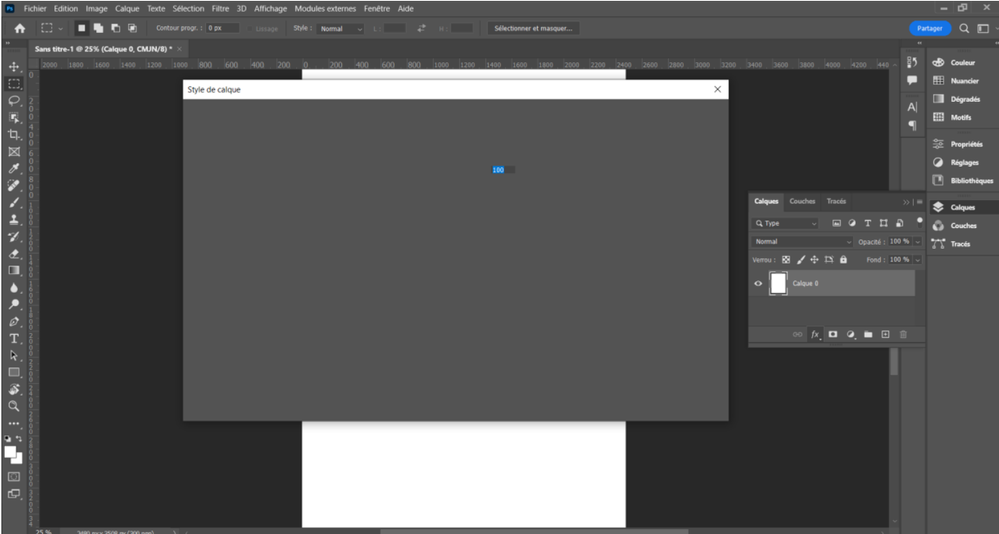
Picture 3: I just can't select any of the pattern (by the way not everyone are shown), anything doesn't respond at this time, nor the closing cross, so I end the task with task manager to exit.
picture 1 psd issue.png


Thanks

TOPICS
Windows
427
Translate
Report
Community guidelines
Be kind and respectful, give credit to the original source of content, and search for duplicates before posting. Learn more
community guidelines

correct answers 1 Correct answer

Community Expert , Apr 08, 2023 Apr 08, 2023

@CecHP try manually resetting your Photoshop preferences
https://helpx.adobe.com/ie/photoshop/using/preferences.html#Manually

Translate
Adobe
Community Expert ,
Apr 08, 2023 Apr 08, 2023

@CecHP try manually resetting your Photoshop preferences
https://helpx.adobe.com/ie/photoshop/using/preferences.html#Manually

Translate
Report
Community guidelines
Be kind and respectful, give credit to the original source of content, and search for duplicates before posting. Learn more
community guidelines
Community Beginner ,
Apr 08, 2023 Apr 08, 2023
Hi,

Many thanks, I'm very grateful for your efficient help and your quickness.

I noticed doing the last modifications, I lost the brushes I uploaded or I
created. For the next time, is there any procedure to save and re-add them
after a psd reset?


Best regards
Translate
Report
Community guidelines
Be kind and respectful, give credit to the original source of content, and search for duplicates before posting. Learn more
community guidelines
Community Expert ,
Apr 08, 2023 Apr 08, 2023
LATEST
Translate
Report
Community guidelines
Be kind and respectful, give credit to the original source of content, and search for duplicates before posting. Learn more
community guidelines


