
Photoshop images look artifacted and grainy in-app
When I'm using Photoshop (or any other Adobe app, for that matter) the image I'm working with looks artifacted - almost like an over-compressed JPEG. There are strange glowy outlines around all the lines, and overall the image looks pixelated.
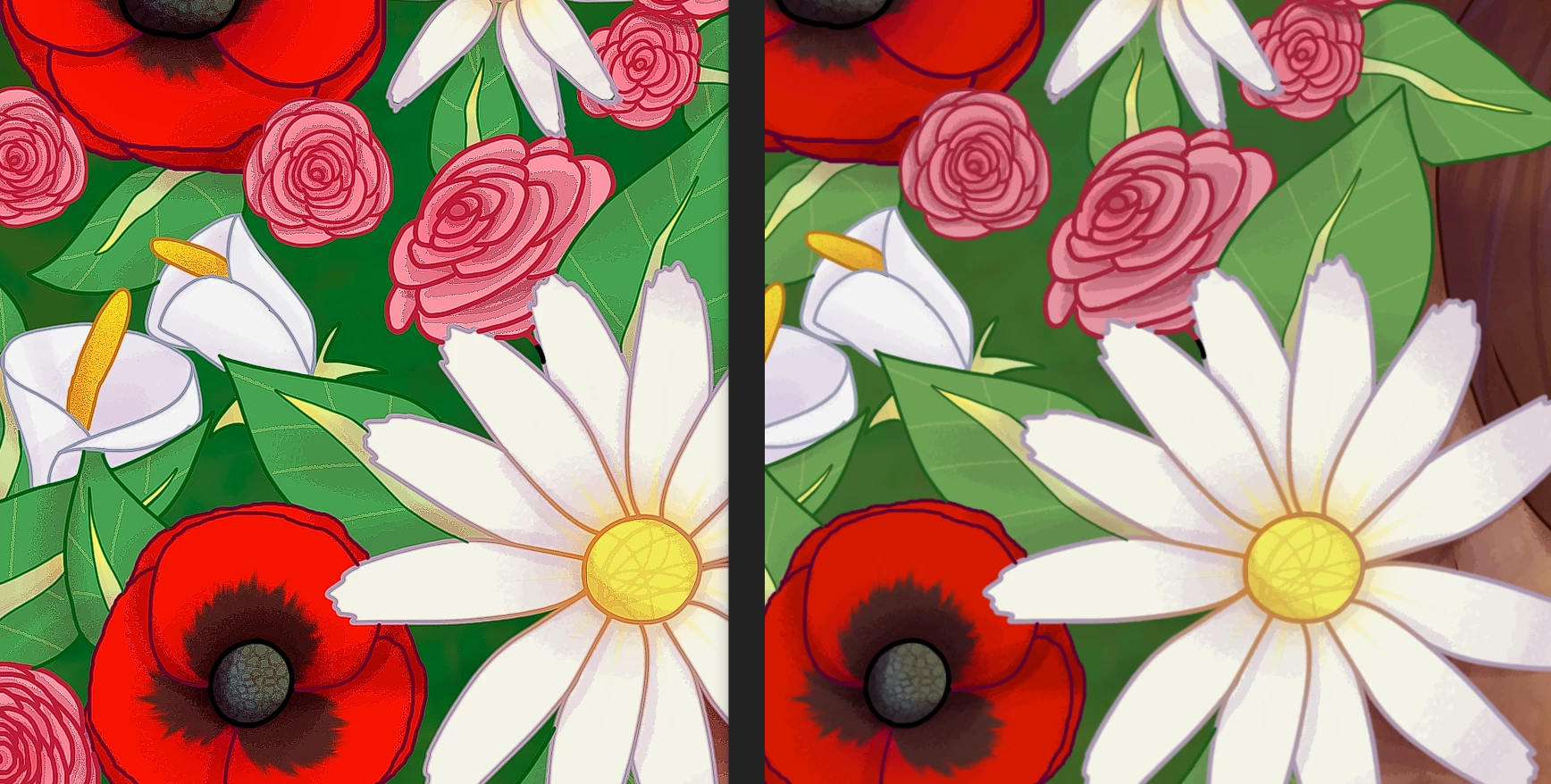
The over-exposure effect can be seen clearly in the image above.
When I export the image from Photoshop, it looks fine in an image viewer; this issue doesn't extend to exports. I already know this is an issue with my graphics processor - it's a NVIDIA Geforce GTX 1650 Ti if that helps.
I've tried updating Photoshop and my graphics driver, and set my cache levels to 4. I've run through the whole graphics troubleshooting website, and nothing helps.
Has anyone else had this issue, and if so, do you know how to fix it?
 AdChoices