
Participant
August 13, 2025
Question

Photoshop Launch Error

  • August 13, 2025
  • 1 reply
  • 116 views

Hello.

When I launch Photoshop, it loads for two seconds and then stops responding.

No error message appears.


Photoshop is running in the background, but the program won't launch.

I completely uninstalled Photoshop and reinstalled it, but the issue persists.


Do you know any solution?

Thanks.
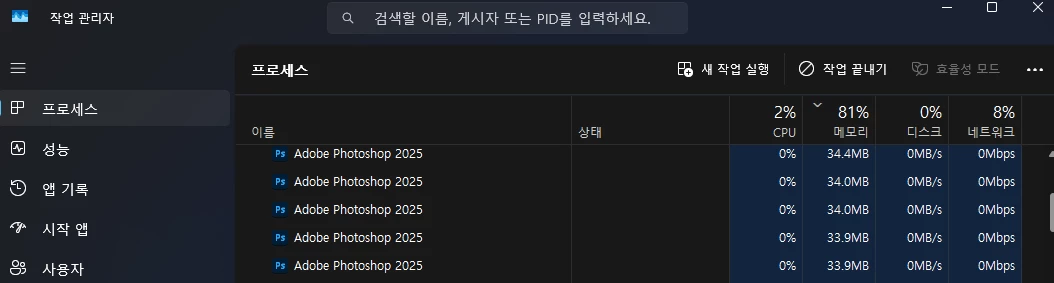


1 reply

Ged_Traynor
Community Expert
Community Expert
August 13, 2025

try manually resetting your Photoshop preferences
https://helpx.adobe.com/ie/photoshop/using/preferences.html#Manually
Remember to back up your settings before doing the preference reset
https://helpx.adobe.com/ie/photoshop/using/preset-migration.html

Sameer K
Community Manager
Community Manager
August 13, 2025

Hey, @하정훈. Welcome to the Photoshop Community. This behavior is almost always related to something wrong on the operating system & @Ged_Traynor has shared the right steps to rule Photoshop out.


If the steps Ged shared do not help, I'll need more information to help you figure this out. 


Head to the Photoshop installation folder (Default - C:\Program Files\Adobe\Adobe Photoshop 2025)

Find Photoshop.exe > right-click > use 'Run as Administrator'.


Also, please test and confirm if the issue exists with Photoshop (Beta). You can get Photoshop (beta) from the Creative Cloud > Apps tab > Beta Apps section. 


Here is another conversation with a similary issue: onstant issue with photoshop opening in task manager but not any usable window


Let me know how it goes.

Thanks!

Sameer K
(Type '@' and type my name to mention me when you reply)