

해결됨
Photoshop on Windows brush presets options bars looks too small
{Screenshot removed containing personal information & thread title updated by moderator}

{Screenshot removed containing personal information & thread title updated by moderator}
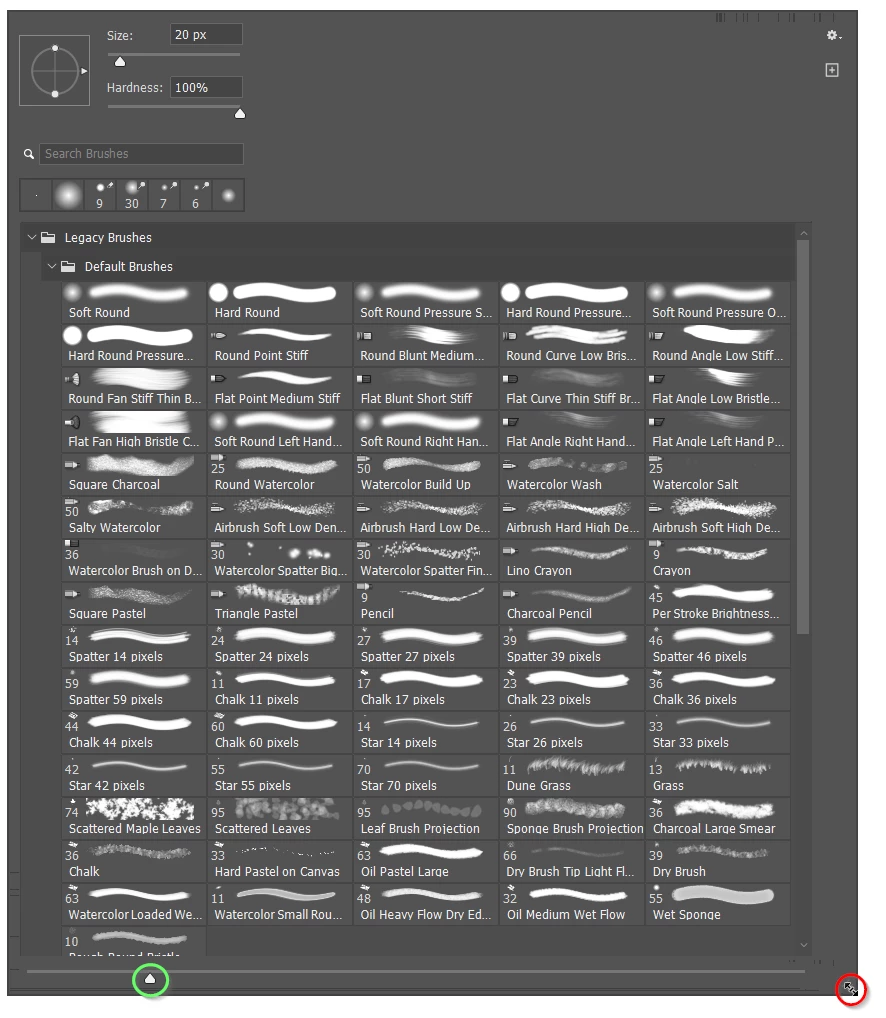
I'm only repeating what Sameer has told you, but it looks like you have the panel set to its smallest size.
You need to hover the cursor over the bottom right corner of the panel until you see the double arrow (my red highlight) and drag to expand the panel. You might need to right click at the top of the screen to give you room to expand into.
You also have the icon size control set to its smallest setting (my green highlight lower left). Drag that slider to the right to make the icons larger.
If we are still not understanding your issue, it will help enormously if you give us a much more detailed description of your issue. Screen shots definitely help, so thank you for providing one, but you need to explain what your issue is with the screenshot.
Good luck.
Enter your E-mail address. We'll send you an e-mail with instructions to reset your password.
 AdChoices