


Photoshop opens PNG files as PSD Recovered files in a new Photoshop application window
hi,
I have a Bug in Photoshop files.
My operating system is Windows 10
Since the last Photoshop update that was in-14/06/17
there is a bug in the application:
- when I open a PNG file that was generated from my Photoshop application a new Photoshop application opens with the file as PSD file with the label - Recovered.
and
- if I double click/open with the right click menu a PSD file, it opens as the last file I used and not as it self.
- the only way to open a PSD file that will include the correct layers is from the application with open.
- it can open many application windows and in each I can open documents files in tabs
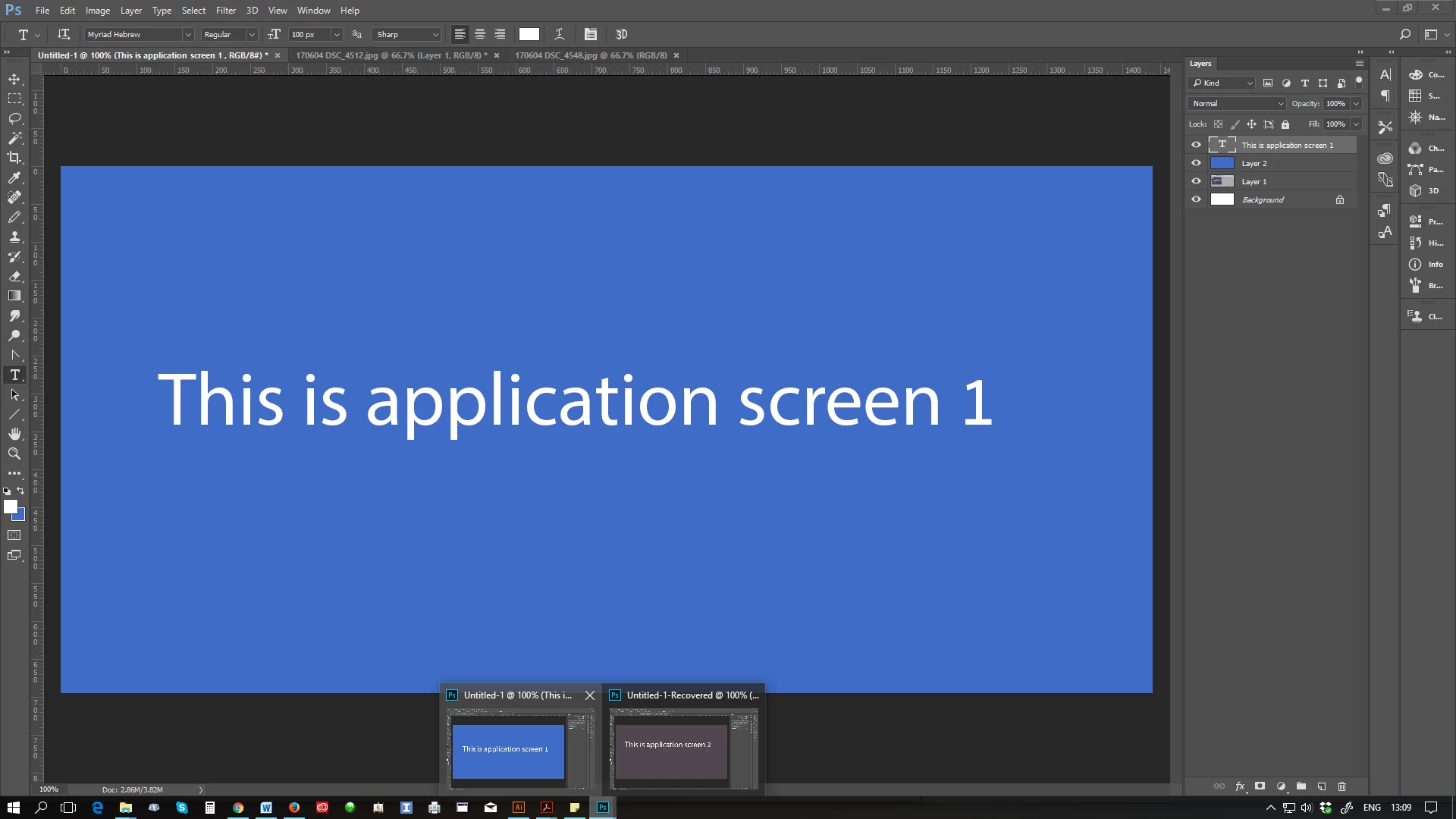
in this image you can see 2 windows at the bottom and each one if a Photoshop application open with tabs of its own
any Ideas why this happen and what can be done to correct this?
I appreciate your answer
thanx
🙂
ilil
 AdChoices