

Photoshop; pixelation of transformed smart objects
I've converted a floor swatch to a smart object and am applying it to a room scene. The floor swatches are much higher resolution than is what's needed for the scene, yet when transformed, they don't seem to be anti-aliasing properly. Additionally the "anti-alias" check box is grayed out (and unchecked while grayed out) when attempting to free-transform. Attaching screenshots below (left is the swatch applied in the room scene, right is the swatch embedded within the smart obejct, both screenshots taken at 100% zoom).
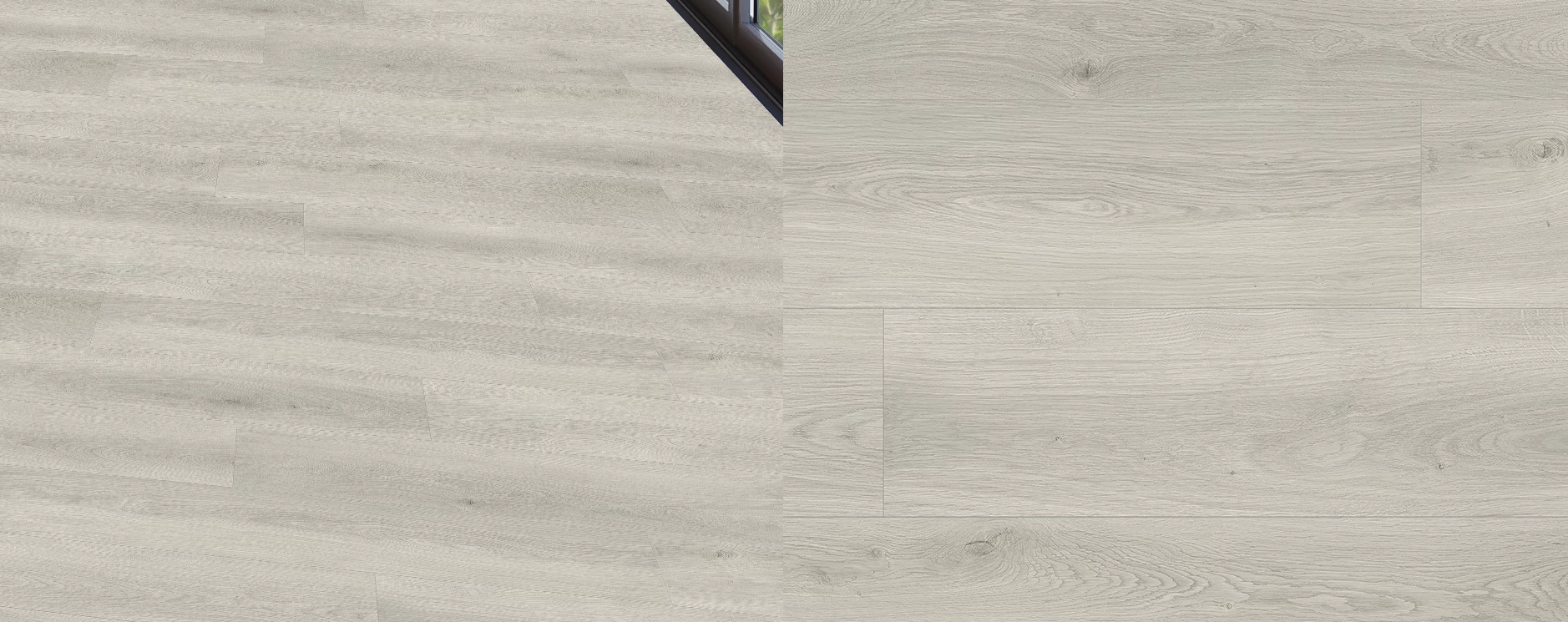
I've tried adjusting the interpolation method, upscaling the swatch resolution (and a few other weird workarounds like doubling the layer with a slight offset to the transform and applying transparency to mitigate the pixelation) but nothing looks right. I can't upscale the overall image much larger as it's already difficult to modify due to mem and scratch disk limitations.
If anyone has ideas please let me know! I haven't noticed this happening in other work before; I have a feeling if the "anti alias" check box issue can be figured out then it may solve the issue.
 AdChoices