


- Home
- Photoshop ecosystem
- Discussions
- Photoshop question: Templates locking up
- Photoshop question: Templates locking up
Photoshop question: Templates locking up

Copy link to clipboard
Copied
Hi,
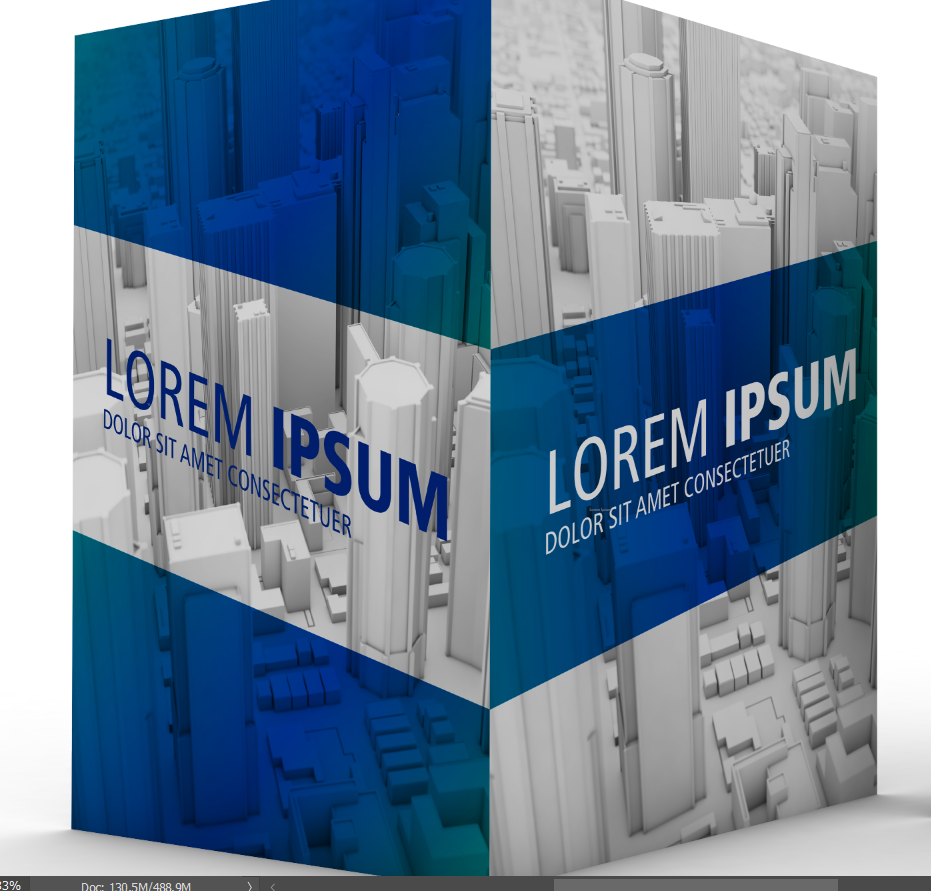
I have this template I'm trying to modify and add my own text but it seems like the whole screen is locked. I even want to change the background picture but it's locked also. How can I unlock it put my own in?
{Thread renamed by moderator}



Explore related tutorials & articles
 11
Replies
11
11
Replies
11


Copy link to clipboard
Copied
Hi Jerry,
Not sure if I understand this correctly, could you please share some screenshots of the image opened in Photoshop, so that we can see the Layer panel as well?
To unlock a Layer you just have to click on the Lock icon.

Let us know if it helps.
Regards,
Sahil
Copy link to clipboard
Copied
I do not see a background layer. Even the text section is not allowing me to edit.
Copy link to clipboard
Copied
As you're not able to see the background layer, could you please go to Window and click on Layers to open the Layers Panel?
Also, what file format are you working with?
Could you share some screenshots of the image opened in Photoshop, so that we can see the Layer panel as well?
Copy link to clipboard
Copied


Copy link to clipboard
Copied
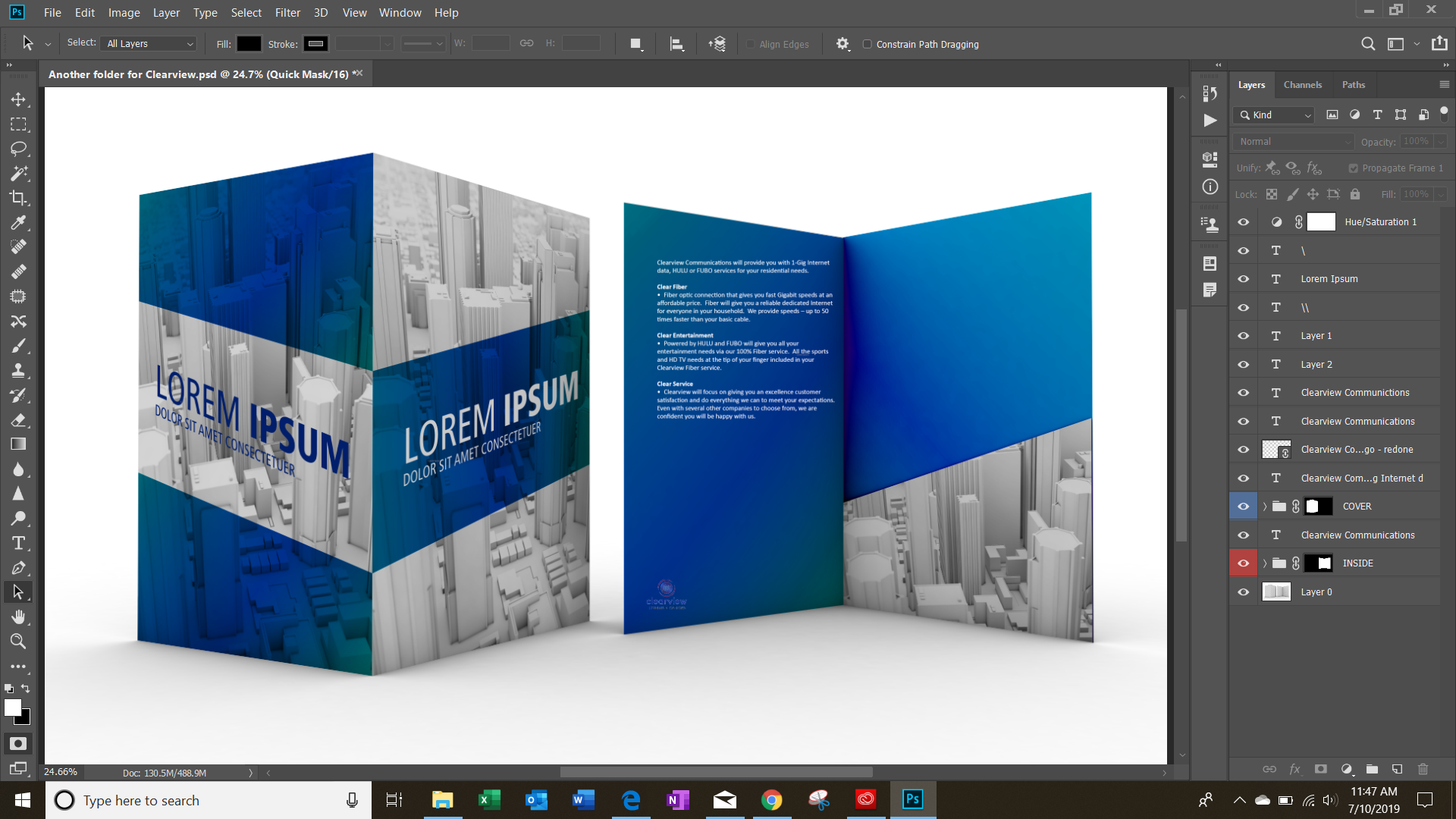
In the screen capture no layer is targeted. Which layer is locked? I do not see any in you layers palette the indicate the layer is locked. However two of your layer groups are collapsed so we can not see the layers within cover and inside.
Also I feel for you Product Mockup Template you need to use smart object layer so you can give sone of your objects the correct perspective and rotation so when the Smart Object content is replaced the replacement will be transformed to the correct perspective.
There are many examples on the web.
Copy link to clipboard
Copied
I see the examples but they are not part of Adobe, unless I'm missing something.
Also, I cannot target anything because I can't see any layers even if I click on anything, I can't type or delete anything.
Copy link to clipboard
Copied
jerryc75922535 wrote
I see the examples but they are not part of Adobe, unless I'm missing something.
Also, I cannot target anything because I can't see any layers even if I click on anything, I can't type or delete anything.
You template is not part of adobe either.
It now soulds like you are writting Photoshop Hangs on your machine that Photoshop stops functing you can not do anthing in Photoshop The you have to terminate Photoshop. Is that a good description of the problem you have.uncting
Copy link to clipboard
Copied
It seems like it. I will contact PhotoShop.
Copy link to clipboard
Copied
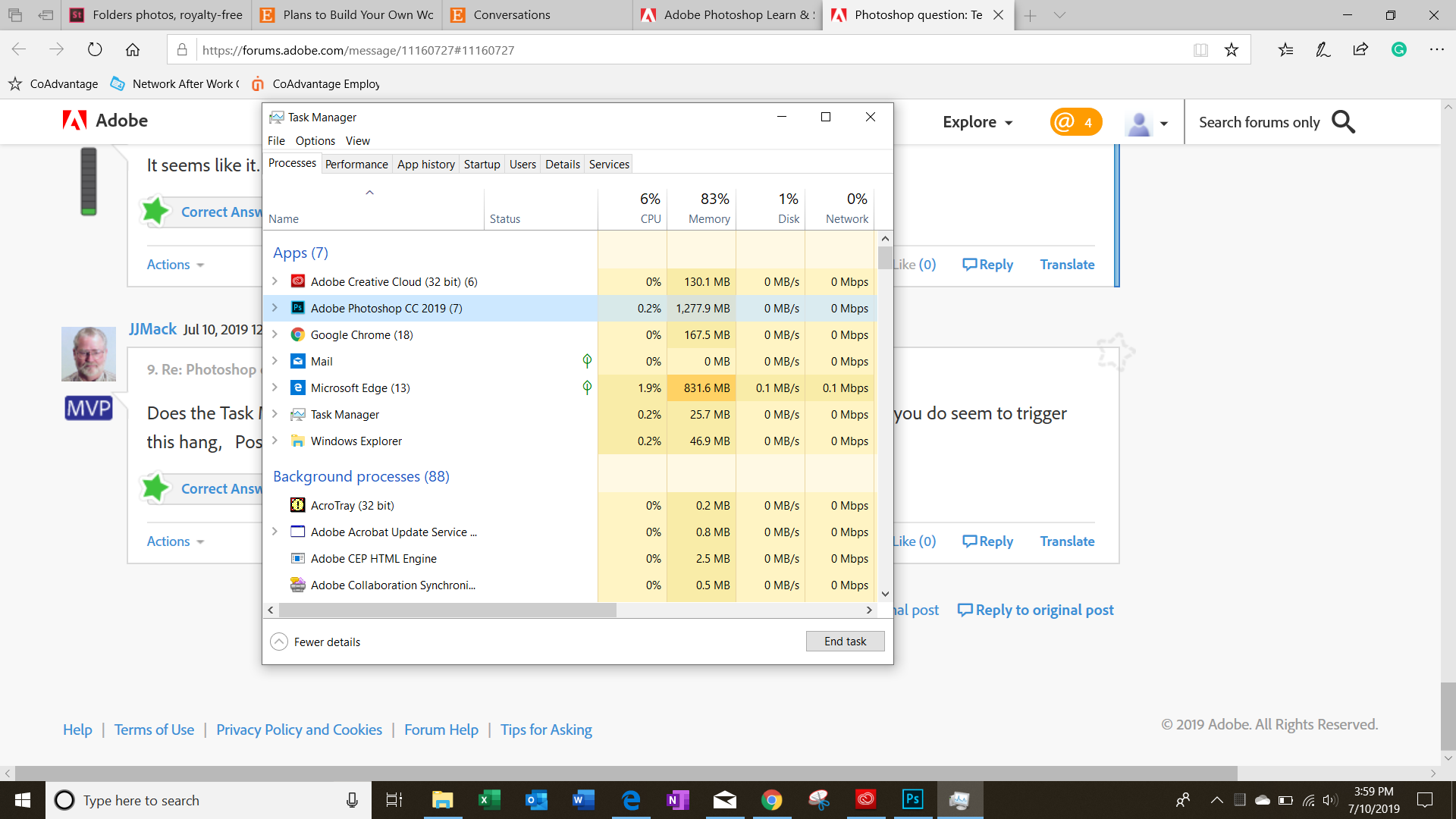
Does the Task Manage show the Photoshop is getting CPU but is not responding. Does anything you do seem to trigger this hang, Post your menu Help>system info
Copy link to clipboard
Copied
This is what I get.
Copy link to clipboard
Copied
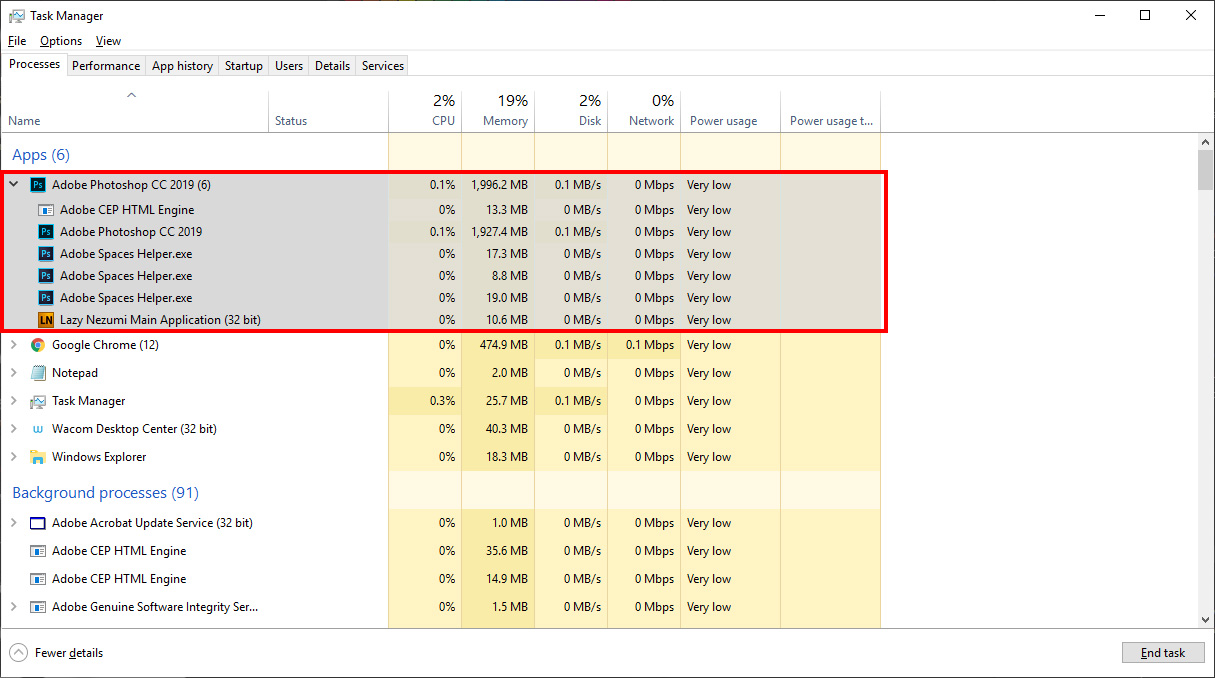
Acrully you need to expant Photoshop so w can seeo all its task and their status


Get ready! An upgraded Adobe Community experience is coming in January.
Learn more
 AdChoices